Metor 6M PAGE 27
Installation and Operating Manual
92102916 REV 5 7. SWITCHING ON
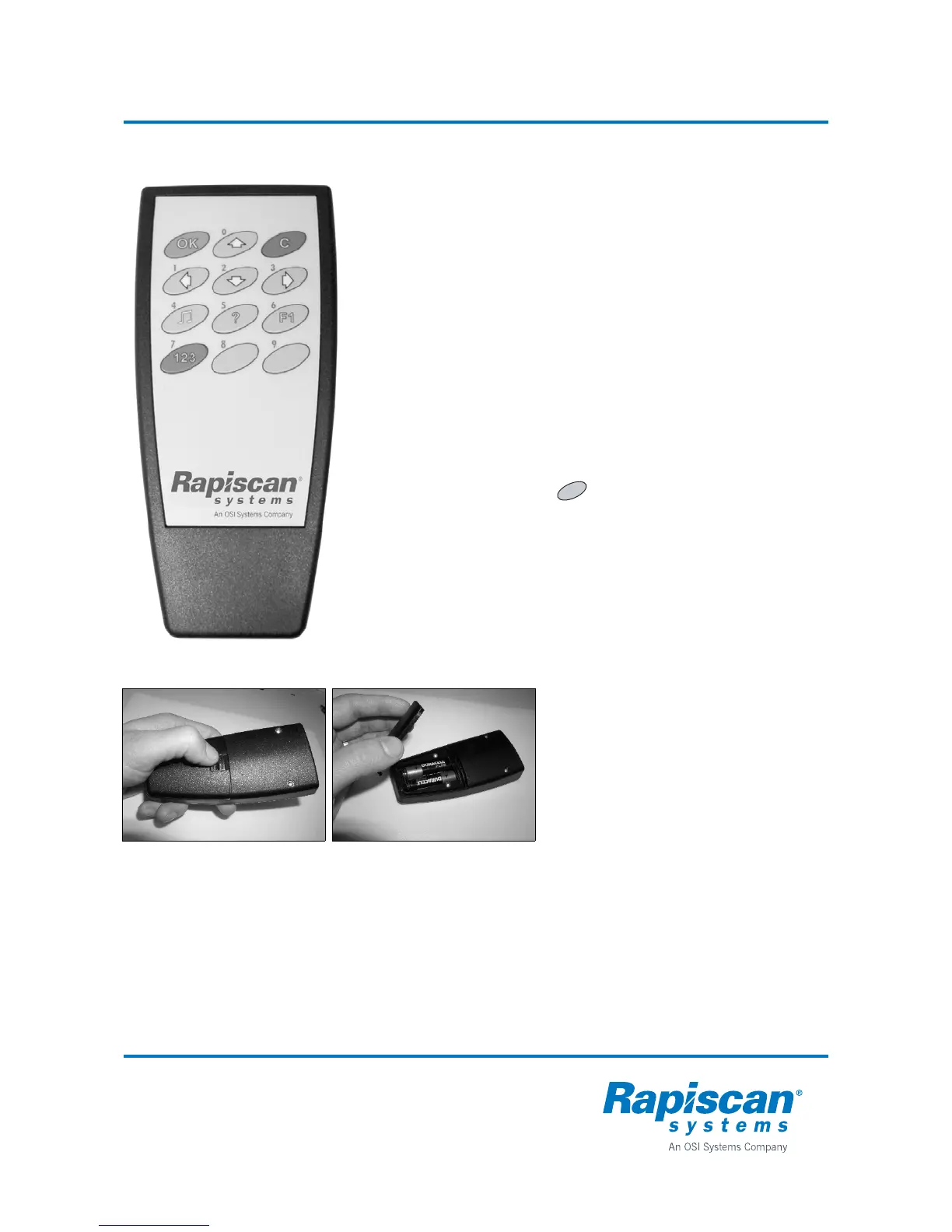
Remote control unit (option)
Remote control batteries
All functions of the Metor 6M can be
controlled with the optional remote control
unit.
The remote control unit operates within a
distance of 3 m (120 in.) from the detector
when the IR-beam is aimed at the display.
One remote control unit can be used for
controlling one equipment but also several
Metor 6M metal detectors. In addition, the
remote control can be used to copy
operating parameters from one metal
detector to others. This simplifies set-up of
several units.
Remote control unit functions are similar to
the display unit functions. Remote control
unit includes also a standby function
( button).
Insert batteries to the remote control
unit before operation.
The control unit uses two 1.5 V AA size
batteries.
1. Open the lid.
2. Insert batteries.
3. Close the lid.
When the batteries are about to run out a
red light will blink on the display each time a
remote control button is pressed.
C



 To Next Page