PAGE 28 Metor 6M
Installation and Operating Manual
7. SWITCHING ON 92102916 REV 5
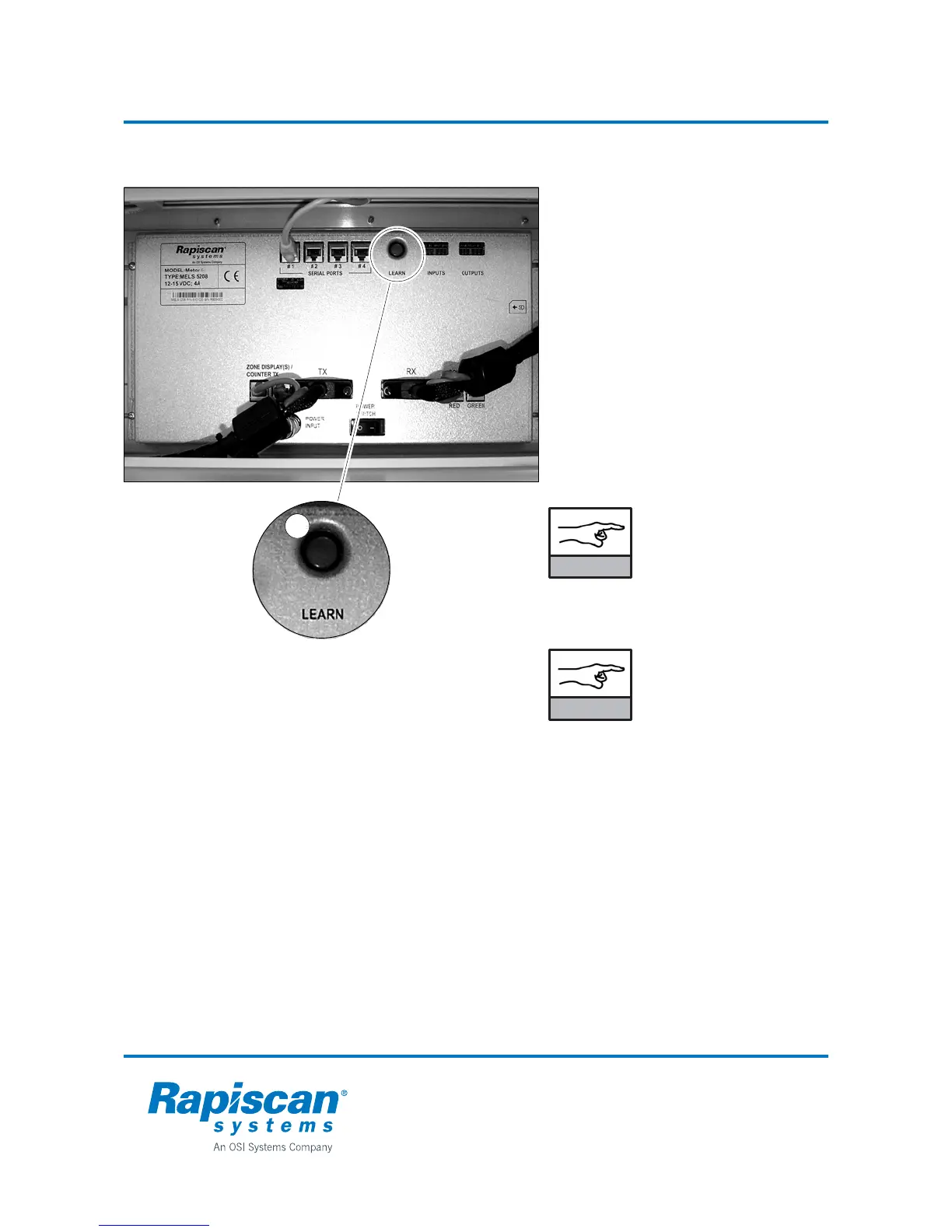
Remote control unit - electronics unit communication
Before using the Remote Control Unit its
serial number must be taught to the
electronics unit.
• Press the (Learn) button (1) until you
hear one beep.
• Message “Validate remote. Press any
key” appears on the display.
• Point the Remote Control Unit towards
the Display Unit and press any key to
send its serial number to the Electronics
Unit.
After completing the above process the
Metor 6M can be operated with the remote
control unit. Up to ten remotes can be
validated for Metor 6M following the same
procedure with each one.
Using function 3.2.1
Remove All Valid
Remotes will erase the
validation of every
remote taught to that
Metor 6M.
The Learn button has
two functions: if it is
pressed for more than
five seconds, all access
codes are reset to factory
defaults.
1
NOTICE
NOTICE



 To Next Page