PAGE 16 Metor 6M
Installation and Operating Manual
5. INSTALLATION SITE 92102916 REV 5
Checkpoint layout
The layout of a security checkpoint should be planned carefully before installing
the equipment in order to maximize the traffic flow. In addition to the
considerations regarding mechanical and electrical interferences (See “Installation
recommendations” on page 13.) at the installation site, operative security checking
should be organized properly. The functionality of a checkpoint is very much
affected by the following:
• Queuing to enter the WTMD should be arranged so that only one person is
inside the WTMD at a time
• The searching of detected metal objects should not disturb the normal checking
of the WTMD.
• The checking of hand luggage should be arranged so that it does not cause false
alarms
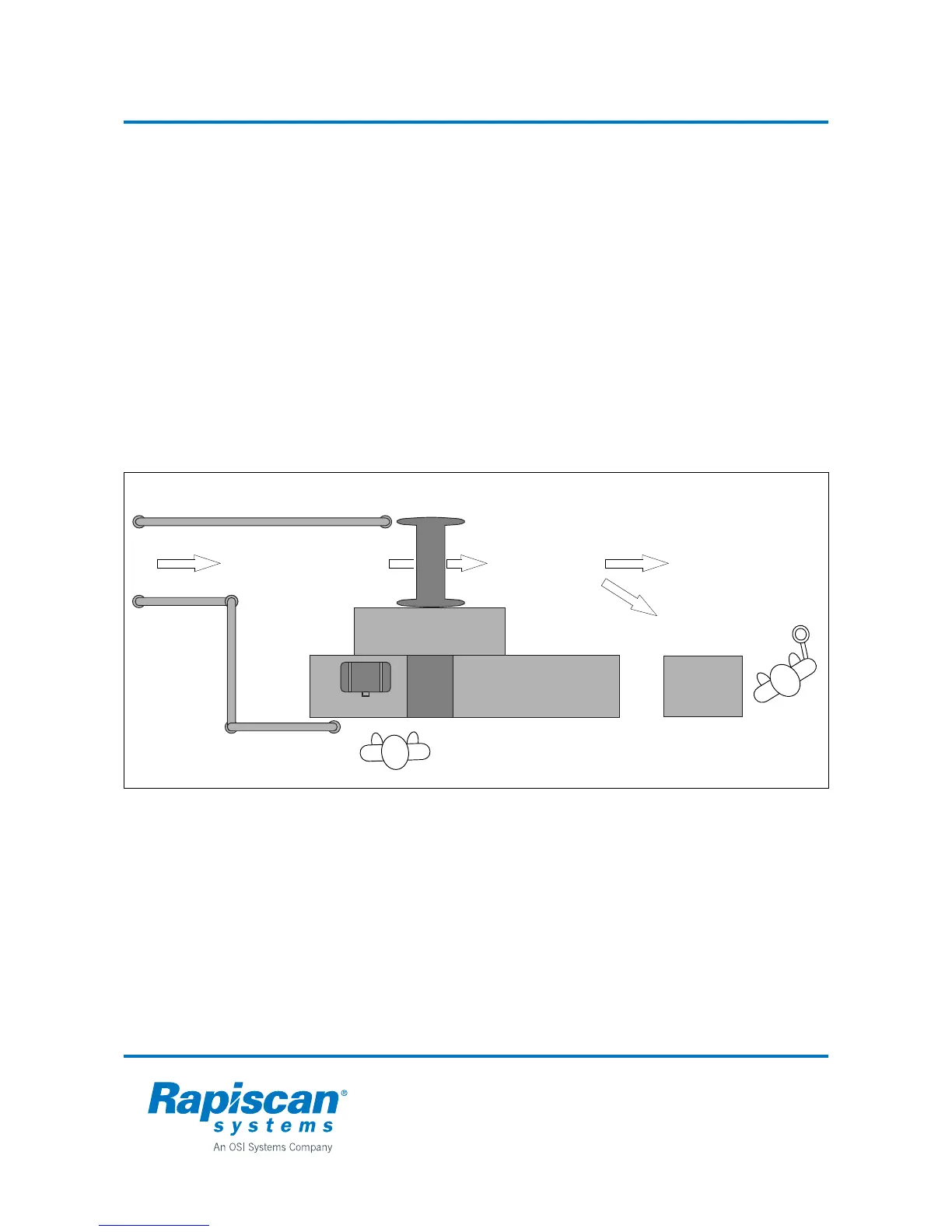
Example of security checkpoint layout
• If no X-ray equipment is available, luggage should be examined by hand.
• Alternatively, items can be left in lockers located before the metal detector, if no
examination can be arranged or is not desired (e.g. offices, banks).
• The passage past the gate should always be arranged from the receiver panel
(RX) side as the magnetic field from the metal detector is there weakest.
Metal detector
Table for keys etc.
Rx
Tx
X-ray machine
for luggage
Luggage
Searching area for
detected objects
No alarm
Alarm



 To Next Page