3 Short operating tutorial
780/781 pH/Ion Meter, Manual
25
2
Start calibration with first standard
• Immerse electrodes in the standard with the lowest F
-
concen-
tration
• Start calibration with
• If no temperature sensor is connected:
enter the temperature and exit with
• Confirm standard concentration with
or – if neces-
sary– correct it
• Wait for measurement of the potential
3
Continue calibration with increasing standard con-
centrations
• When the request 'Change std.
' appears, remove
the electrodes from the first standard, rinse them with water
and blot them gently with a clean lint-free tissue
• Immerse electrodes in the next standard and continue the cal-
ibration sequence with
• In each case conform the standard concentration with
or – if necessary – correct it
• Repeat procedure for each remaining standard
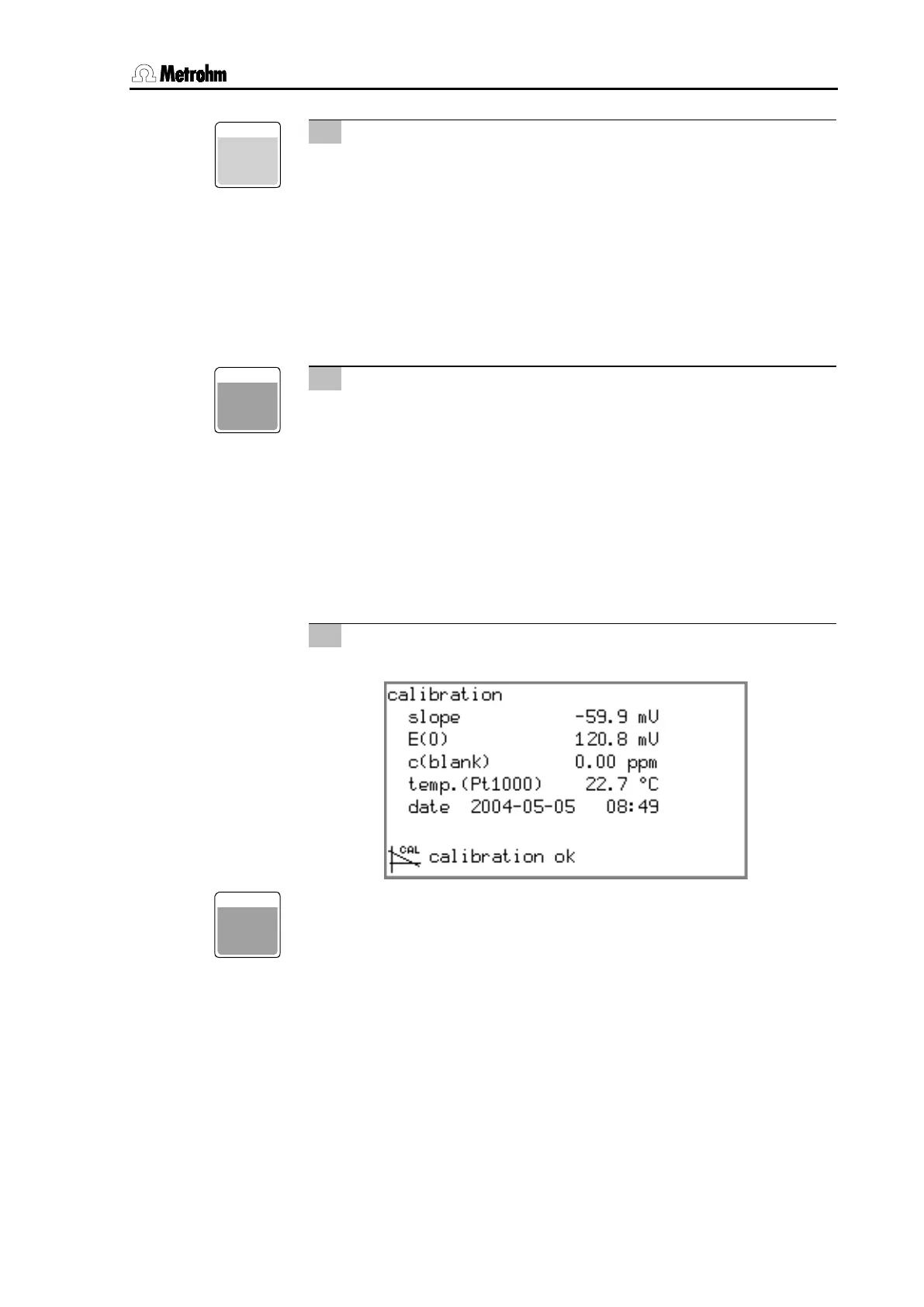
4
Result
• Wait for potential measurement, result will be displayed:
• After 30 s the pH/Ion Meter will switch back automatically to
the measurement display. This can also be done immediately
with
.
CAL
ENTER
ENTER












 To Next Page