Witty User Manual - EN - v1.5 P. 115 / 171
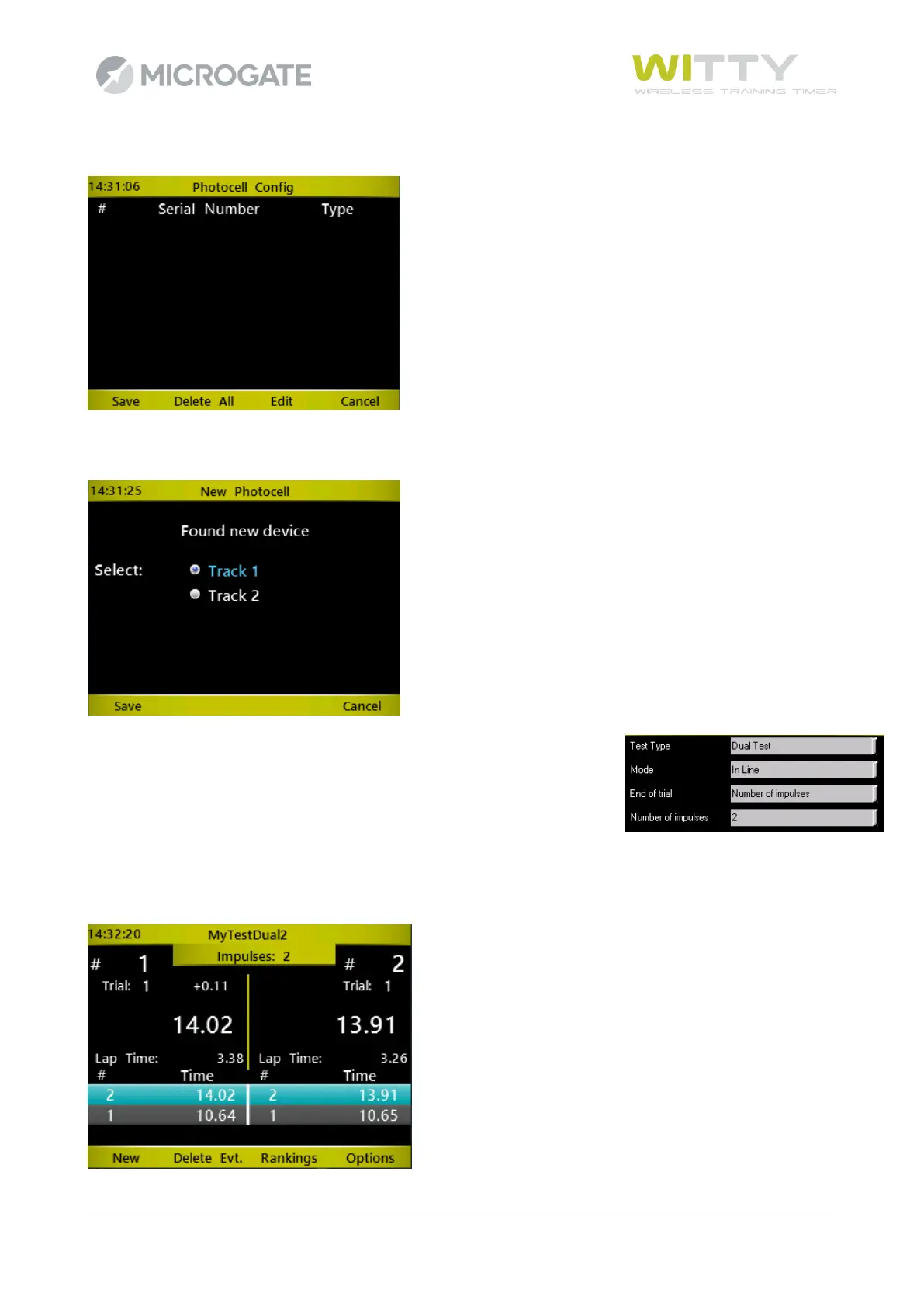
On answering <F1> (Yes), this window appears.
Let’s now "cut" the N photocells (4 in a classic Start and Stop configuration with two lanes) and say for each
one to which track they belong.
It is not necessary to specify which type of impulse it is (Start, Stop, Lap)
since during the trial it is inferred from the “Number of impulses" parameter
that we entered in the definition phase (always remembering that the start
is not to be counted, so if we have Start, a Lap and Stop we will enter "2").
The interface on the timer has the screen split into two sides, Track 1 on the left and Track 2 on the right. At
the end of a trial the gap is always shown on the side of the “losing” competitor.
All operations (entering bibs, rankings, deleting events, etc.) are similar to the above-mentioned Sprint tests.



 To Next Page