Witty User Manual - EN - v1.5 P. 86 / 171
4.4.6.2 DOUBLE DECISION
Select which “type of car" you saw on the two semaphores in the middle of the frame
and identify the semaphore that displayed the symbol selected as a "peripheral
stimulus"
The "Double Decision" Test uses proven technology in an unambiguous manner to
accelerate processing and expand the useful visual field. Studies show many
advantages in training with this technology, including faster visual processing, an
expanded useful visual field, safer driving and much more.
https://www.brainhq.com/why-brainhq/about-the-brainhq-
exercises/attention/double-decision/
https://youtu.be/sCX2agoOm14
Useful visual field, visual processing speed
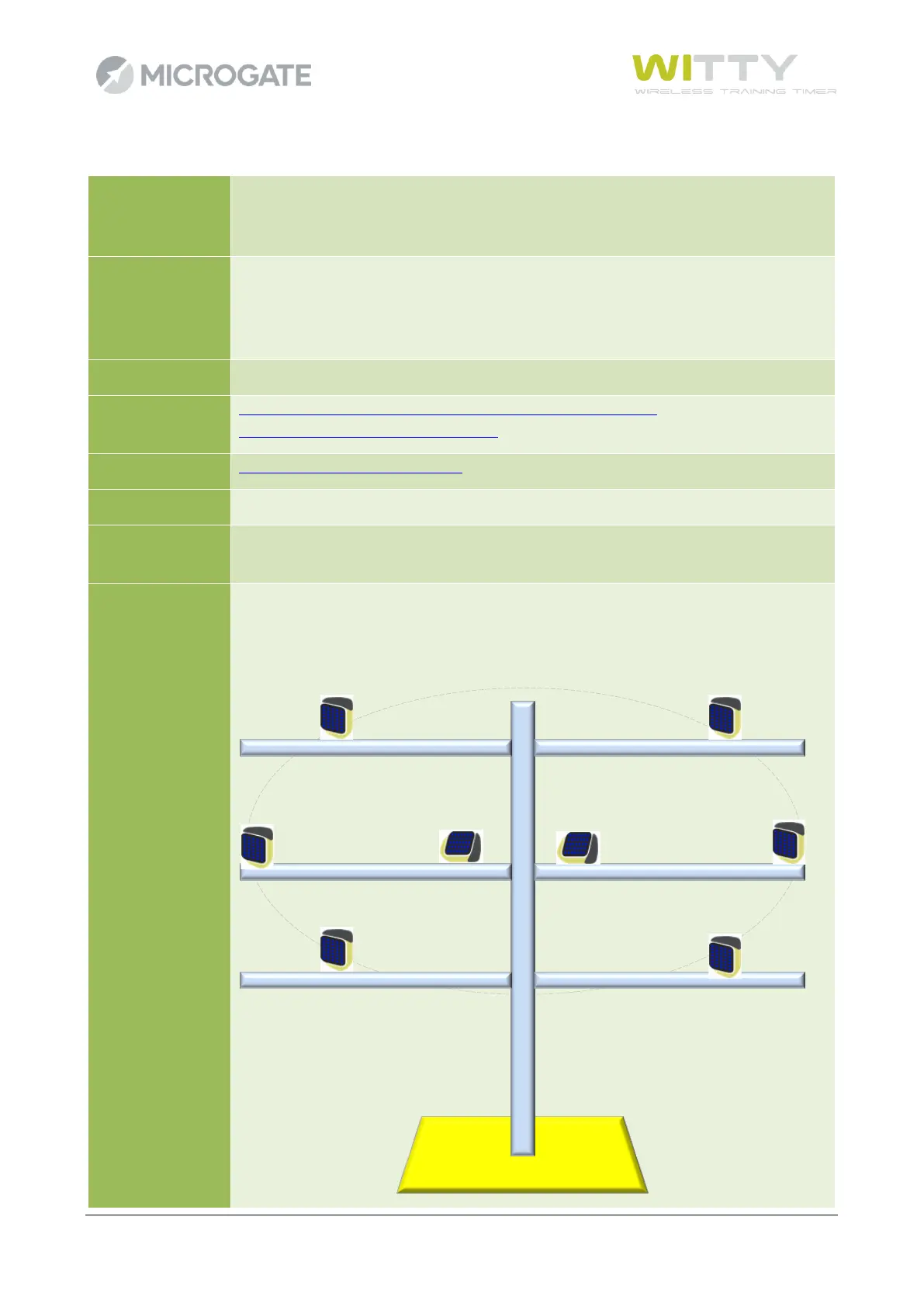
Place the two semaphores "A" and "B" in the middle of the frame, near each other
and rotated through 90°; they will be those where the "car" or "truck” symbols
appear. Place the other semaphores in a circle around the central ones, so as to create
"sectors" where the peripheral stimulus symbol is to be recognized.



 To Next Page