Witty User Manual - EN - v1.5 P. 161 / 171
5.4.7 WITTY·SEM
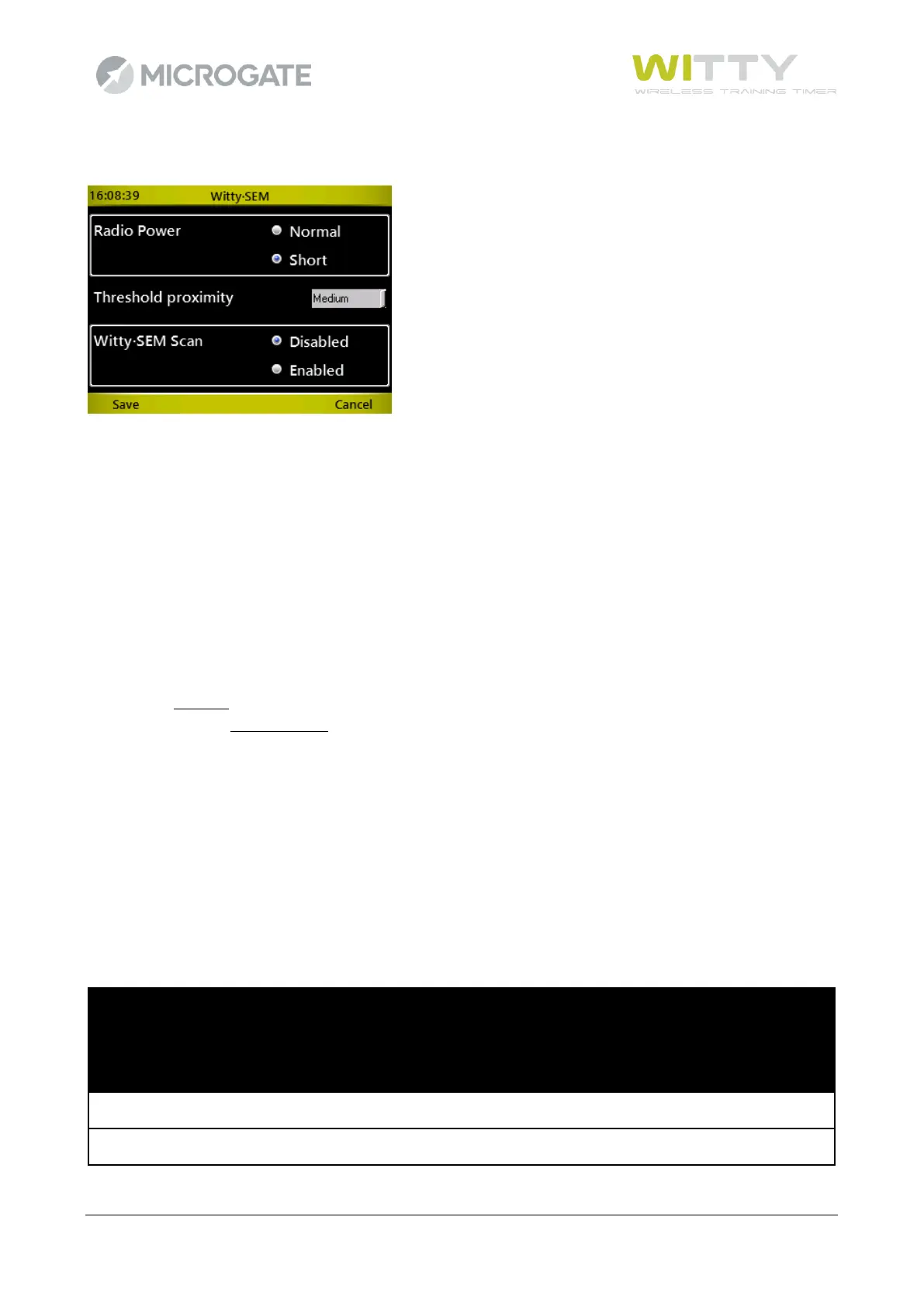
This is used to set two parameters relative to the Witty·SEM traffic lights. Select the options and press <F1>
Save. The values are stored in the timer and sent to the traffic lights for each test. Therefore it is not necessary
to place the traffic lights to be set in configuration mode.
The Radio Power parameter indicates the duration of the impulse transmission set for “Normal” mode at 1.2
sec. and for “Short” mode at 0.4 sec. (see chapter 2.3.1).
The “Proximity threshold” parameter can be set to “close”, “medium”, “distant” and indicates the
approaching distance necessary to trigger the proximity sensor. As the sensor is influenced by the reflectivity
of what interrupts it and by the background that surrounds it, it is not possible to indicate fixed distances for
the three values that depend on ambient conditions.
The third parameter “Witty·SEM Scan” is perhaps the most important: if it is set to "Disabled" the Witty timer
expects the number of semaphores active to be equal to the number entered during test set-up, and that
the semaphores are progressive ID (A, B, C, D,…). If this is not the case (e.g. using 3 semaphores when in test
set-up 4 are entered, or using semaphores with ID A, B, D, F) the behaviour of the devices is anomalous and
the test will not be carried out correctly.
To avoid this potential problem, the option can therefore be enabled to force the timer to scan all the
semaphores present in the area. If the number of semaphores it finds do not correspond with the test set-
up, it notifies the user and asks if it should continue.
In addition, if the device IDs are not consecutive, the test is carried out correctly as though they are. It should
be noted however that, as the area needs to be scanned each time a test is started, there are a few seconds
delay between the test loading and starting.
In summary:



 To Next Page