Witty User Manual - EN - v1.5 P. 143 / 171
5.2.3.2 FILTER
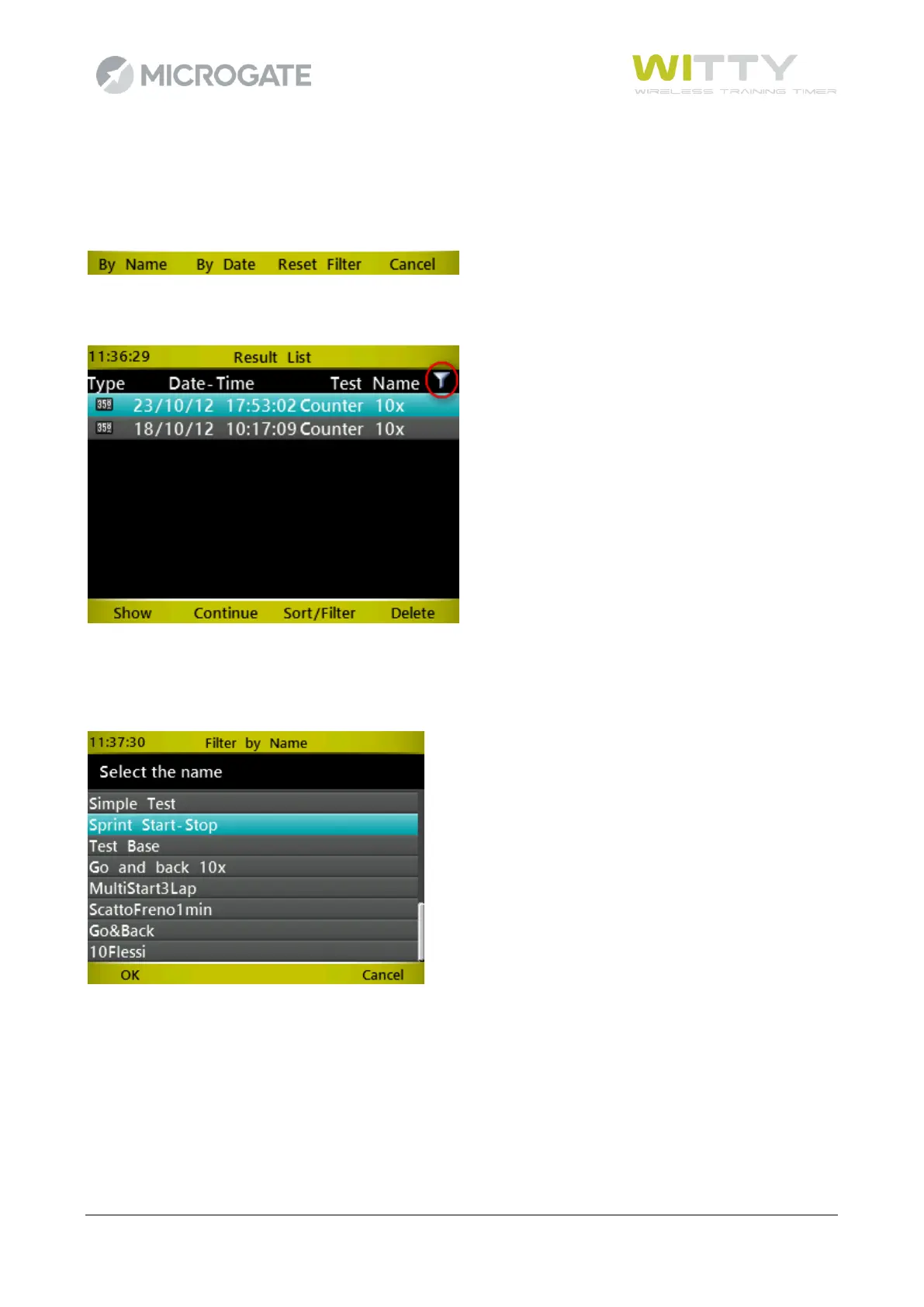
In case of many tests it is possible to browse (filter) the list by test name or by date range (from... to...). The
filter remains active even if you exit the main menu and then enter the Results item. To reset it and display
all records, see chap. 5.2.3.3
An icon beside the column for which the list has been filtered (Test Name or Date) indicates that there is an
active filter.
5.2.3.2.1 Filter by Name
A unique list of all present test names in the result list is displayed. Choose a name from the list by selecting
it and pressing <F1> or <OK>. The Result List displays only the trials of that given type.
5.2.3.2.2 Filter by Date
Enter two dates (the second identical or subsequent to the first one) to find the trials carried out during that
period of time. The filter is NOT cumulative (i.e. any filter by Name previously entered will be reset).



 To Next Page