Witty User Manual - EN - v1.5 P. 122 / 171
5.1.1.3 RANKING
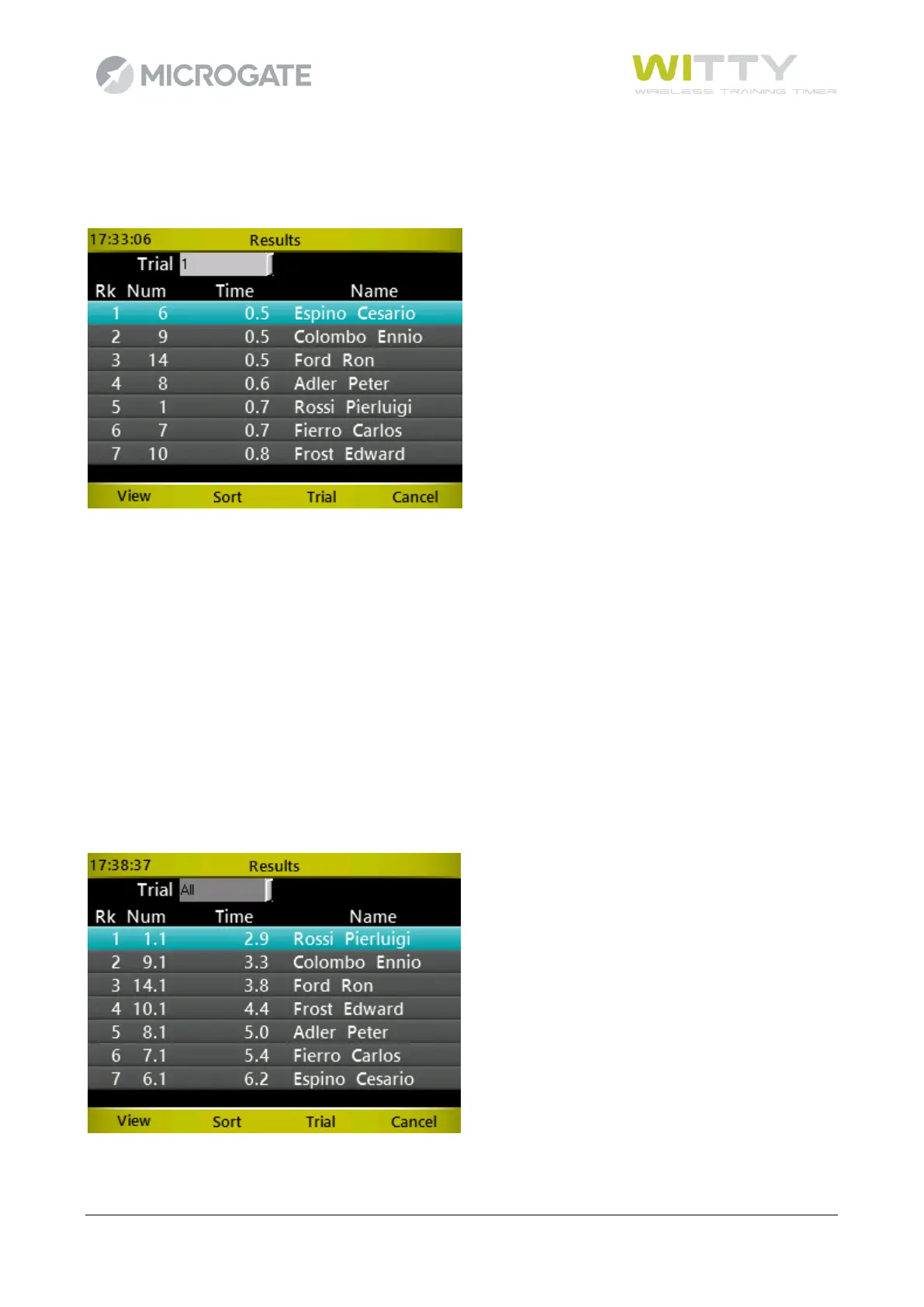
Display the raking of the current Trial (or of a given trial). A certain athlete's test can be displayed and the
list can be sorted by time or bib number (to find an athlete).
Use the <up> and <down> arrow keys to scroll the ranking and <F1> (or <OK>) to display the selected test
(in this example the test of athlete number 1, Rossi).
5.1.1.3.1 View
View the selected test with all lap times (if present).
5.1.1.3.2 Sort
Sort the ranking by Time -<F1>- or Number (Bib) -<F2>-
5.1.1.3.3 Trial
Place the cursor on the 'Trial' dropdown menu in order to view a trial ranking or all trials together.
In this case the bib column (Num) has the format X.Y, where X is the bib and Y the trial (in the following
example the athlete with the best time is athlete #1 in trial 1).



 To Next Page