Witty User Manual - EN - v1.5 P. 24 / 171
2.4.2 THE START (STA) AND STOP (STO) KEYS
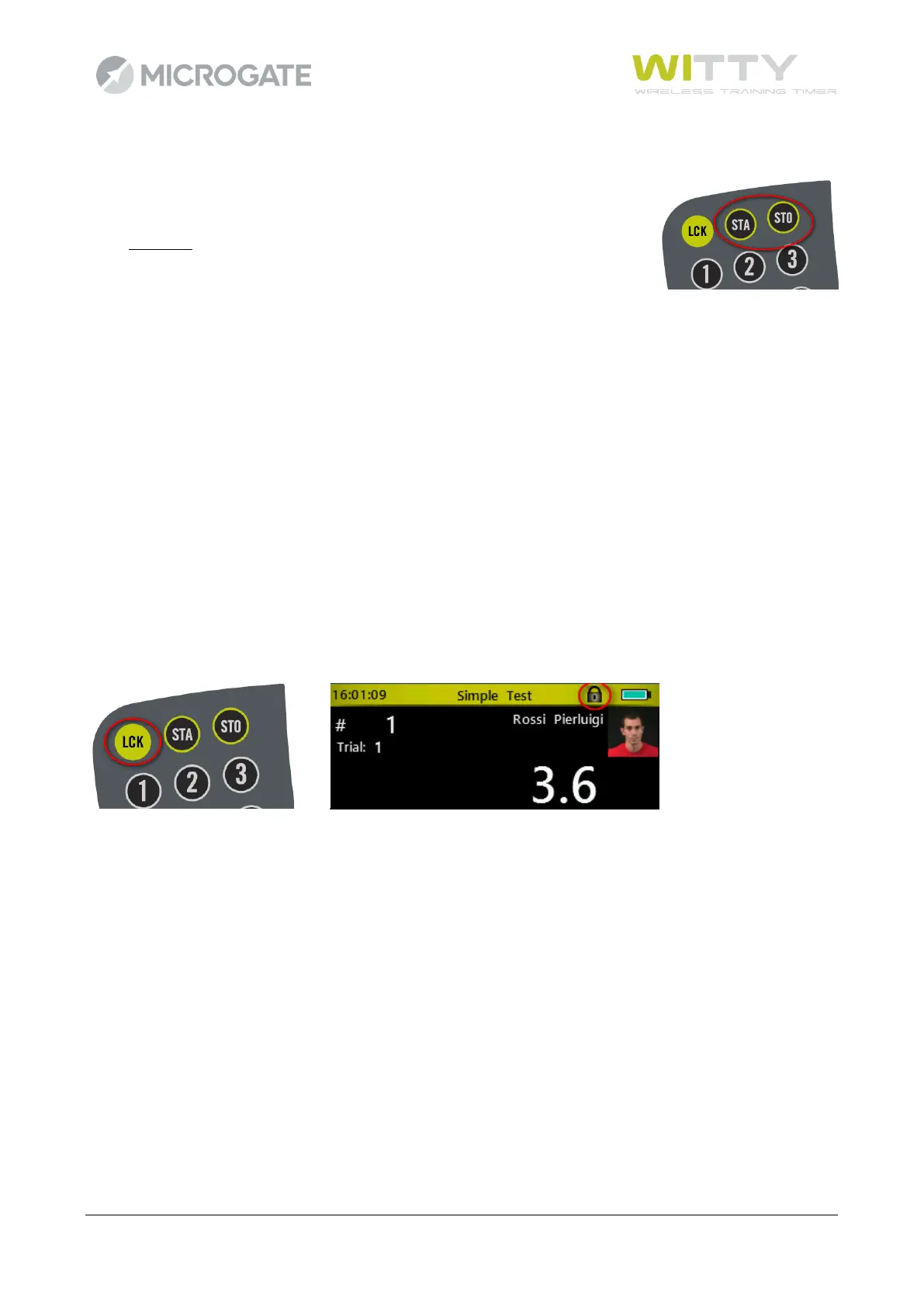
In the top right corner of the timer there are the STA and STO keys simulating the
events recorded by the photocells set as start and stop. These impulses can be
given manually to:
• start a test manually giving the first impulse and then manage the
following using the photocells (e.g. a counter test, where only one photocell is used to count
repetitions)
• generate a lap time when the athlete passes in a certain point when using 2 photocells (press the
STA key, which is also used as LAP)
• end a test manually, if for some reason an athlete has not interrupted the photocell (passing too
close to or below it)
• 'play' with the timer learning how to use it in manual mode
2.4.3 THE LOCK KEY (LCK)
The Lock key interrupts radio impulse reception by the photocells and the inputs from the 3.5 mm jack. The
keyboard (and therefore also the STA and STO keys) remain enabled.
If, for example, an undesired person is crossing the finish line (a judge, another athlete, etc.), reception can
be interrupted simply by pressing the <LCK> key
A padlock on the header bar indicates that the timer's reception is 'locked'; to reactivate it press the <LCK>
key again.



 To Next Page