Witty User Manual - EN - v1.5 P. 19 / 171
2.4 ELEMENTS OF THE GRAPHICAL USER INTERFACE
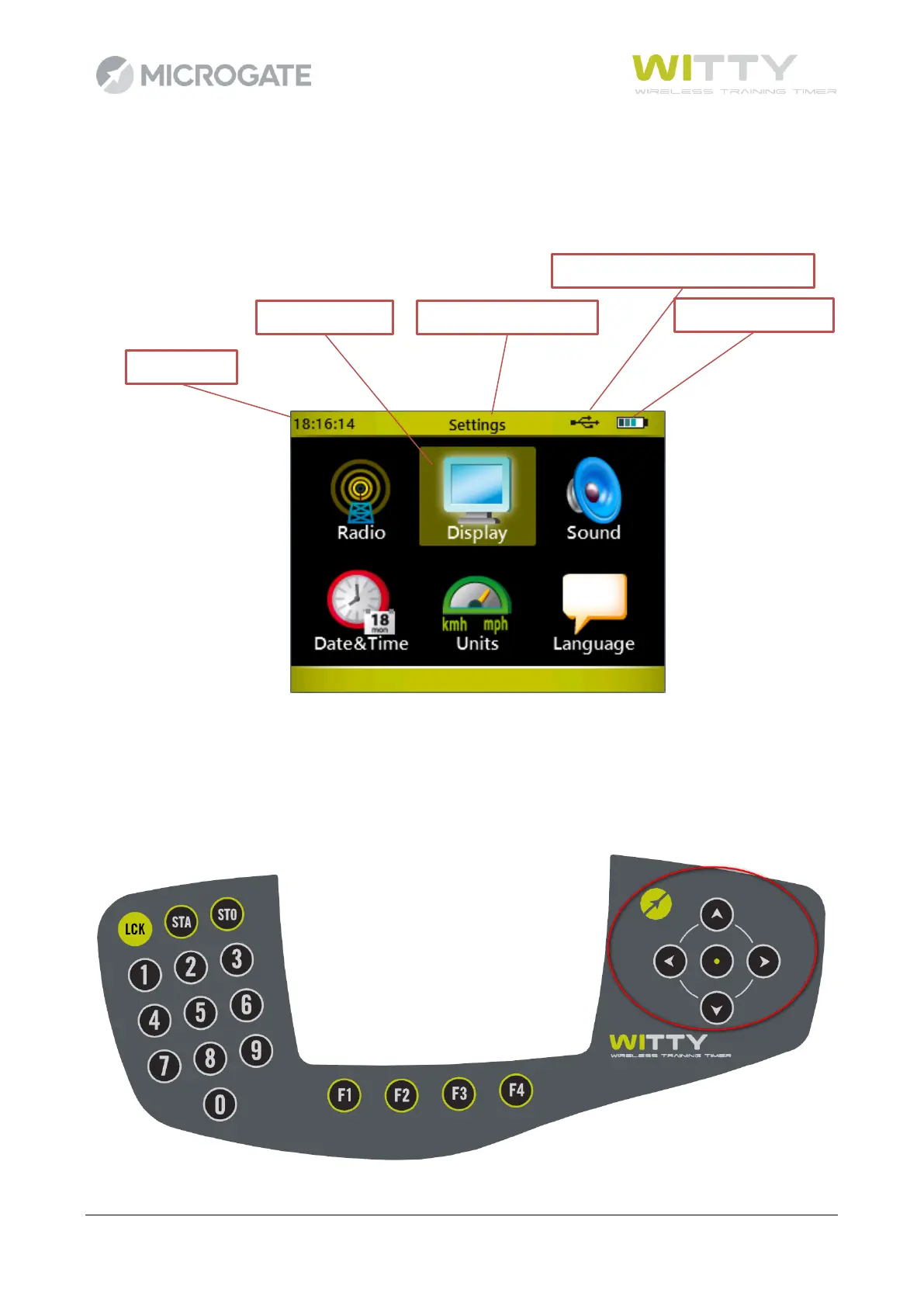
The Witty timer features an interface with icons and commands similar to those used in modern mobile
phones and smartphones. Let's take a look at the main icons and how to use them.
To browse the menus, use the four keys of the <keypad navigator>. When the icon of the required
command is selected (icon outlined in yellow), press the center <Confirm/OK> key to access the relevant
function.
To go back to the previous screen or in any case when the regular BACK or ESC function is needed, pres the
<Microgate> key.



 To Next Page