Witty User Manual - EN - v1.5 P. 20 / 171
When commands are shown in the lower part of the display (inside the yellow portion), they can be selected
using the corresponding <function key>
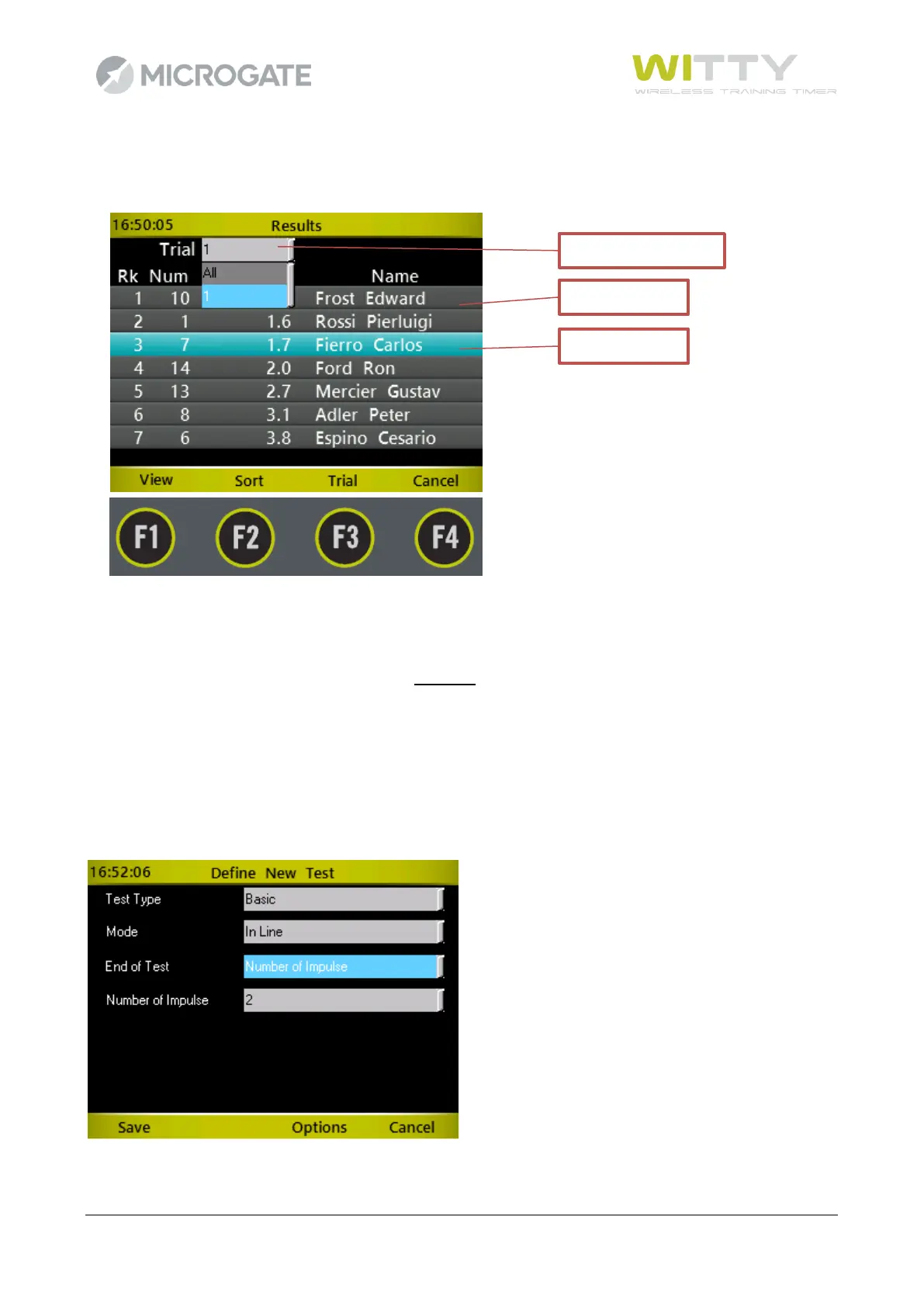
If the Data Tables consist of one or more columns, the rows can be scrolled with the <up> and <down> arrow
keys; the selected row is then highlighted in light blue. Press the <OK> key or one of the <Fn> keys to interact
depending on the context. Pressing the <right> and <left> arrow keys has the same effect as the PgDn and
PgUp keys on a PC, i.e. the list is scrolled down by pages.
In order to open a dropdown list, press the relevant function key (in this case F3 labeled 'Test') or the <up
arrow key>; the dropdown menu opens showing all elements, which can be scrolled using the <up> and
<down> arrow keys, and the required item confirmed with <OK>.
On screens having more than one dropdown menu, use the <up> and <down> arrow keys to select the desired
dropdown menu, then press <OK> to open it. Again use the <up> and <down> arrow keys to scroll the items,
and finally confirm the selected item by pressing <OK>.



 To Next Page