Witty User Manual - EN - v1.5 P. 21 / 171
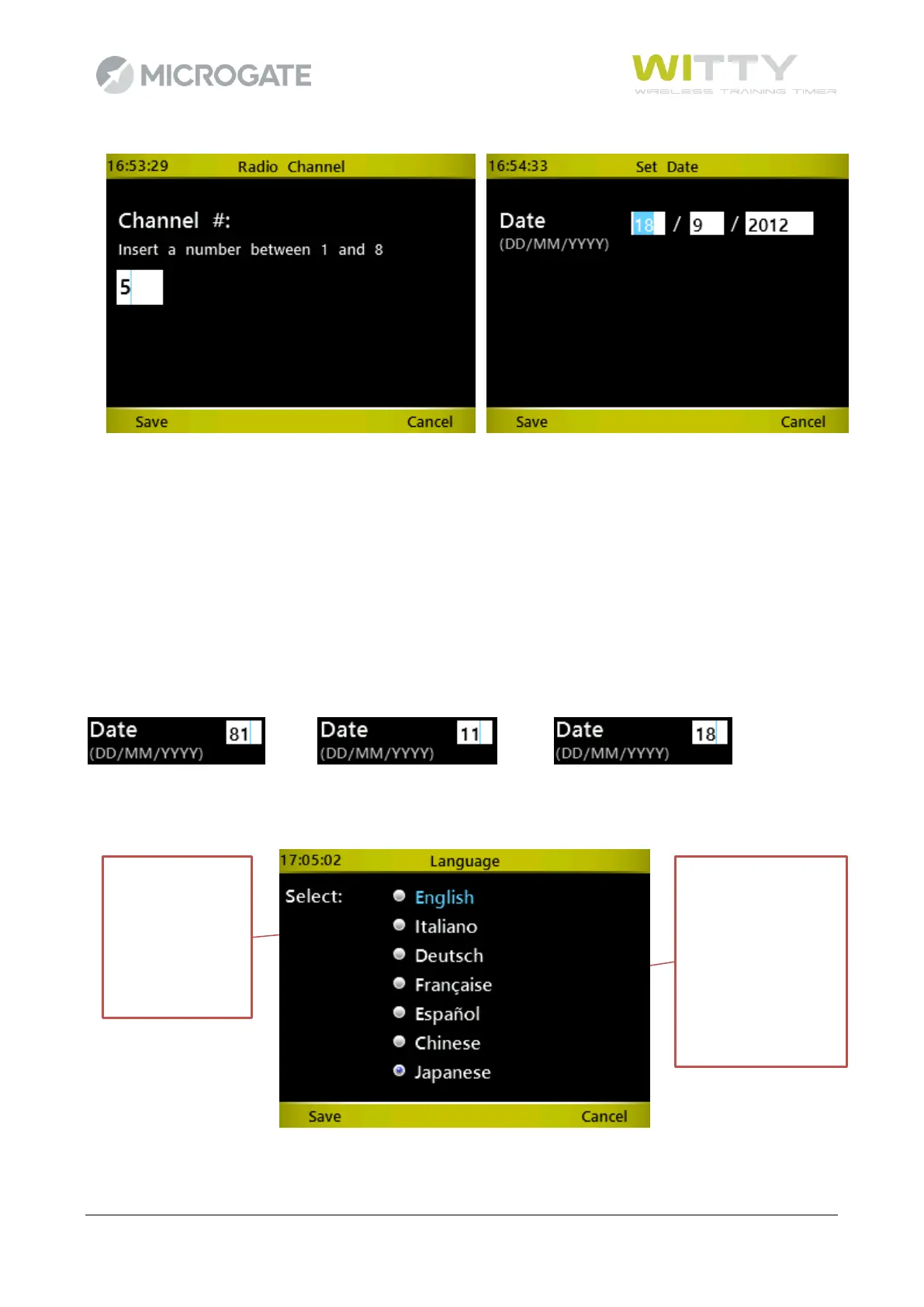
If you need to type a number, the cursor is automatically positioned inside the field. Use the <numeric
keypad> to enter the required number, and confirm with <F1> (Save) to save the data.
If there are several numeric fields (e.g. date or time input) confirm with <OK> in the various fields to go to
the next one.
As there is no delete (Del/Backspace) key, in case of mistakes just retype the number. Depending on the
context, the fields accept a finite number of digits (e.g. for a date only 2), so the entered data overwrites the
previous one.
e.g. If you want to enter the number 18 in the day field, but you have typed 81, just type 18 again and you
will obtain the following results:
press 1 press 8
For selecting items having exclusive selection buttons (radio buttons), proceed as follows: with the <up>
and <down> arrow keys select the required item, which turns light blue; press <OK> to set the option.
In case of various radio button groups on the same screen, follow the same steps.



 To Next Page