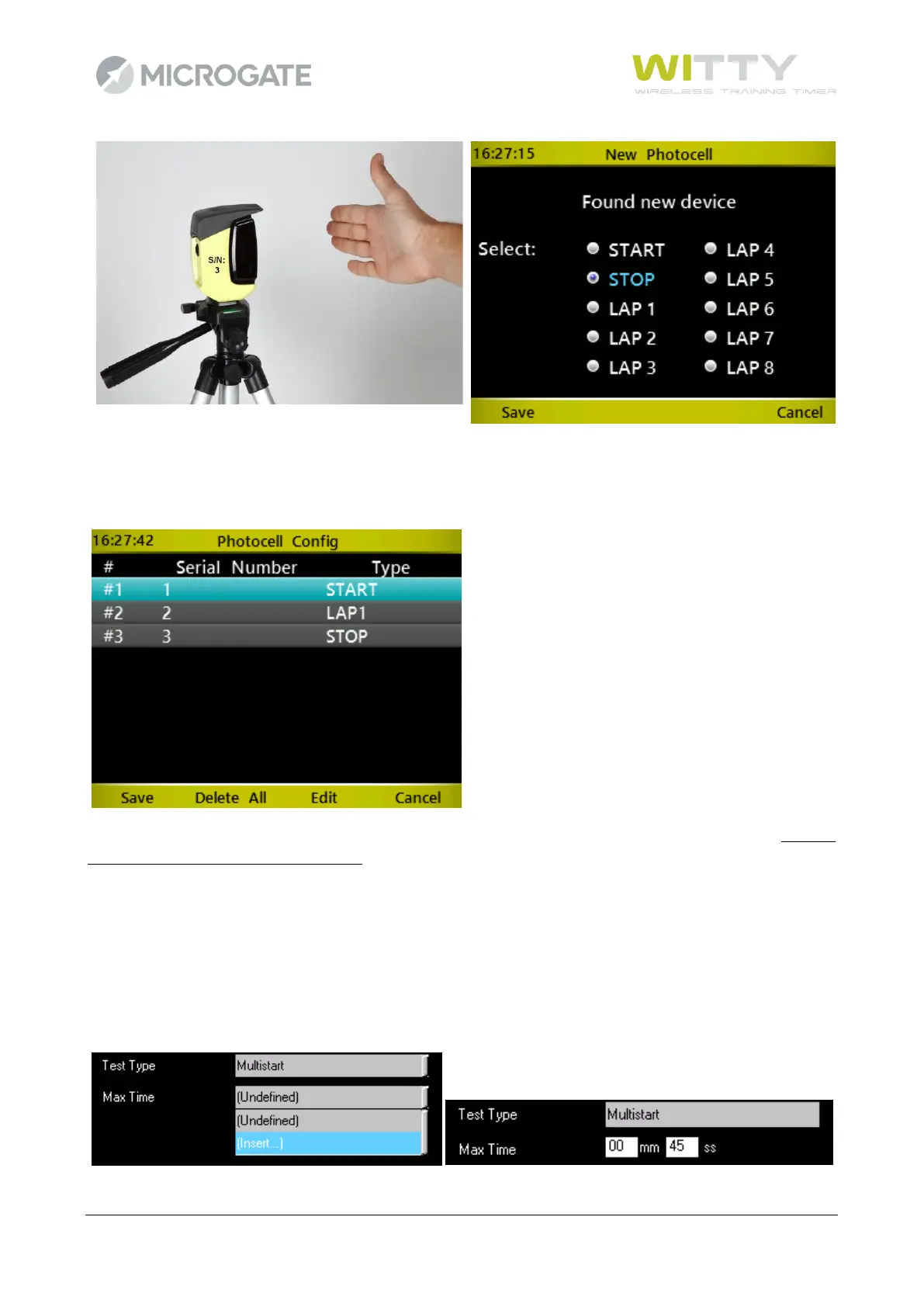
after which the situation will be the following (with more or less LAP photocells depending on how many are
available):
Press <F1> to save the configuration! (By pressing <F4> or <Microgate> the previous screen is closed without
saving, thus all entered data will be lost).
To change the event type associated to a photocell, go to the line (light blue color) of the required photocell
and press <F3>. Similarly to the first photocell, choose the event type and save by pressing <F1>.
It is not possible to delete a single assignment, but only to reset the configuration (<F2> key) to begin a new
assignment.
By closing the Test configuration screen it is possible to set a Max Time for completing the circuit/course. The
field can be left undefined or you can set a value in minutes:seconds.



 To Next Page