Witty User Manual - EN - v1.5 P. 77 / 171
Creating Tests and Custom Levels
If the 5 levels that we provide for each single test are not sufficient, you can create a Custom Level by selecting
the various parameters that make up the exercise. We strongly recommend that you execute this task with
the PC software Witty Manager because the custom parameters are assigned with exemplary graphic
popups. On Witty Timer this operation is still possible, but due to a lack of space we would be forced to select
the parameters only through their numerical value (via a drop-down list) and to keep an eye on the manual
for reference to know the corresponding graphic value.
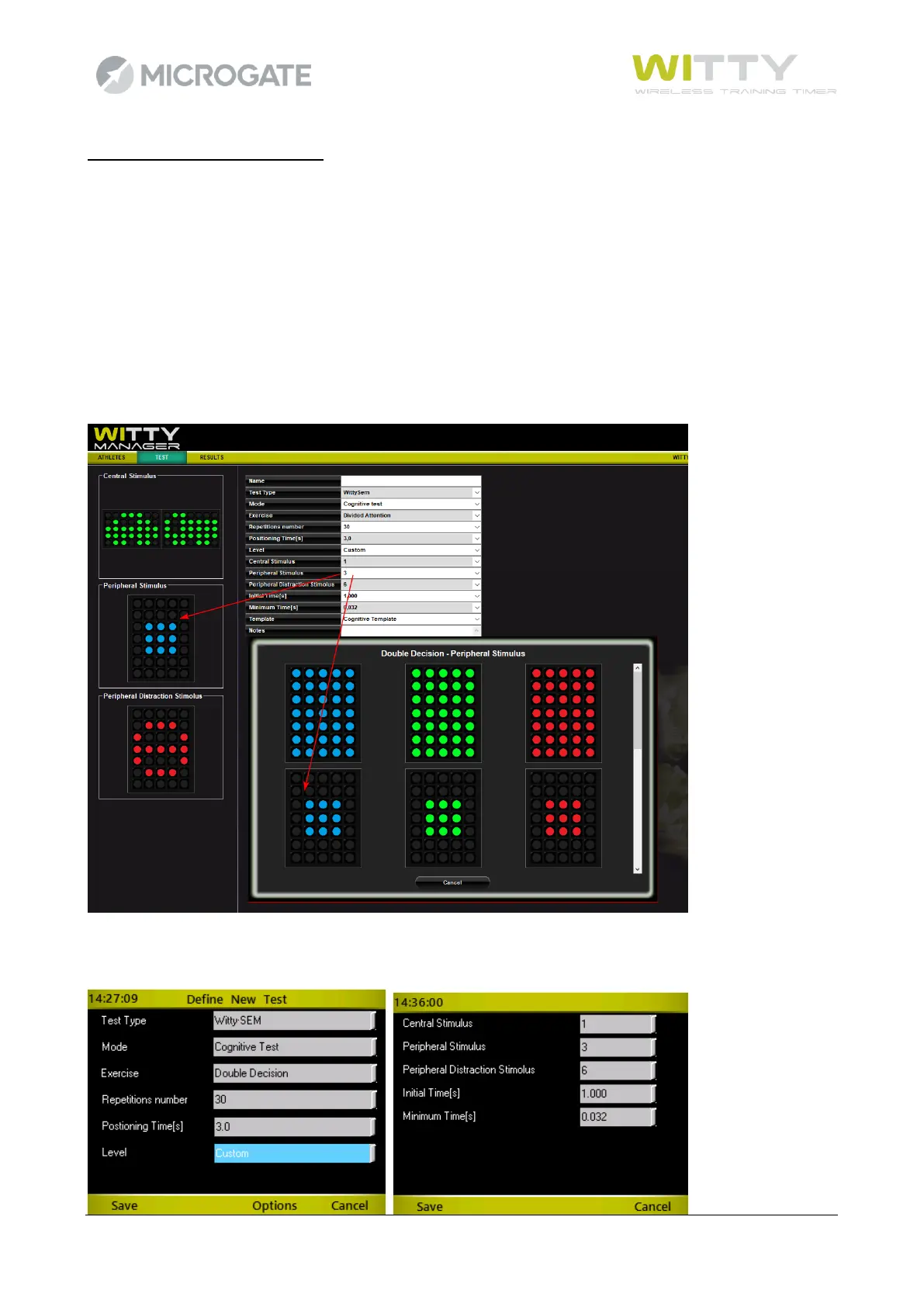
Example: Creating a Custom Level for the Double Decision test
Using WittyManager, every time you click on a drop-down list, a popup is displayed from which you can select
the corresponding figure
When creating the test on Witty Timer you need to refer to the manual to know which figure you want to
select



 To Next Page