2-4 Workstation 4 Setup Guide
What’s Inside?
Disassembling the Workstation 4
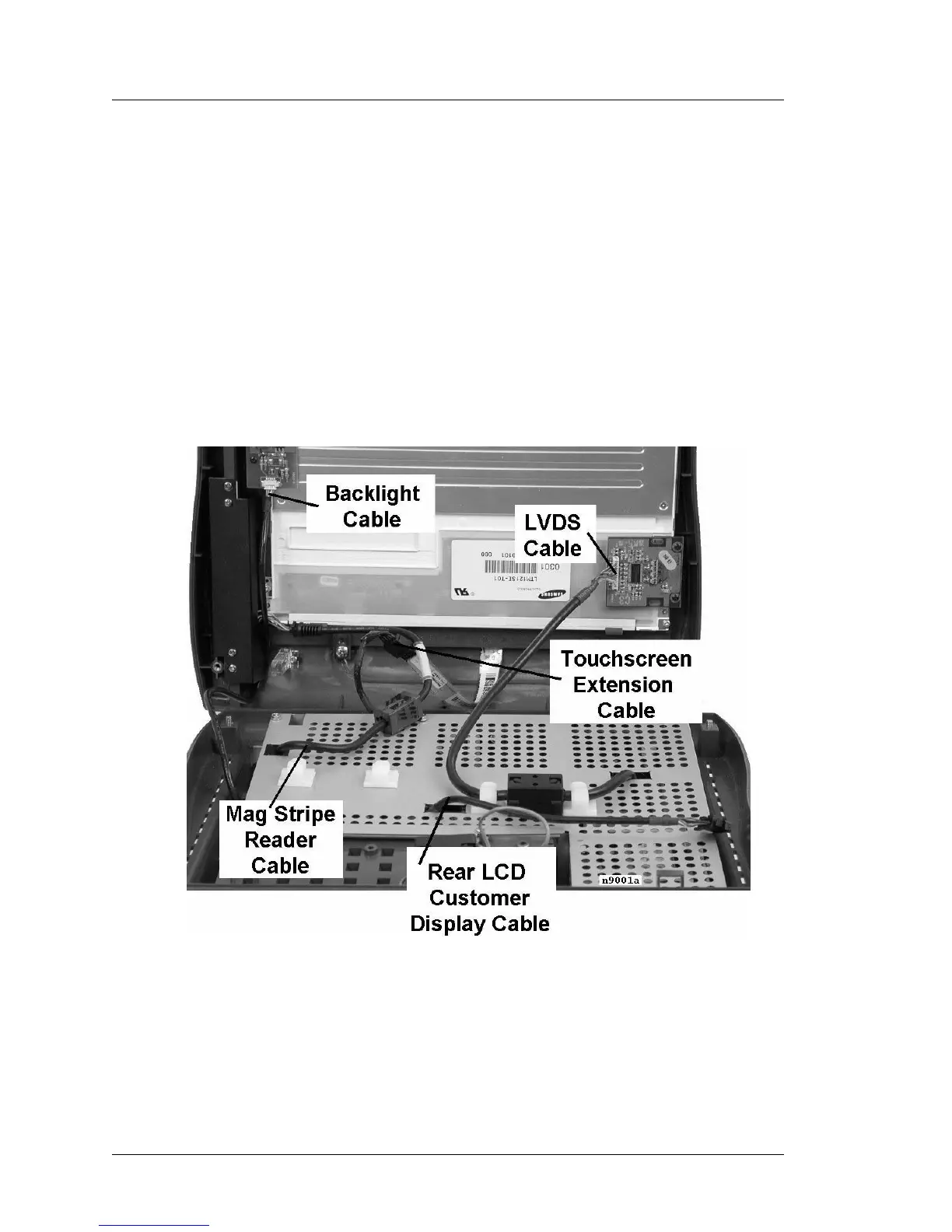
7. Remove the remaining cables between the top cover and the base. If a
Samsung LCD is installed, refer to Figure 2-3. If a Sharp LCD is installed,
refer to Figure 2-4.
o Use a flat bladed screwdriver to release the Magnetic Stripe Reader
Cable modular connector from its system board socket.
o Remove the backlight cable from the backlight board.
o Remove the touchscreen cable from the touchscreen extension cable.
o Remove the customer display cable from the Rear LCD Display (if this
option is installed).
o Remove the LVDS cable from the LVDS board on the Samsung LCD
or directly from the Sharp LCD panel.
Figure 2-3: Removing Cables from the Top Cover - Samsung LCD
8. The top cover can now be set aside.



 To Next Page