Workstation 4 Setup Guide 3-17
Installing and Operating the Workstation 4
Personality Swap
3. Insert the hex wrench into the bracket screws and turn it counter clock-wise
to remove each screw.
4. Remove the bracket. Set the bracket and screws aside for the moment.
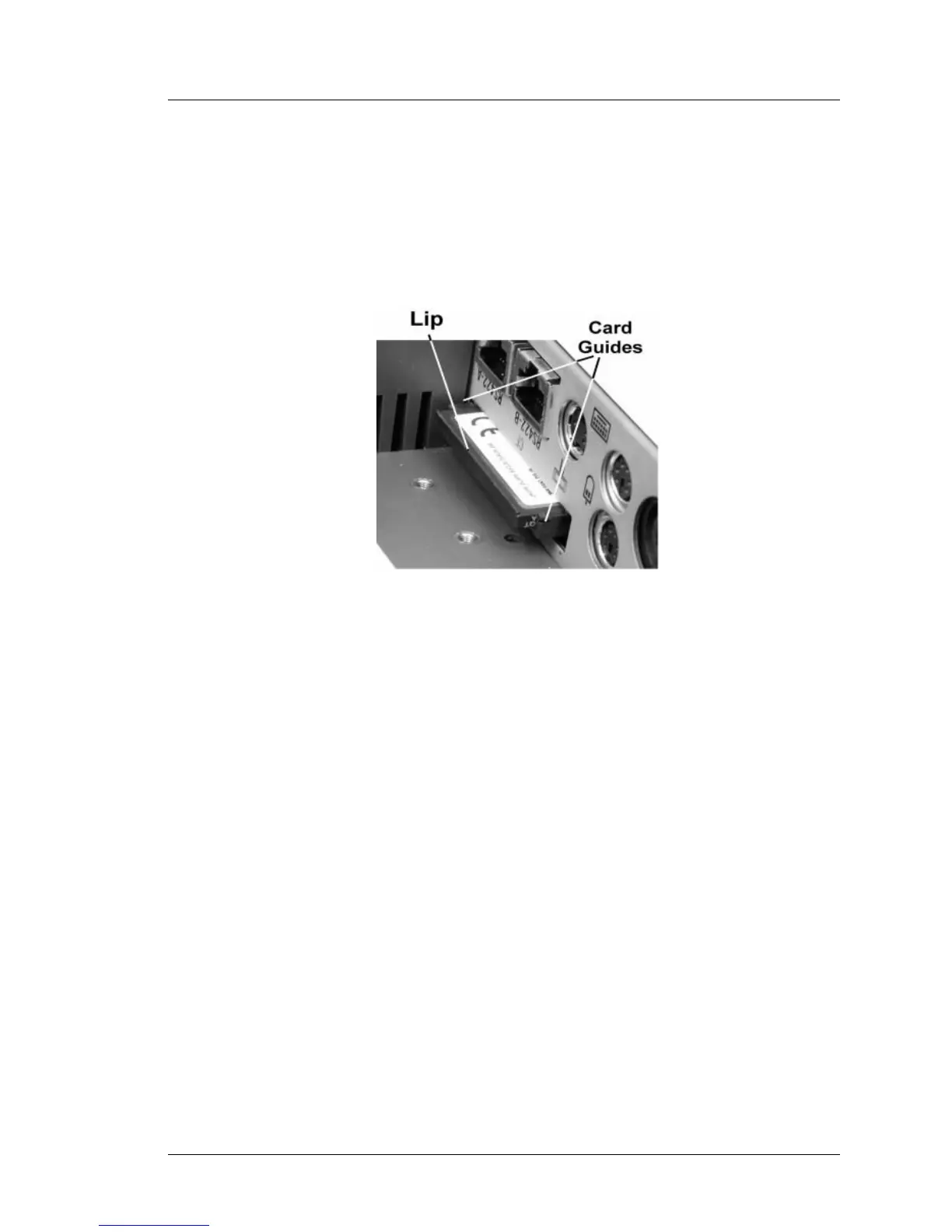
• Figure 3-8 shows the CF personality card with the bracket removed.
Note the keying lip on the bottom of the card and the guides that hold it
in place.
Figure 3-8: Compact Flash Card Removal
5. Remove the CF card from the inoperative WS4. Use your thumbnail or pen
to catch the lip and remove the card from the socket. Figure 3-8. Hold on to
this card - it must be inserted into the replacement WS4.
6. Un-box and remove the packing material from the replacement WS4. If a
CF card is installed in this unit, repeat Step 4 to remove the bracket, then
Step 5 to remove the CF card. Set this card aside for the moment.



 To Next Page