LVS-95XX Series Barcode Quality Station Operations Manual
LVS-95XX Series Barcode Quality Station Operations Manual - English Page 31 of 94
Selecting an Application Standard
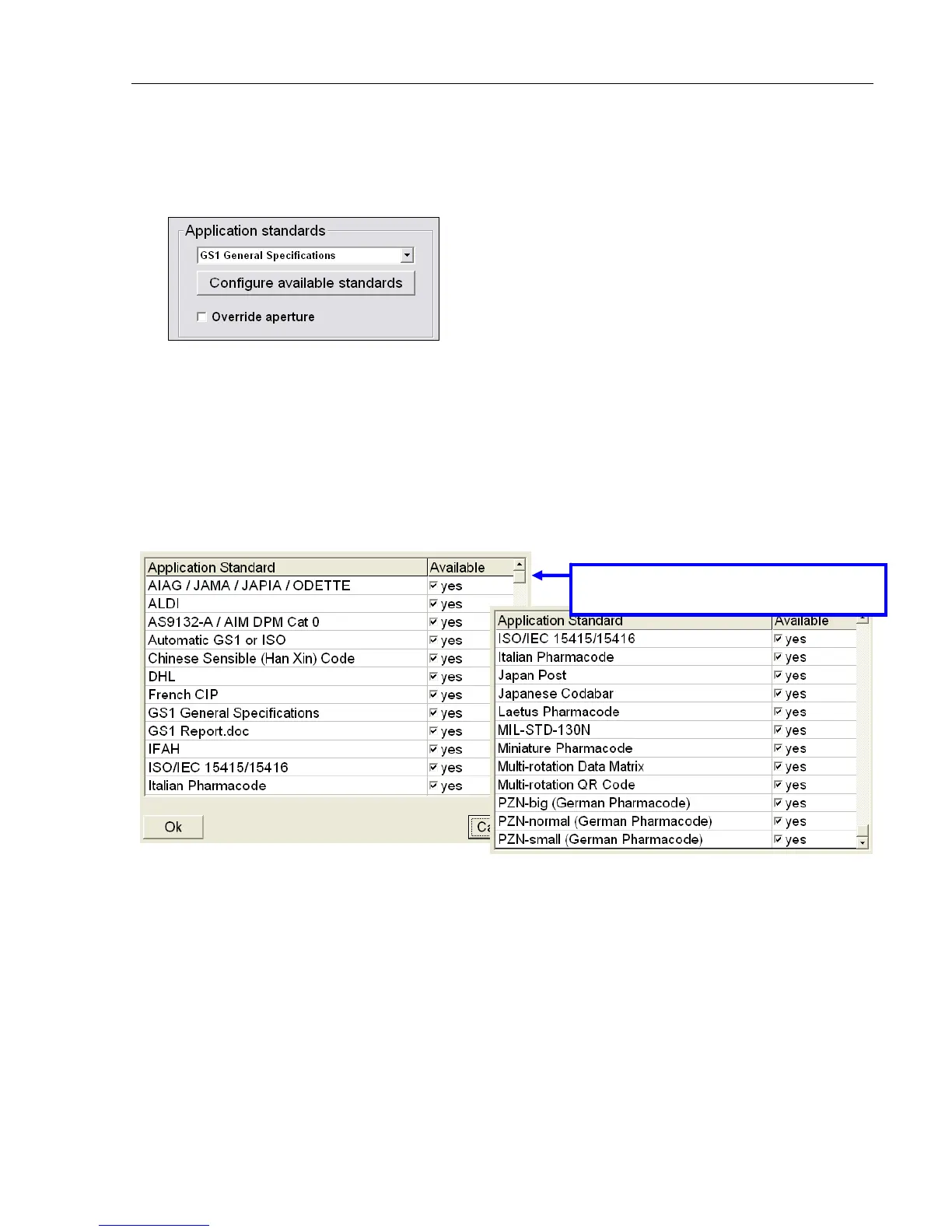
1. Select an Application standard from the drop-down box, or click the Configure available standards
button to view the entire list of Application standards.
An application standard can be selected at any time by using the application standard shortcut keys. See
the section below entitled “Application Standard Shortcut Keys” for more information on using application
standard shortcut keys.
The Application standards appearing in the drop-down list are the standards marked Yes in the main
Application standards window; this window appears after clicking the Configure available standards
button (see next step for more information about this feature).
2. If you select the Configure available standards button, select the Yes checkbox for each desired
Application standard. Each selected Application standard appears in the Application standards drop-
down list.
Clicking the Available column header toggles all Application standards between Yes or No options.
3. Click OK to save your changes or Cancel to discard your changes.
Additional Application Standards
Use the scroll bar to view additional
Application Standards.



 To Next Page