LVS-95XX Series Barcode Quality Station Operations Manual
LVS-95XX Series Barcode Quality Station Operations Manual - English Page 63 of 94
Section 2: Matrix Codes
The LVS-95XX system verifies the following matrix codes:
• Data Matrix ECC 200 (both square and rectangular symbols)
• QR Code
• Micro QR Code
• Aztec Code
• Chinese Sensible (Han Xin) Code
• MaxiCode
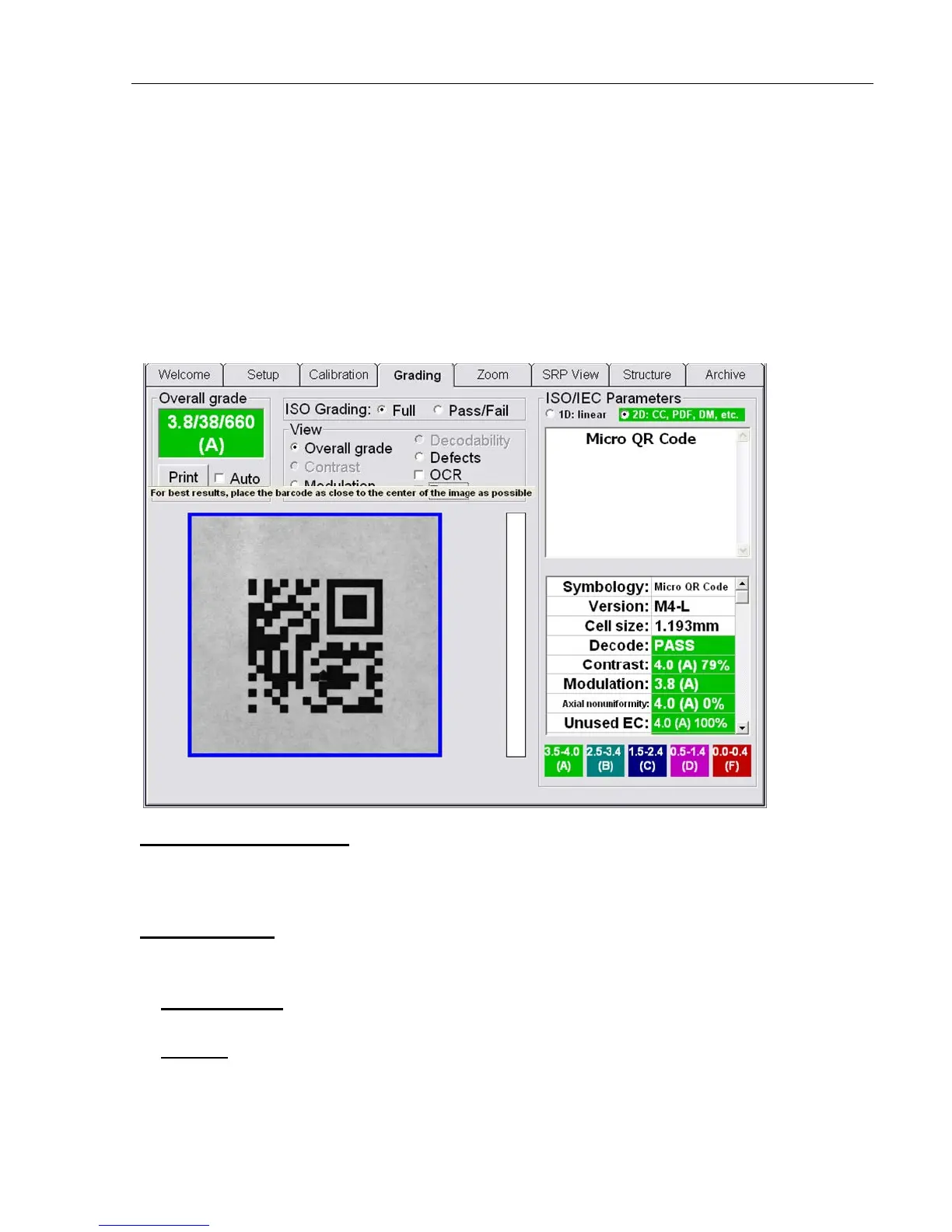
Verify a Matrix Code
Place the code into the field of view and draw a blue square around the image by clicking the mouse and
holding it down (see above image). There should not be any other marks or characters within this quiet zone.
The code can be placed at any desired angle.
View Section
At the top center of the Grading Tab screen is the View box. There are 5 features available for Data Matrix:
Overall Grade, Defects, Zoom, OCR, and Modulation.
1. Overall Grade
The system is defaulted to show the Overall Grade.
2. Defects
This feature indicates cells that are the wrong side of the global threshold (i.e. a cell intended to be white is
interpreted as black; a cell intended to be black is interpreted as white. The software also detects cells that



 To Next Page