LVS-95XX Series Barcode Quality Station Operations Manual
LVS-95XX Series Barcode Quality Station Operations Manual - English Page 20 of 94
Basic Operations
The basic operational procedures for the LVS-95XX systems are listed below:
1. Turn on the system and wait two minutes for the lights to stabilize.
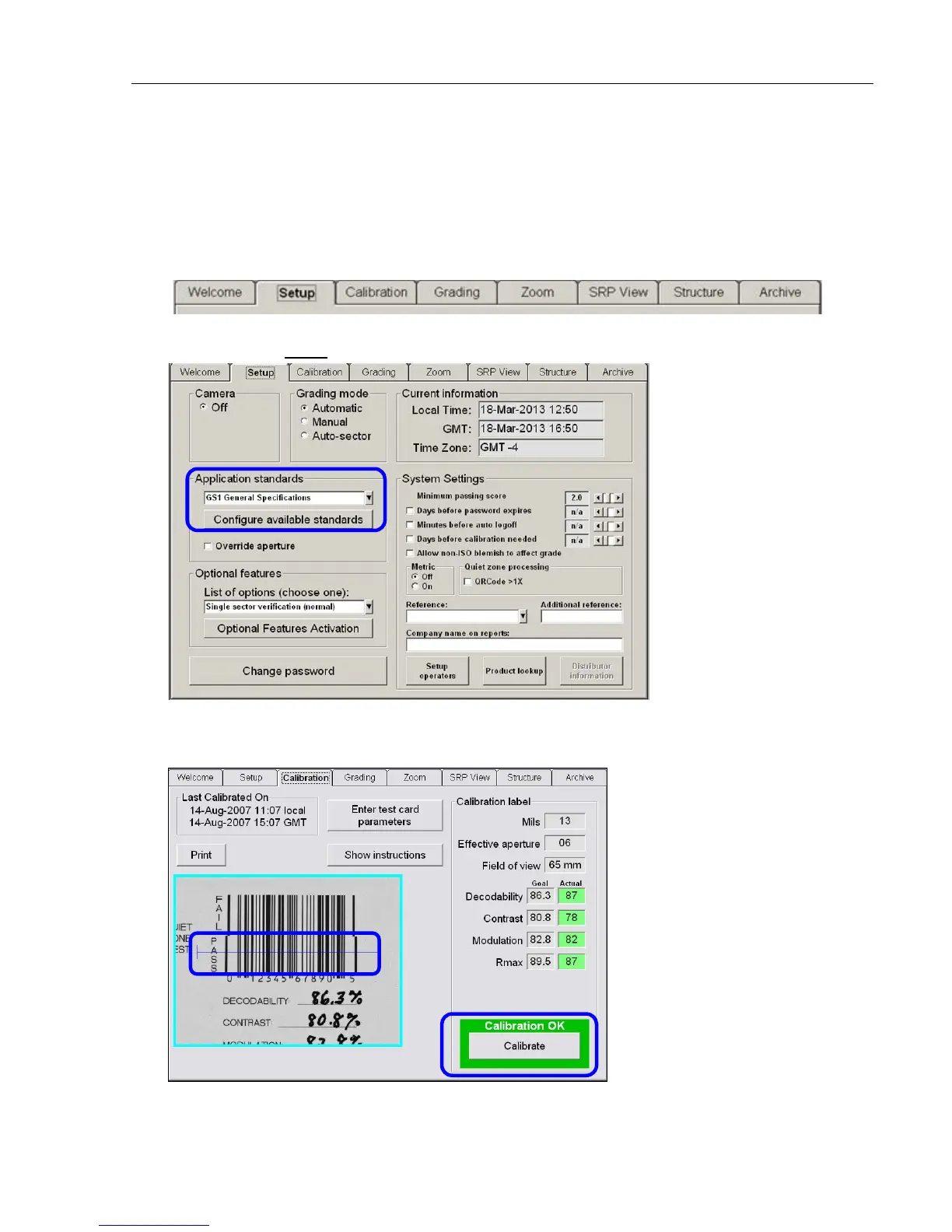
2. The system is setup with tabs located across the top of the screen. Each tab is discussed in this guide.
3. Click the Setup tab and choose the desired Application standard. When prompted for an Operator ID and
Password, enter admin for both the Operator ID and Password.
4. Click the Calibration tab and calibrate the system by placing either of the Master Grade barcodes
(located on the supplied Calibration Test Card) into the center of the field of view, ensuring that the blue
line passes through the “PASS” portion of the calibration label. Then, click the Calibrate button.



 To Next Page