LVS-95XX Series Barcode Quality Station Operations Manual
LVS-95XX Series Barcode Quality Station Operations Manual - English Page 41 of 94
Calibrate the System
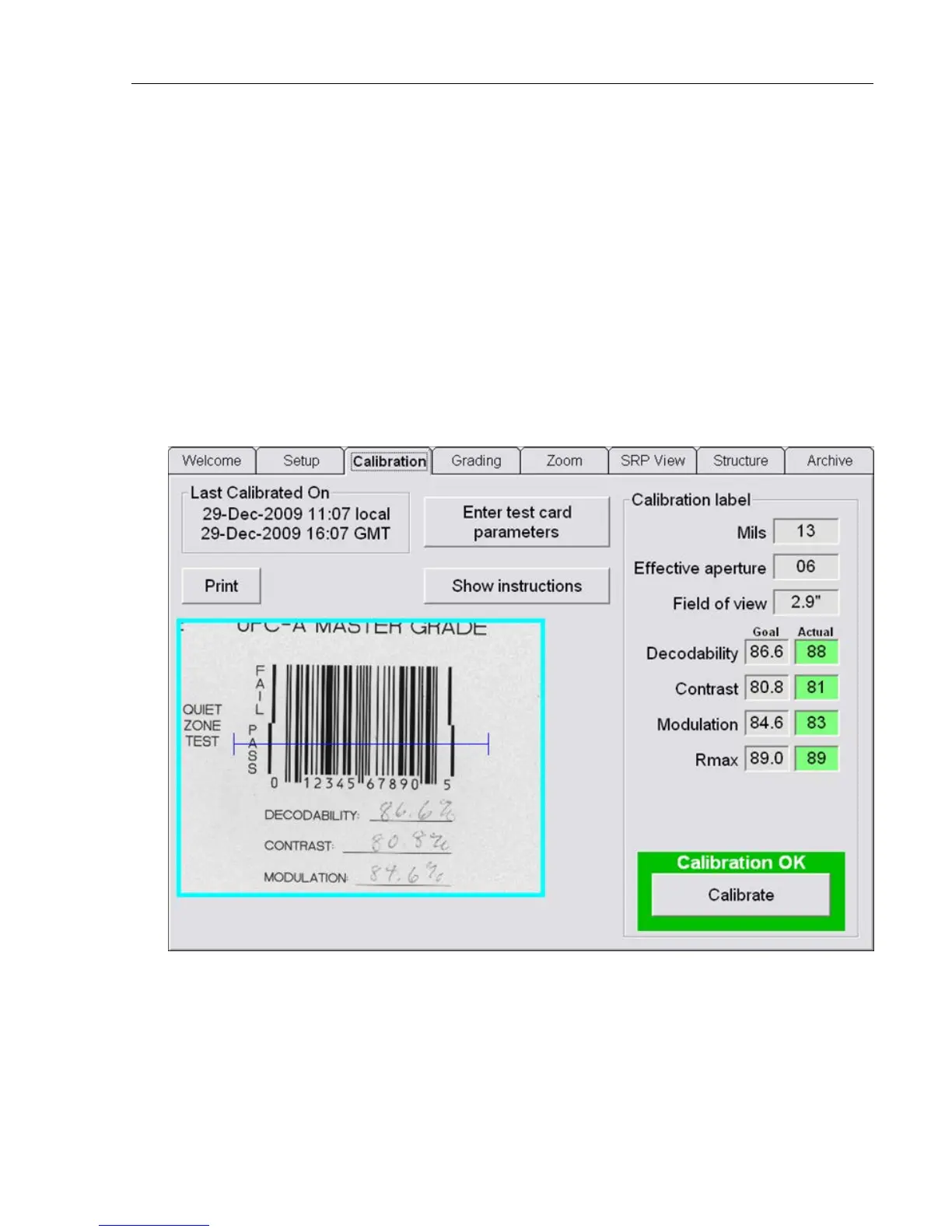
1. To calibrate the system, click the Calibration tab. A Login pop-up window appears prompting for a user
name and password. Enter your user name and password, and then click the OK button.
If the user has not been granted permission rights to calibrate the system, an error message appears
indicating that the user is not able to access the Calibration tab.
2. Locate the Calibrated Conformance Standard Test Card assigned to your system. Choose one of the
Master Grade barcodes and place it so the blue line goes through the middle of the PASS portion of the
barcode. The blue line helps you align the calibration label to the field of view; it does not mean that only
one line is being used to calibrate the system.
3. After placing the calibration card in position, check to be sure the goal values match the values printed
on the calibration card. If they do not match you have the wrong calibration card for the system or you
have to change the goal values. See section “Replacement of Calibrated Conformance Standard Test
Card.”



 To Next Page