LVS-95XX Series Barcode Quality Station Operations Manual
LVS-95XX Series Barcode Quality Station Operations Manual - English Page 42 of 94
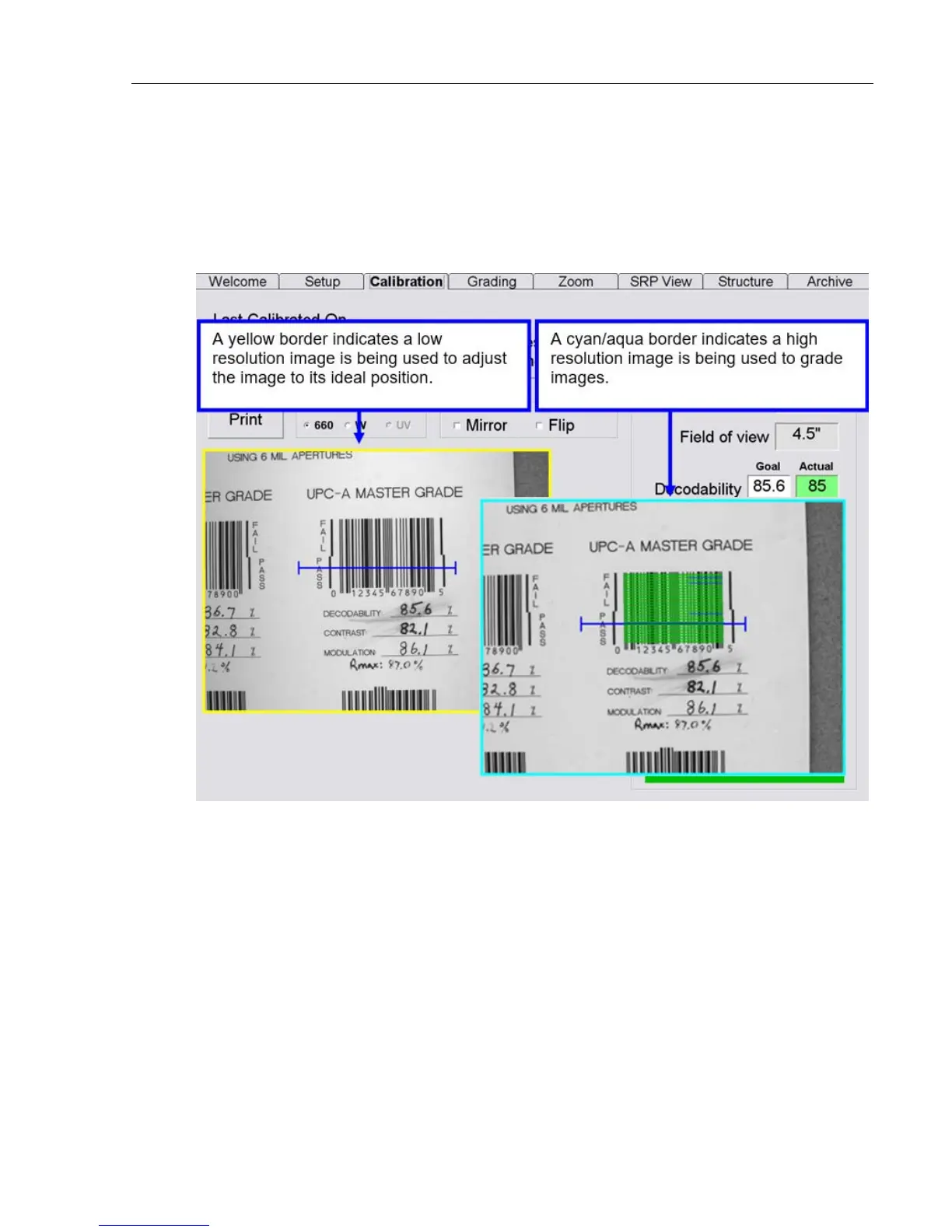
When using the LVS-9510 with a 5.0 megapixel (MP) camera, the border around the image view box
turns yellow when placing an image in the field of view. A yellow border indicates that a lower
resolution image is being used to easily adjust the image to its ideal position. When the ideal position
is located, stop moving the image. When no motion is detected in the field of view, the image view
box border turns cyan/aqua indicating that a higher resolution image is being used for barcode
grading.



 To Next Page