LVS-95XX Series Barcode Quality Station Operations Manual
LVS-95XX Series Barcode Quality Station Operations Manual - English Page 34 of 94
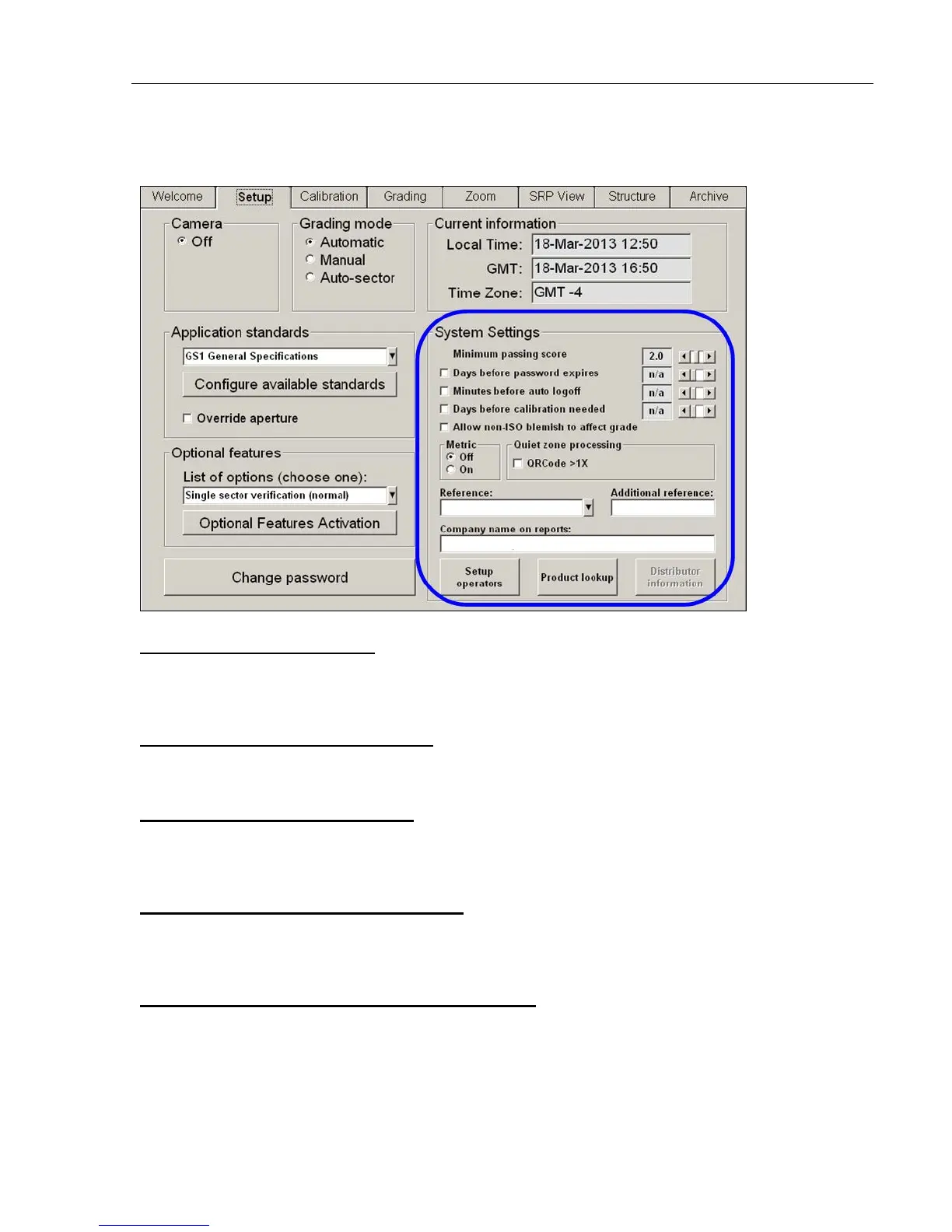
System Settings
Minimum Passing Score
There is a PASS/FAIL mode of operation used to simplify barcode verification (this is explained in more
detail in the section entitled Pass / Fail ISO Grading in the Grading Tab section). This is where the
minimum passing score is selected.
Days before password expires
Use the arrow keys to select the number of days before the current password expires. As soon as you use
the arrow keys, the checkbox will automatically be enabled.
Minutes before auto logoff
An automatic “Logoff” feature is set by clicking on the box and then choosing a period of time desired to
make the system automatically log off after that period of time. Choosing n/a causes this feature to be turned
off.
Days before calibration needed
It is important to calibrate the system over a period of time. This feature sets up the desired number of days
between system calibration. When the period of time has been reached, the software will not allow you to
continue until calibration has been completed.
Allow Non-ISO blemish to affect grade
If this option is not checked, a barcode where many lines are not decodable will not be penalized since the
ISO standard does not mandate how long decoded lines should be handled.
If this option is checked, non-decoded lines will degrade the overall ISO grade.



 To Next Page