LVS-95XX Series Barcode Quality Station Operations Manual
LVS-95XX Series Barcode Quality Station Operations Manual - English Page 66 of 94
Multi-Rotation Codes
DataMatrix
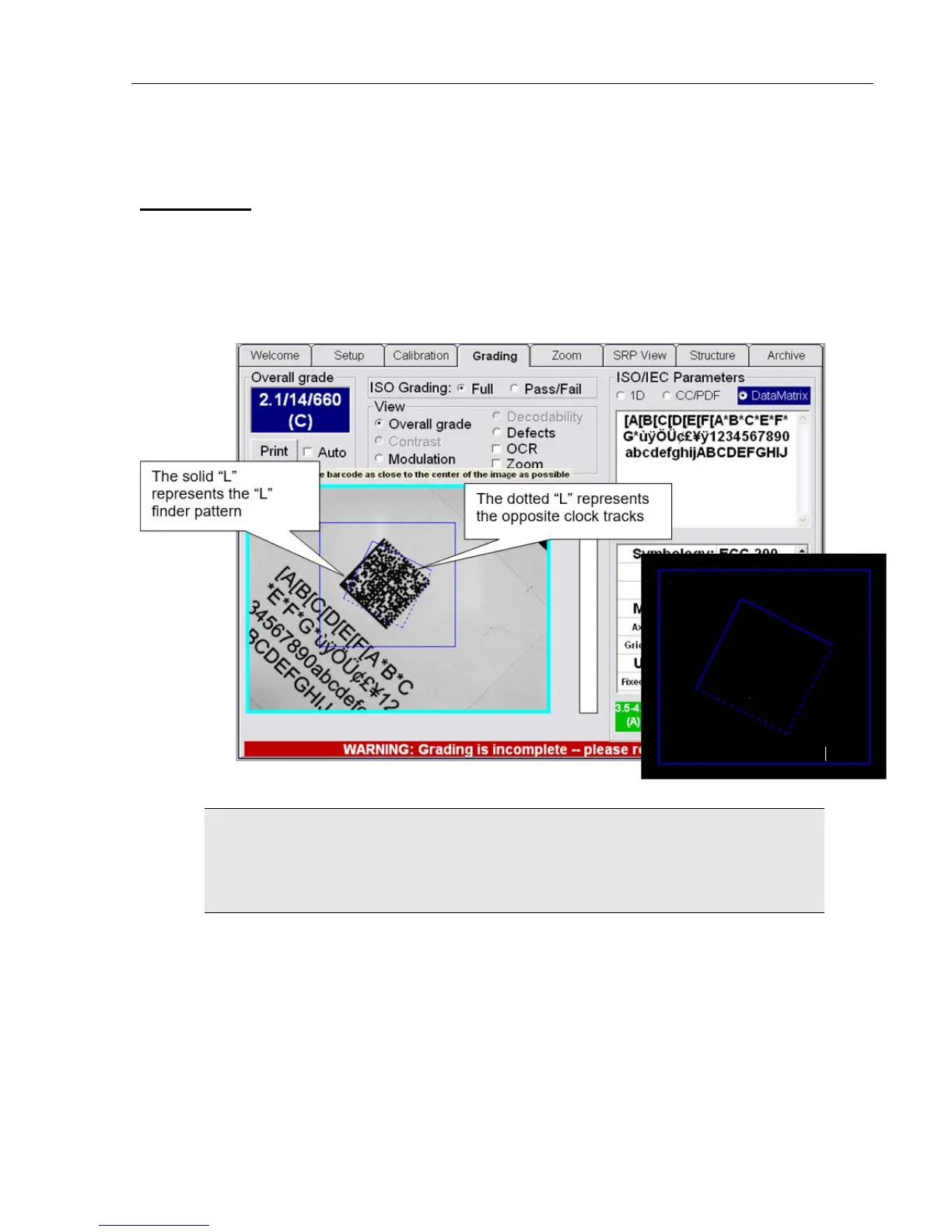
If Multi-Rotation Codes is selected as the preferred Application standard on the Setup Tab screen, you are
prompted to rotate the code after drawing the box. Ensure that the box is large enough to accommodate the
symbol at all rotation angels. An overlay will assist you to place the symbol at the desired angle; it consists of
a solid “L” and a dotted “L.”
• The solid portion represents the “L” finder pattern
• The dotted portion represents the opposite clock tracks
IMPORTANT: When using a DataMatrix code, the “SRP View” tab name changes to “2D
Analysis;” this is because the “SRP View” tab is for analysis of 1D codes only.
The “2D Analysis” tab displays the “LVS-95XX 2D Analysis Report.”



 To Next Page