LVS-95XX Series Barcode Quality Station Operations Manual
LVS-95XX Series Barcode Quality Station Operations Manual - English Page 48 of 94
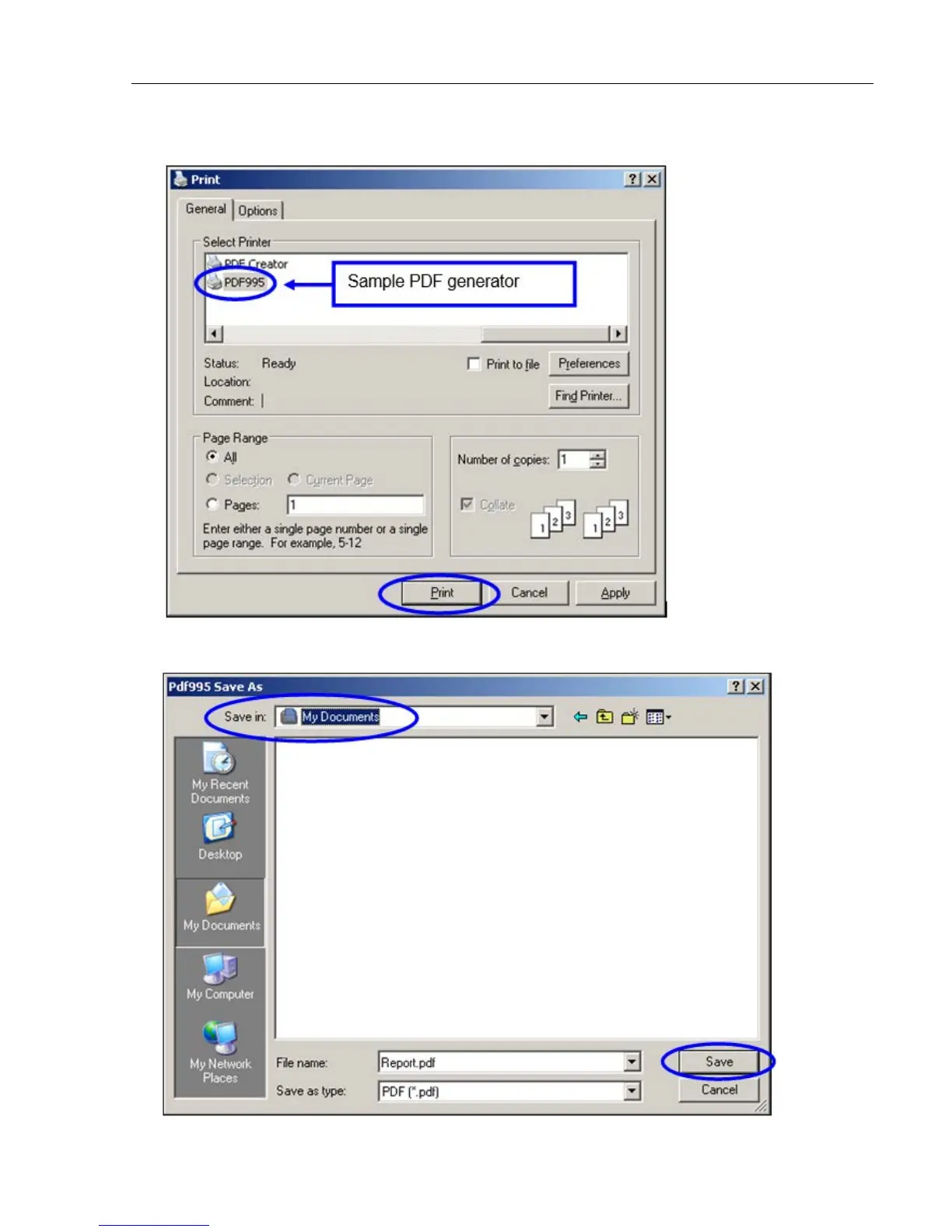
2. Select the PDF generator from the list of printers, and then click Print.
3. In the Save in field, click a location where you want to save the file, and then click Save. The report is
generated and saved as a PDF file.



 To Next Page