NDT-2000 User's Manual 25
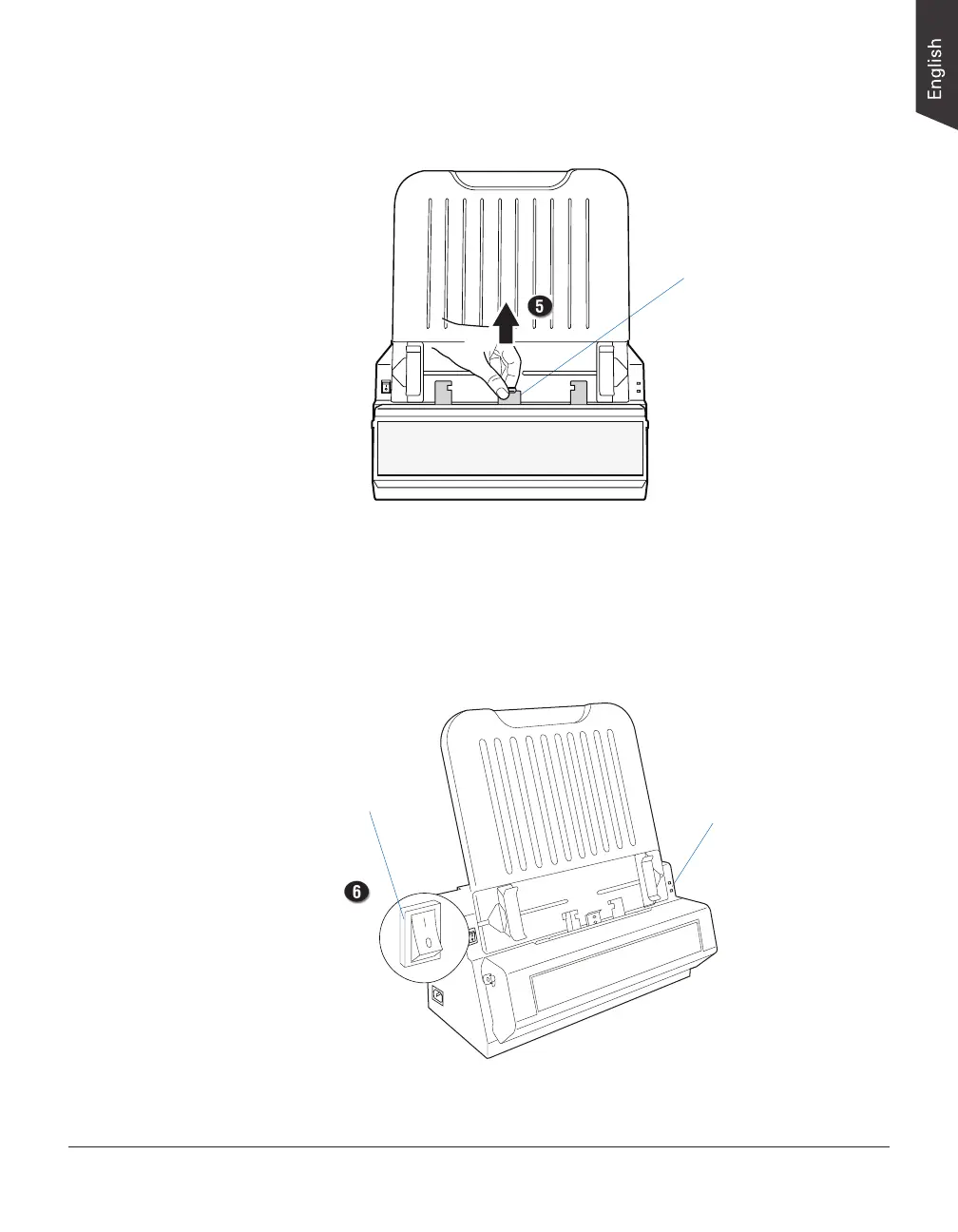
5. Locate the hook of the Light Shield at the top of the Front Cover of the
digitizer. Pull it up to raise the Light Shield.
Power switch LEDs
6. Turn the power switch at the front-left panel of the digitizer to “On”; once
the digitizer is detected by your system, the LED lights on the front panel will
brighten, and the digitizer is ready to scan.
Hook of the Light Shield


 To Next Page