
 Need help?
Do you have a question about the Microtek NDT-2000 and is the answer not in the manual?
Explains symbols used in safety instructions.
Guidelines for safe use of the power supply.
Precautions for moving and storing the digitizer.
Safety advice for operating and maintaining the digitizer.
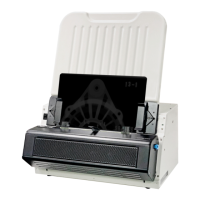
Key features and capabilities of the NDT-2000 digitizer.
Computer hardware and software requirements for using the NDT-2000.
Inspecting the digitizer and package contents for damage or missing parts.
Steps to attach the feed tray to the digitizer.
Steps to attach the output tray or basket to the digitizer.
Instructions for installing the necessary digitizer software.
Steps for connecting the digitizer to power and the computer.
Attaching and using the light shield for optimal scanning.
Loading films into the feed tray correctly.
Using ScanWizard Industry software for scanning.
Utilizing 8.5"x4.5" and 12"x3 1/3" film holders.
Specific scanning steps when using film holders.
Procedures for positioning and scanning films larger than standard sizes.
Steps to clean glass and components on the digitizer's front cover.
Procedure for cleaning the digitizer's internal rollers.
Step-by-step guide to resolve film jamming issues.
Addresses common issues like no light, missing digitizer, blank screen, and lamp failures.
Steps to install and connect the Auto Film Feeder.
How to load X-ray films into the AFF tray.
Procedures for scanning films using the Auto Film Feeder.
Installing the MFF and setting up film-feeding channels.
Correctly loading films into the MFF tray.
Procedures for scanning films using the Multi-channel Film Feeder.
 Scanning Specifications
| resolution | 1200 dpi (21 μm) |
|---|---|
| optical density | 0.37D~ 4.5D |
| scanning area min | 2.5” x 2.5” (63.5 mm x 63.5 mm) |
| scanning area max | 14“ x 200” (355.6 mm x 5080 mm) |
| scanning speed 3.5D | 58 sec @ 300 dpi, 14” x 17” grayscale |
| scanning speed 4.0D | 110 sec @ 300 dpi, 14” x 17” grayscale |
| scanning speed 4.5D | 232 sec @ 300 dpi, 14” x 17” grayscale |
Film Specifications| film size min | 2.5” x 2.5” (63.5 mm x 63.5 mm) |
|---|---|
| film size max | 14“ x 200” (355.6 mm x 5080 mm) |
| film holder | 8.5” x 4.5”, 12” x 3 1/3” |
 Power
Power| voltage | AC 100V to 240V, 50/60 Hz |
|---|---|
| max current | 4.0A (Input) |
| power consumption | Max. 320 W |
Operating Environment| operating temperature | 50° to 104°F (10° to 40°C) |
|---|---|
| operating relative humidity | 20% to 85% |
| storage temperature | 14° to 140°F (-10° to 60°C) |
| storage relative humidity | 20% to 95% |
 Weight and Dimensions
| dimensions | 12.9” x 18.7” x 8.8” (329 x 474 x 224 mm) |
|---|---|
| dimensions with input tray | 329 x 474 x 544 mm |
| dimensions with input and output tray | 586 x 474 x 934 mm |
| weight | 44.5 lbs. (20.2 kg) |

 To Next Page
