NDT-2000 User's Manual 31
Using Film Holders to Digitize Industrial X-ray Films
Two lm holders included in the digitizer package are designed to scan the
standard-size industrial X-ray lm. These holders are 8.5” x 4.5” Film Holder and
12” x 3 1/3” Film Holder. To scan lm, use the holder that correctly matches
the lm size to be scanned. The use of the individual lm holder is explained in
the succeeding pages of the manual.
Positioning Industrial X-ray Films
A. Using the 8.5” x 4.5” Film Holder
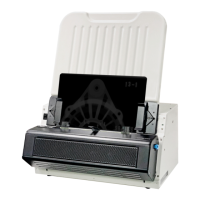
To scan 8.5” x 4.5” industrial lm, use
the 8.5” x 4.5” Film Holder, which can
hold up to one piece of the 8.5” x 4.5”
industrial X-ray lm at a time.
1. Install the Feed Tray onto your
digitizer before using it. Refer to the
previous section ”Installing the Feed
Tray” for the detail.
2. Load the lm face down inside the
holder. Slide the lm along the slot
of the holder until the lm is fully
loaded.
3. Load and insert the 8.5” x 4.5” Film
Holder with loaded lm into the Feed
Tray, with the side to be scanned
facing down and with the top of the
lm directing downwardly.
Push the holder into the tray until the
edge of it touches the bottom edge of
the Feed Tray.
4. Make sure that the Light Shield has
been pull up.
Microtek logo
8.5" x 4.5" Film Holder8.5" x 4.5" Film Holder
Microtek logo
Feed Tray
12.5" x 3 1/3" Film Holder


 To Next Page
