30 NDT-2000 User's Manual
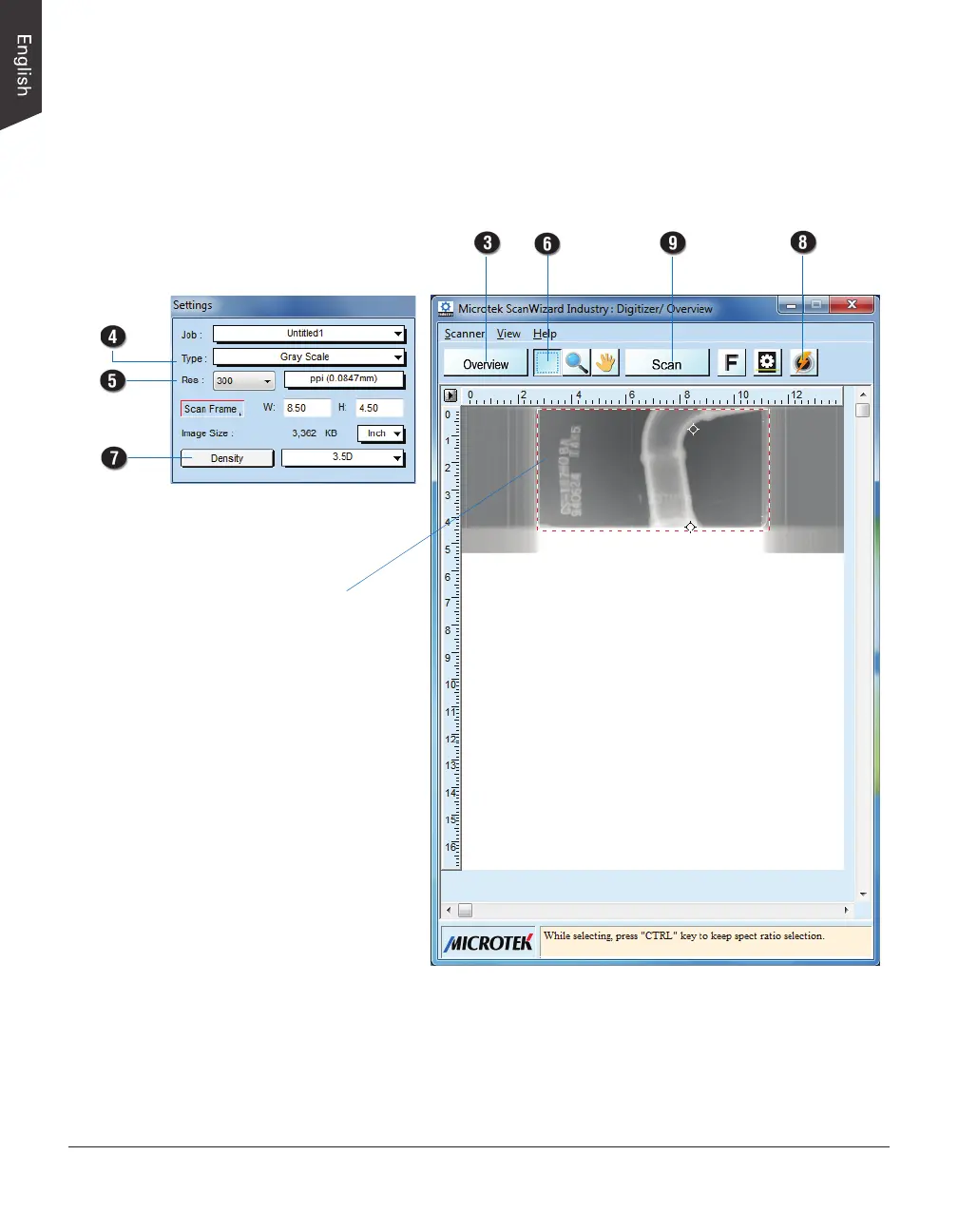
Settings window
Preview window
Scan frame
(enclosed by
red dotted lines)
NOTE: When scanning with the Light Shield, if the scan frame covers the
area of the Light Shield, the selected area of the Light Shield will be cropped
out automatically and will not appear in the saved image le. If the scanned
image is too big, the auto-crop function will be cancelled.


 To Next Page