OM-281426 Page 41
F
Complete Parts List is available at www.MillerWelds.com
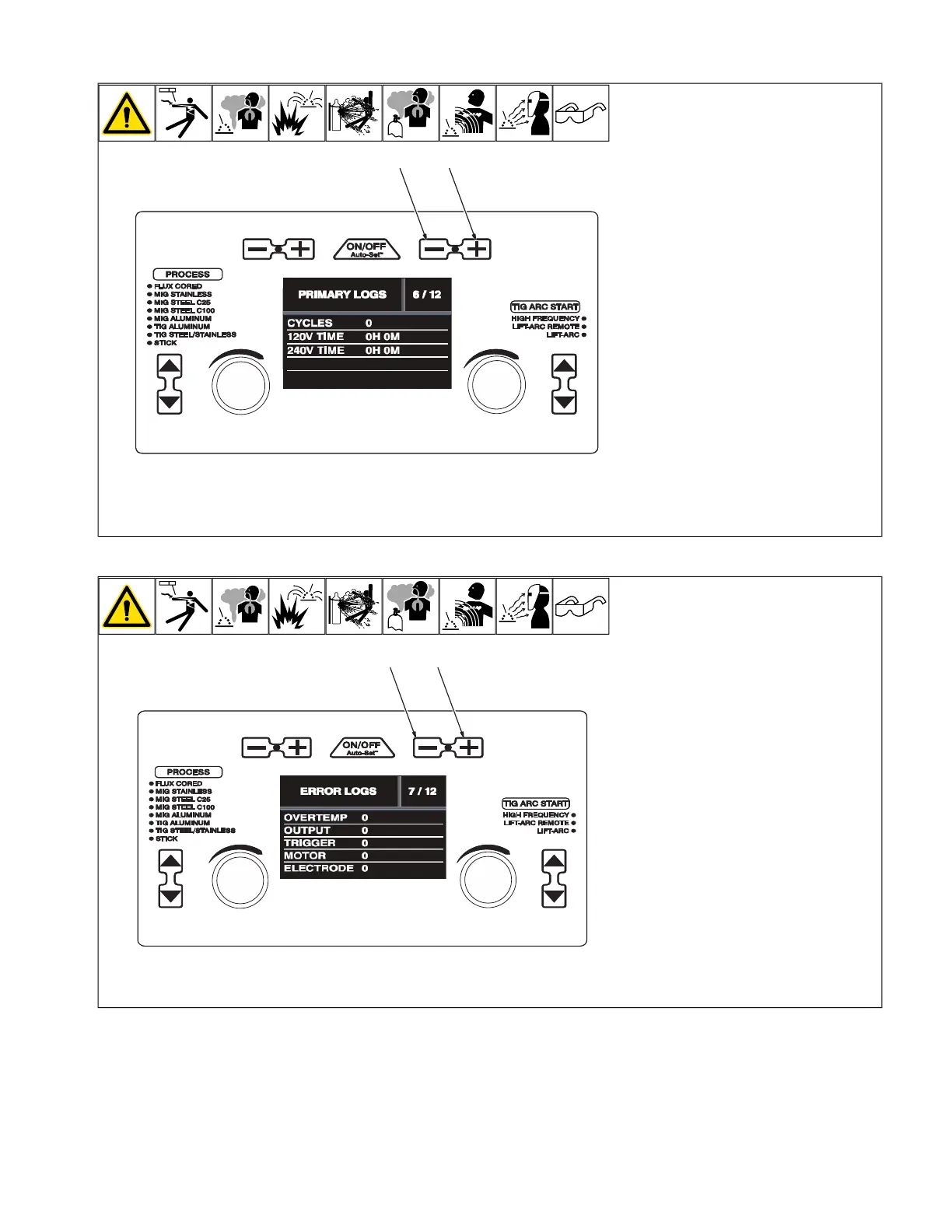
6-14. Primary Logs (Menu 6 Of 12)
A complete Parts List is available at www.MillerWelds.com
OM-281426 Page 30
3-14. Primary Logs (Menu 6 Of 12)
Ref. 281252A
1 2
3-15. Error Logs (Menu 7 Of 12)
Ref. 281252A
1 2
1 Material Thickness Minus (-) Button
2 Material Thickness Plus (+) Button
Follow instructions in Section 6-8 to enter
the setup menu.
Primary Logs menu displays power cycles,
120 volt time, and 240 volt time.
To exit menu, simultaneously press and re-
lease the Wire/Rod/Tungsten Minus (-) but-
ton and Material Thickness Plus (+) button,
or turn unit off and on.
6-15. Error Logs (Menu 7 Of 12)
A complete Parts List is available at www.MillerWelds.com
OM-281426 Page 30
3-14. Primary Logs (Menu 6 Of 12)
Ref. 281252A
1 2
3-15. Error Logs (Menu 7 Of 12)
Ref. 281252A
1 2
1 Material Thickness Minus (-) Button
2 Material Thickness Plus (+) Button
Follow instructions in Section 6-8 to enter
the setup menu.
Error Logs screen displays welder over-tem-
perature errors, shorted output errors,
shorted trigger errors, motor current errors,
and stuck electrode errors.
To exit menu, simultaneously press and re-
lease the Wire/Rod/Tungsten Minus (-) but-
ton and Material Thickness Plus (+) button,
or turn unit off and on.










 To Next Page