PROGRAMMING
Those not previously familiar with the HYDRO+, may wish to use the step by step
initial start up procedure illustrated in the HYDRORANGER PLUS QUICK START
GUIDE provided. Then, reference to the remainder of this instruction manual is only
necessary if operation modification is required.
All programmable features are identified by a Parameter Number, which has a preset
Parameter Value. Programming is accomplished by altering the Parameter Value of
specific Parameter Numbers to obtain the RUN mode operation desired.
When applicable, the Point Number to be affected, must be identified before the
Parameter Value is altered.
See APPLICATIONS for common HYDRO+ programming requirements. If more
detailed parameter information is required, see PARAMETERS .
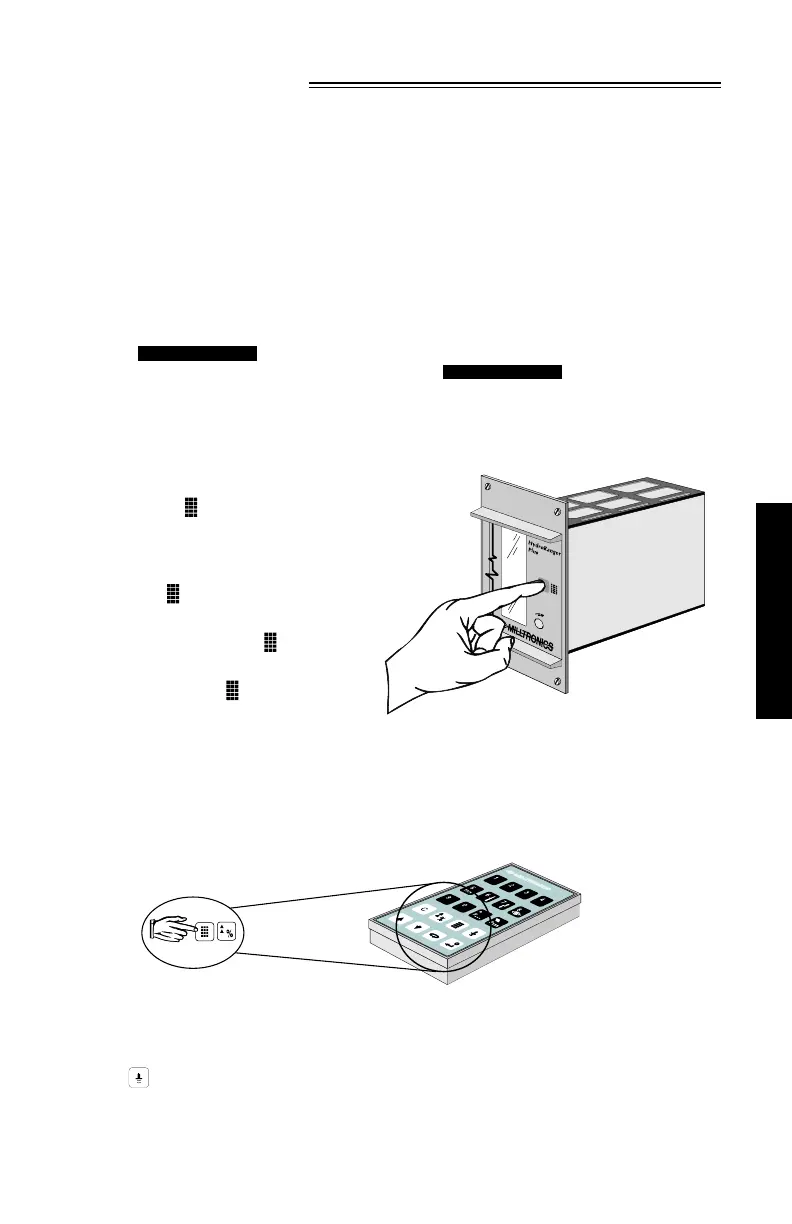
To enable the programmer
interface of the HYDRO+
rack or panel mount version,
press the key on the
front panel.
Program enable is confirmed
by the icon appearing in
the display. To disable
programming, press again.
Program disable is confirmed by
absence of the icon in the
display. Disable all nearby units
to avoid inadvertent programming.
PROGRAM MODE ENTRY
Upon power application, RUN mode operation begins. To enter the program mode,
hold the programmer within 0.3 m (1 ft) of the
display window and,
When the program mode is entered, all operating data is retained in memory.
Alarm relay status and mA output values are "held" at "last known" values and
control relays are de-energized (unless affected by a parameter alteration
or is pressed), until the RUN mode is re-entered. The RUN mode is
automatically re-entered if the HYDRO+ is left unattended in the program
mode for an extended period (approximately 5 minutes).
PARAMETERS
APPLICATIONS
PROGRAMMING
PL-507 27



 To Next Page