as possible. Printing is possible.
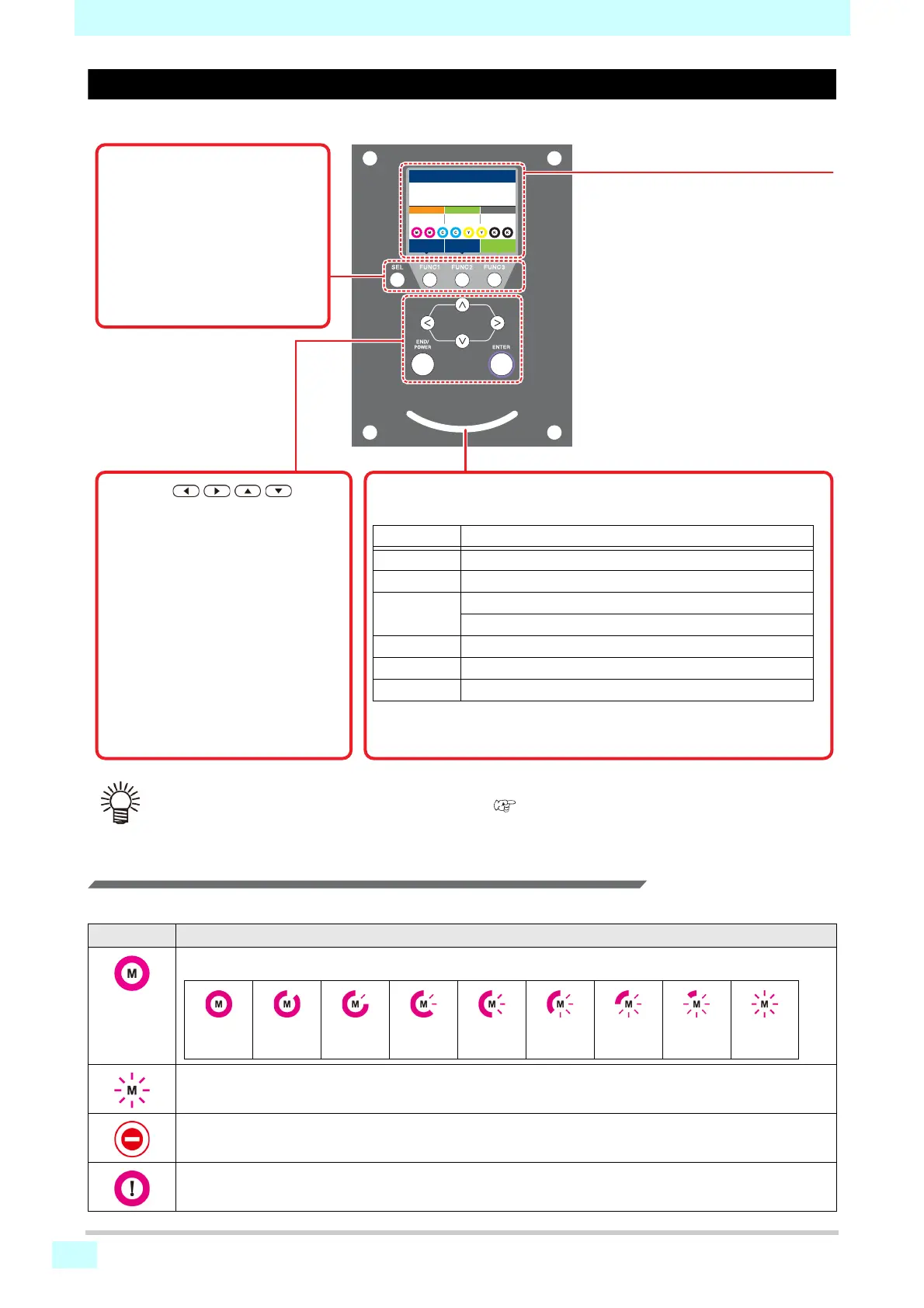
Status indicator lamp
Indicates the machine's status (printing, error, etc).
Lamp state Machine status
Off
In local mode. No print data received, and no errors.
Lit in light blue
In remote mode.
Flashing light
blue
Currently printing.
Printing an internally stored pattern, as in test printing.
Lit in blue
Print data still remains in the machine.
Flashing red
An error has occurred.
Lit in red
An error (SYSTEM HALT) has occurred.
Display
Shows the following items:
• Machine status
• Width of loaded media
• Heater temperature (current/set tem-
perature)
• Ink status
*1
• Functions assigned to [FUNC1]–
[FUNC3]
*2
[SEL] key
Switches the selected function.
Function ([FUNC1]–[FUNC3])
keys
Pressed to set various functions,
perform test printing, etc.
JOG keys
Used to move the carriage or media in
local mode and to select setting items.
[END/POWER] key
Cancels the previously entered setting
or returns to the previous level of the
setting menu. Also used to turn the
power on and, when held down, off.
[ENTER] key
Used to move to the next level of the
setting menu or to confirm the setting
value.
• Turning the machine on with the power switch illuminates the [END/POWER] key (near the bottom of the oper-
ating panel) in blue. As long as the main power switch ( P.1-3) is on, auto maintenance is performed period-
ically (to prevent nozzle clogging, for example).







 To Next Page