Chapter 2 Basic Operations
2-7
2
2
2
5
6
12
Press the [] key to detect the media.
• The media width is detected.
• When the [MEDIA RESIDUAL] maintenance
function is set to "ON" ( P.3-9 [Setting
remaining media display]), a screen for entering
the remaining amount of media is displayed after
media width is detected.
Entering the remaining amount of media
When you have set the [MEDIA RESIDUAL]
maintenance function to "ON" ( P.3-9 [Setting
remaining media display]), after media width is
detected, a screen is displayed for entering the
remaining amount of media.
1
Display the screen for entering the
remaining amount of media.
2
Press the jog keys to enter the amount of
media remaining.
3
Press the [ENTER] key
Printing information about the remaining
amount of media
When you have set the [MEDIA RESIDUAL]
maintenance function to "ON" ( P.3-9 [Setting
remaining media display]), you can print a list of the
current date and remaining amount of media.
1
With the screen in local mode, press the
jog keys.
• The machine enters origin setup mode.
2
Press the [FUNC3] key.
• A confirmation screen is displayed for printing the
remaining amount of media.
3
Press the [ENTER] key
• The machine begins printing information about
the remaining amount of media.
Changing the printing origin
The position of the print origin can be changed.
Move the LED pointer to the new position to determine
the position.
1
With the screen in local mode, press the
jog keys.
• The machine enters origin setup mode.
2
Press the jog keys and align the light point
of the LED pointer with the new printing
origin to set.
• Select by moving the carriage and media.
3
After determining the origin, press the
[ENTER] key.
• The origin is updated.
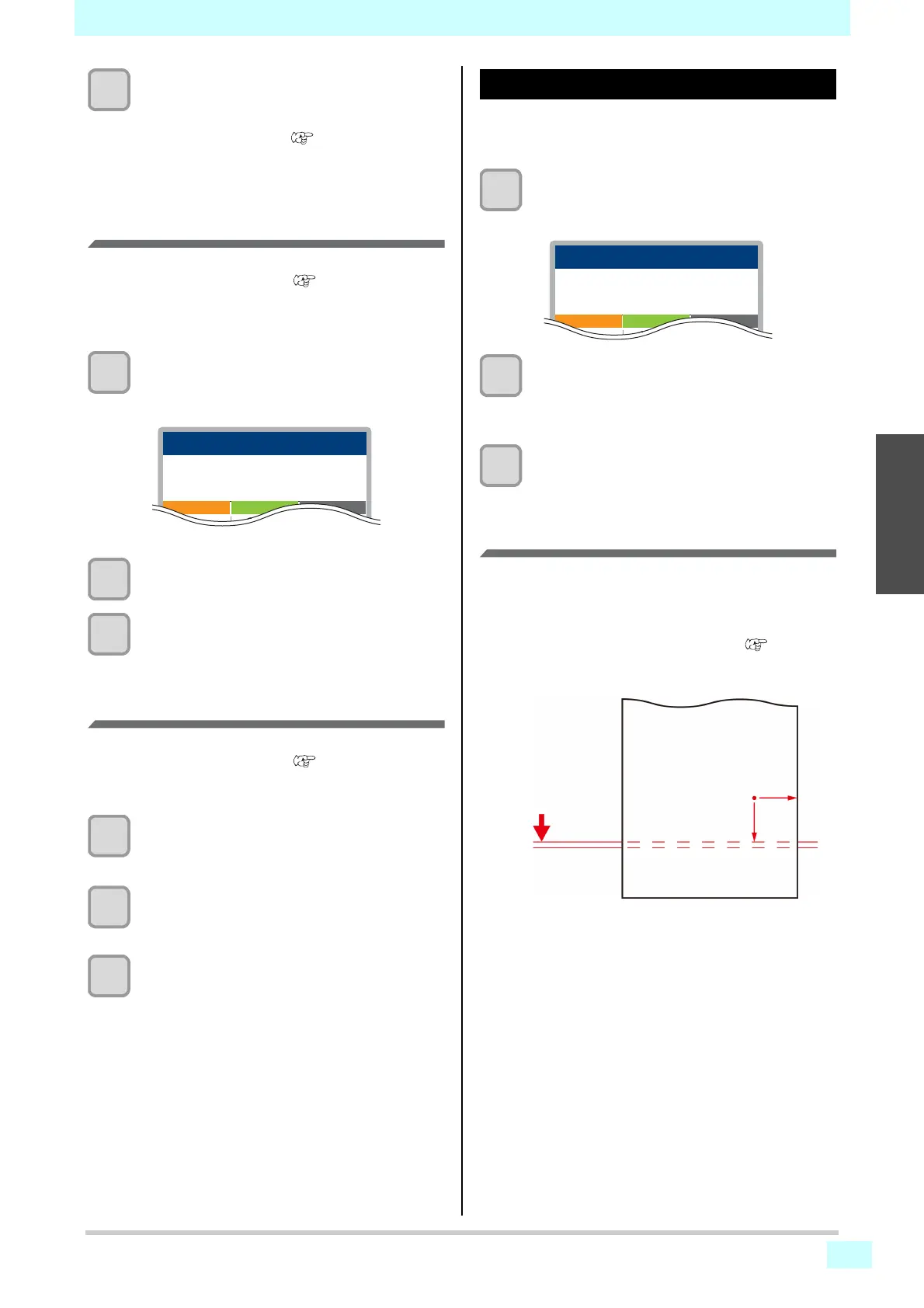
Guidelines for setting the origin position
In the depth direction (X'), the printing origin should be
about 75 mm back from the cutting slot on the platen.
In the scanning direction (Y'), the printing origin should
be 15 mm from the right edge of the media. This can be
changed in the [MARGIN] setting menu ( P.3-5
[Margin (left/right)]). It can also be changed using the
jog keys.
50.0m
Enter the MEDIA REMAIN
PRE PRINT POST
MEDIA REMAIN
30°/40°30°/35°40°/50°
X
0.0
Y
0.0
PRE PRINT POST
SET ORIGIN
30°/40°30°/35°40°/50°
Cutting slot
approx. 75 mm (X')
15 mm
(Y')











 To Next Page