Chapter 2 Basic Operations
2-9
2
2
2
5
6
1
With the screen in local mode, select
[TEST PRINT/CLEANING] > [Test Print],
and then press the [ENTER] key.
• The Test Print menu is displayed.
• To change the test pattern orientation, press []/
[]. Any changes to the orientation here apply
from now on.
• If you change the orientation to "FEED DIR.", after
test printing with "SCAN DIR." the second pattern
will be printed after a line break.
2
Press the [ENTER] key
• Test printing starts.
• After printing, the machine returns to local mode.
3
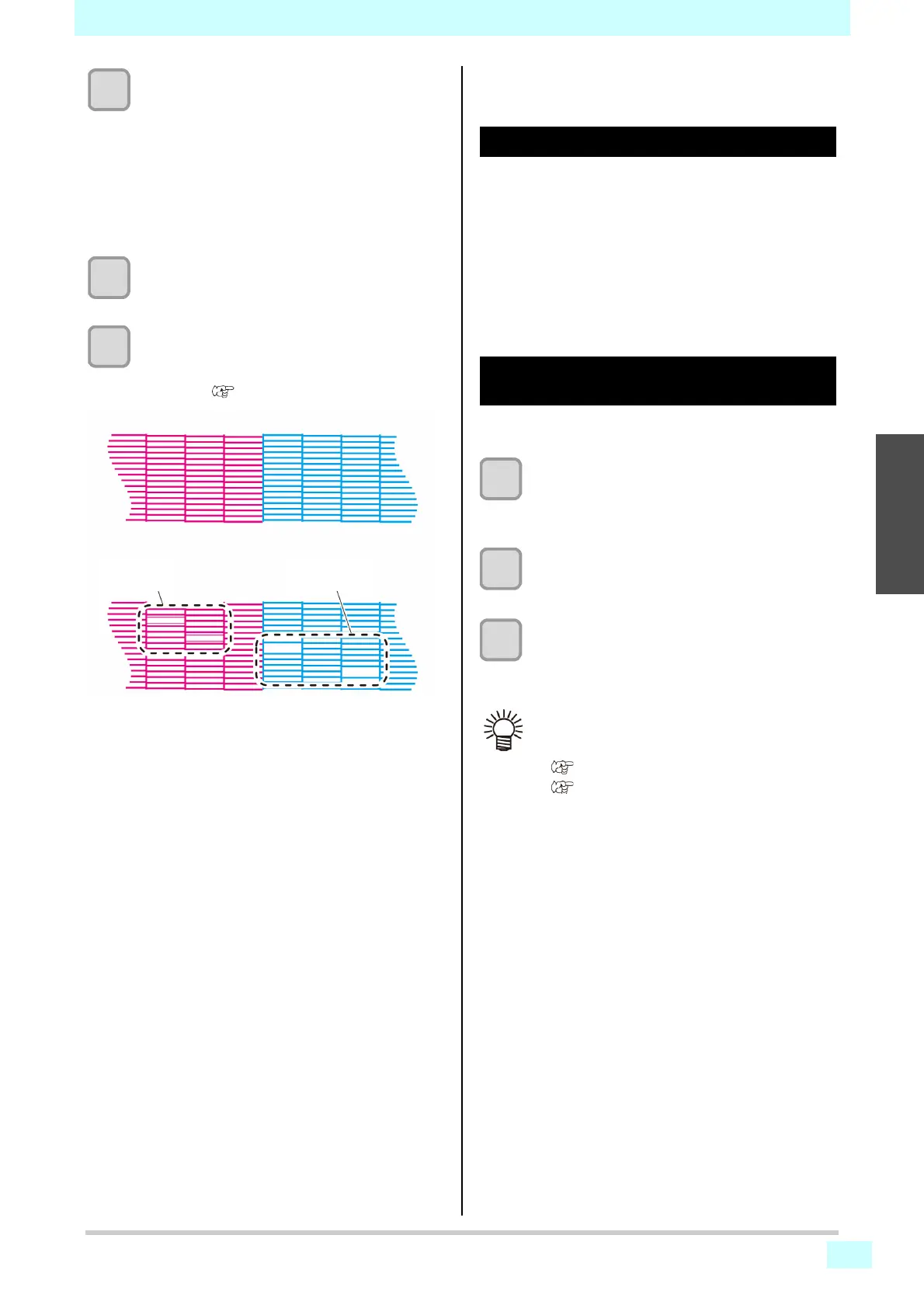
Check the printed test pattern.
• This process is finished if the results are normal.
• In case of abnormal results, perform head
cleaning ( P.2-9 [Head Cleaning]).
Head Cleaning
About head cleaning
Perform the type of cleaning that corresponds to the
results of printing the test pattern.
Select one of the following four types of cleaning.
• NORMAL: When lines are missing
• SOFT : When only head wiping is needed (when lines
are not straight)
• HARD : When poor image quality cannot be improved by
normal or soft cleaning
Performing head cleaning based on
test printing results
Four types of head cleaning are available. Choose one
based on how the pattern is printed.
1
With the screen in local mode, select
[TEST PRINT/CLEANING] > [Test Print],
and then press the [ENTER] key.
• The cleaning menu is displayed.
2
Select the type of cleaning, and then press
the [ENTER] key.
• The head is now cleaned.
3
Run another test print and check the print
results.
• Repeat the cleaning and test printing process until
the print results appear normal.
Abnormal pattern
Ink is
clogged
Normal pattern
Nozzles are
not clean
• Do the following if head cleaning fails to resolve
print defects such as nozzle clogging or deflec-
tion.
• P.4-4 [Cleaning the wiper and cap]
• P.4-7 [Cleaning head nozzles]












 To Next Page