Chapter 4 Maintenance
4-6
3
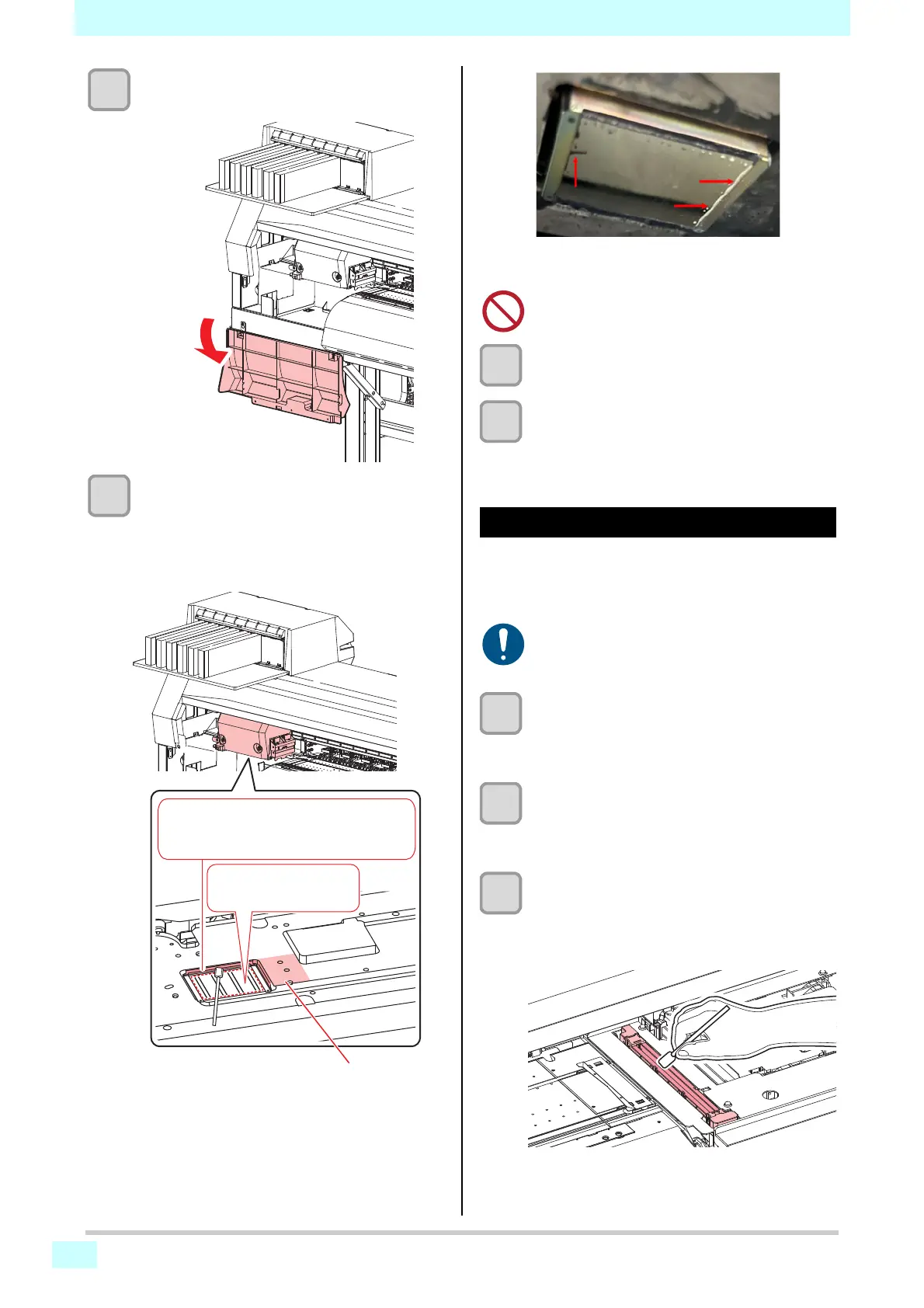
Open the maintenance cover.
4
Wipe off any ink adhering to the sides of
the head and under the carriage.
• Wipe off any ink, dust, ink dry matter and
adhering using a cleaning stick moistened with
maintenance liquid. Wipe off the maintenance
liquid to make sure none remains.
5
Press the [ENTER] key after cleaning.
6
Close the maintenance cover and press
the [ENTER] key.
• After initialization, the machine returns to local
mode.
NCU Cleaning
The NCU uses a sensor to monitor the ink droplets
ejected from the print head nozzles. Continuing to use the
dirty NCU may prevent the nozzle check function from
operating correctly.
1
On the LOCAL mode screen, select
[MENU] > [Maintenance], then press the
[ENTER] key.
• The Maintenance menu is displayed.
2
Select [Station Maint.] > [Carriage Out] >
[Station Maint.], then press the [ENTER]
key.
• The carriage moves over the platen.
3
Clean the NCU.
• Wipe off any ink and dust adhering using a
cleaning stick moistened with maintenance liquid.
Wipe off the maintenance liquid. Make sure none
remains.
Clean the end side of head and the
guard plate edge (the areas indicated
in red) using a cleaning stick.
Never touch the
nozzle surface!
Clean with a cleaning stick, tweezers, or cloth.
• Never rub the nozzles.
• Be careful to avoid leaving fragments from the
cleaning stick behind when cleaning. These
fragments will increase the risk of ejection fail-
ures (e.g., nozzle clogging or deflection).
Wipe off the collected ink and other substances
on the edges of the guard plate. (Arrow in red)











 To Next Page