System Calibration Calibration
4 - 30 046-001141-00 A5/A3™ Service Manual
4.3.3.3 Manual Calibration (software version 01.03.00 and
higher)
Follow these steps to calibrate the flow sensors.
1. Enter Standby.
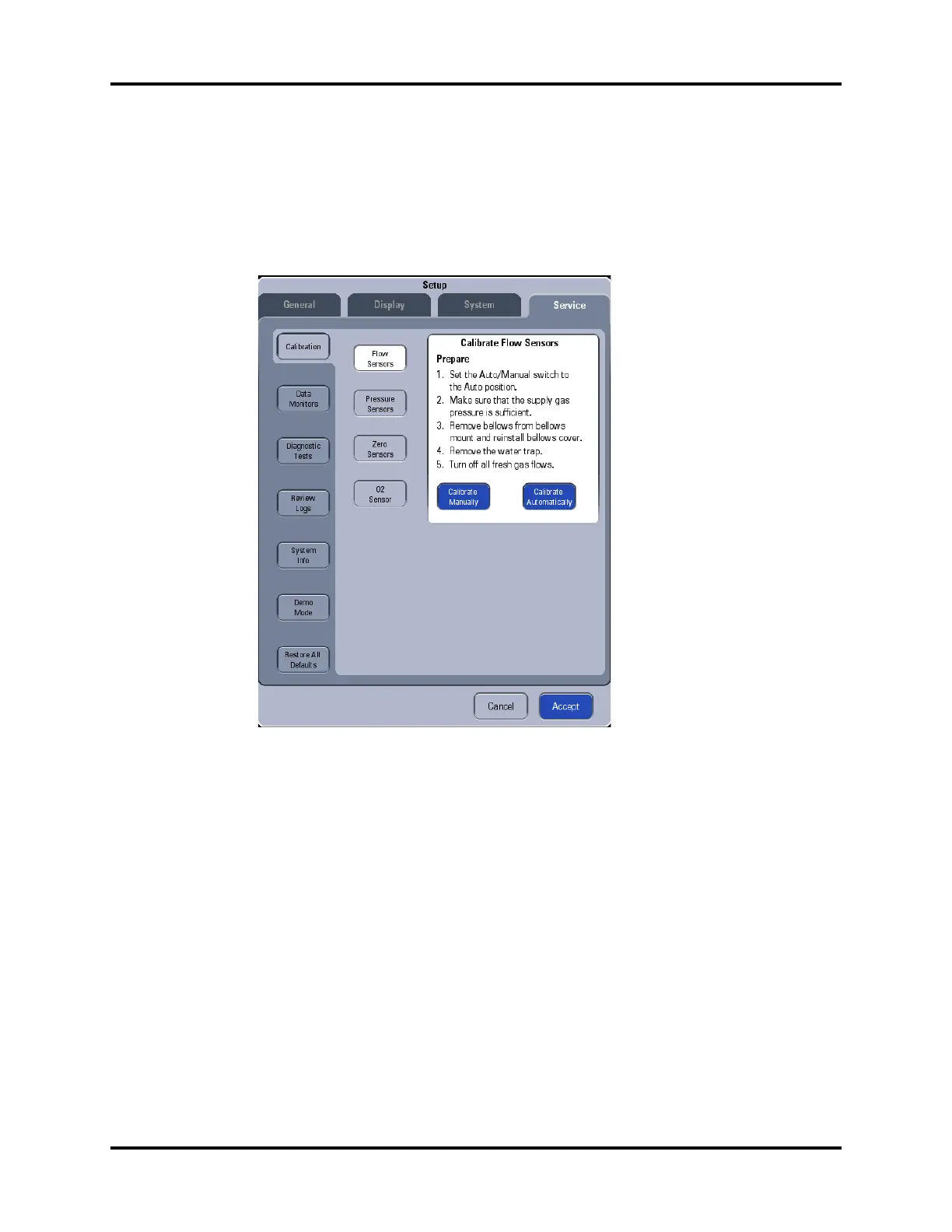
2. Select Setup-> Service-> Calibration-> Flow Sensors to access the screen as shown.
FIGURE 4-37
3. Select Calibrate Manually button to open the menu shown below.






 To Next Page