Operating Your Analyzer
6-18
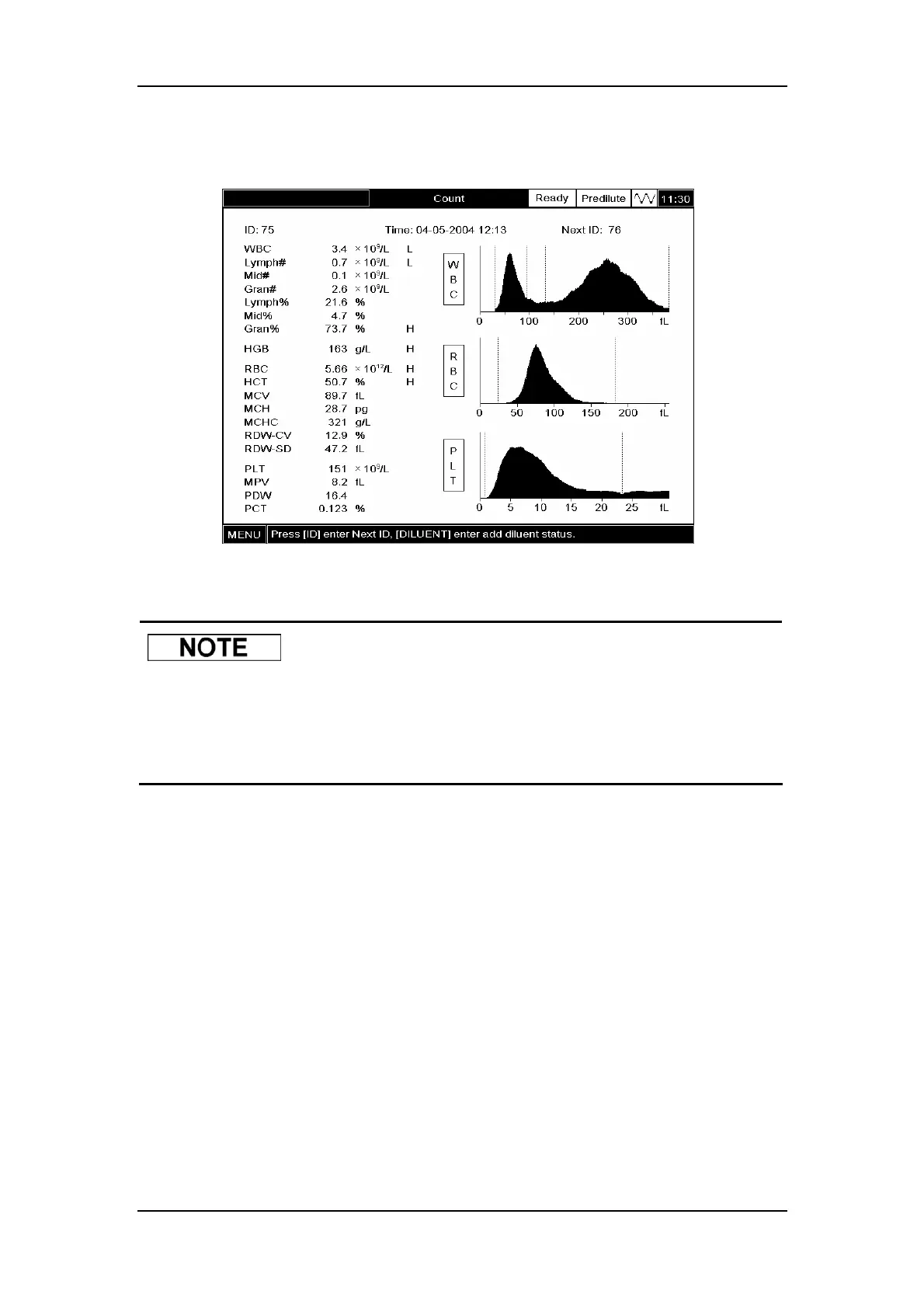
Press [MENU] and SELECT ”Count” to enter the ”Count” screen,as Figure6-13 shows.
Figure6-13 “Count” screen
z Be sure to select a proper reference range as instructed in Chapter 5.5
before running the samples. Otherwise, the obtained results may be
erroneously flagged.
6.7.1 Entering Sample Information
You can enter the sample information one of the two ways, ID or All Info., depending on the
configuration of your analyzer (see Chapter 5.13 for how to select the entering mode).
All Info. (external keyboard needed)
At the “Count” screen, press [ID] and an edit window will pop up, as Figure6-14 shows.



 To Next Page