131
If you have accessed this page from the General Settings
section of the Wireless Network page, click on the Confirm
Changes button to apply changes and return to the Wireless
Network page.
Confirm Wireless network changes
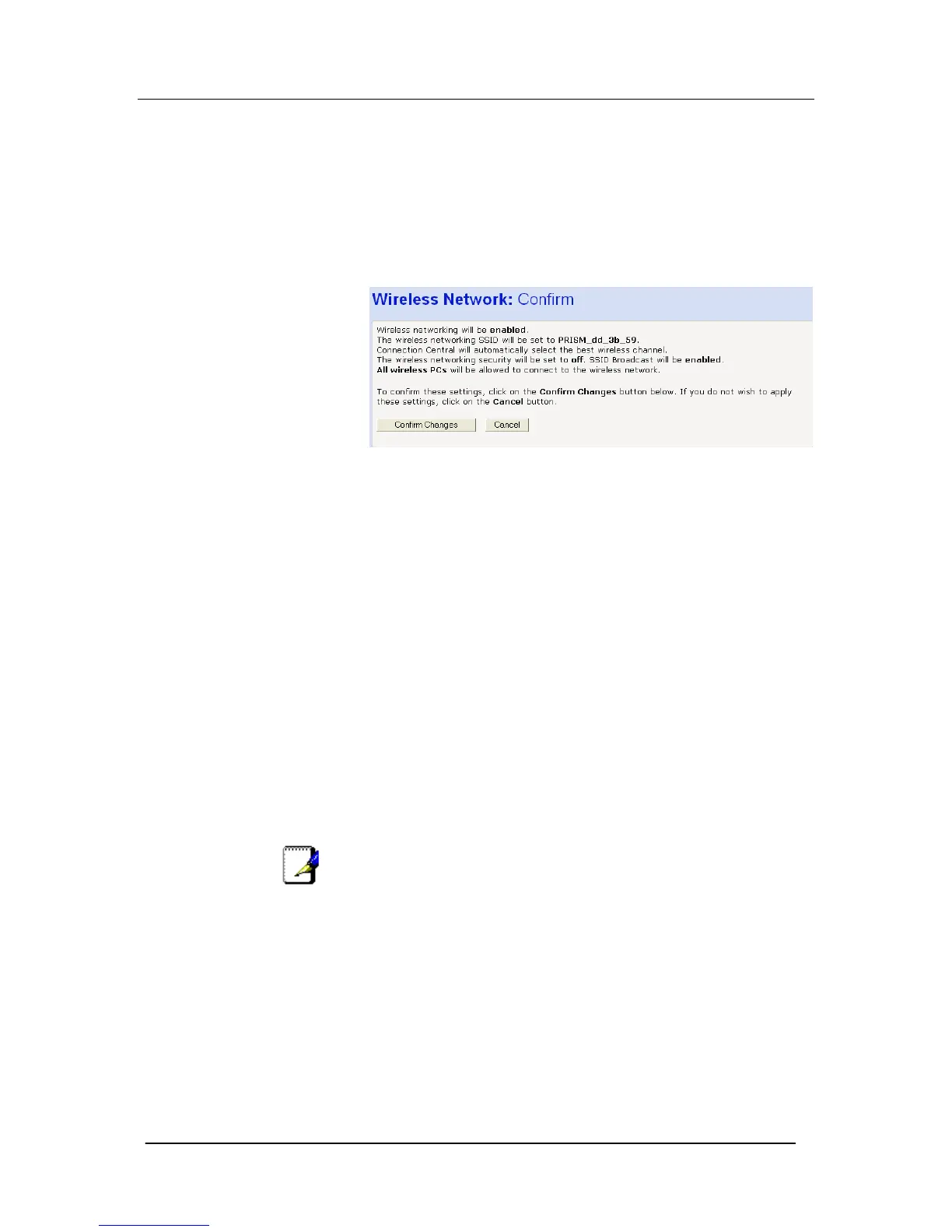
Once you have configured Wireless Address Authentication and
clicked on Next>, the following page is displayed:
This page confirms the configuration changes made to each page in
the wizard. If you are happy with these settings, click on the Confirm
Changes button. Configuration changes are applied to the Mitel
1000 and the Wireless Network page is displayed.
Once you have completed the First Time Settings wizard, you can
edit specific wireless settings using the hyperlinks displayed in the
General Settings section of the Wireless Network page.
Wireless Network First Time Settings Wizard
This section describes how to follow the wireless network wizard in
order to configure your wireless network settings for the first time.
The wizard sequence allows you to configure each of the following
Wireless settings in order:
The country that your network is operating in
The specification standard used by the wireless network
The wireless network name
The wireless network channel
Wireless network security
Wireless network address authentication
Note
Each page of the wizard contains a Cancel button. Click on this if
you want to exit the wizard at any time.
Setting the Country
1. From the First Time Settings section of the Wireless Network
page, click Change your wireless first time settings here… The
first page of the wizard is displayed:





 To Next Page