130
If you are following the First Time Settings wizard, the final page in
the wizard sequence is displayed, which allows you to Confirm
Wireless network changes.
If you have accessed this page from the General Settings section of
the Wireless Network page, click on the Confirm Changes button to
apply changes and return to the Wireless Network page.
Configuring the wireless PC whitelist
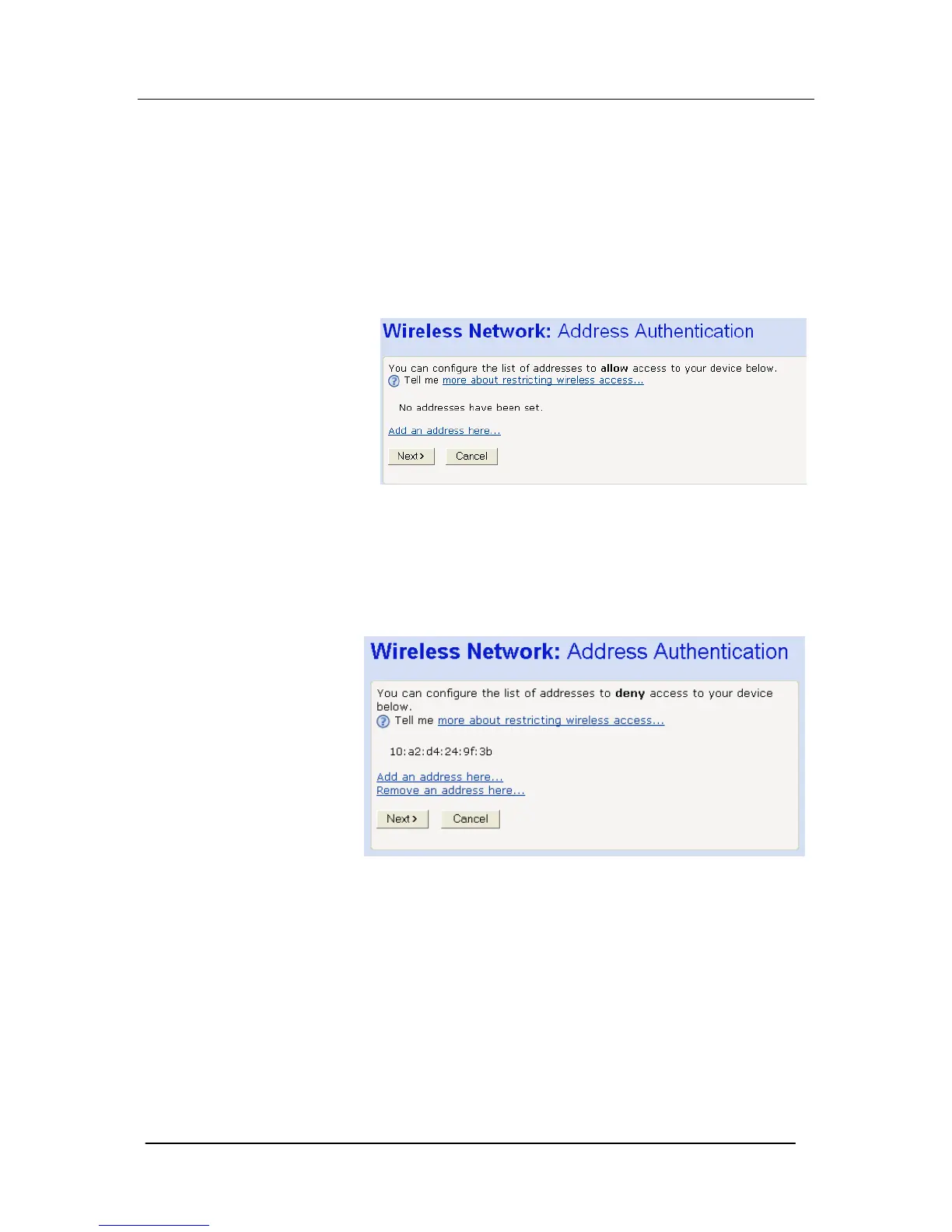
1. Once you have selected Only allow the wireless PCs I specify
to connect radio button and then clicked Next>, the following
page is displayed:
2. To add a network PC to the whitelist, click Add an address
here… The following page is displayed:
3. Click in each box and type each character pair of the MAC
address for the PC you want to whitelist. Click Next>. The
following page is displayed, containing details of the MAC
address that you have just added:
4. This page allows you to configure the addresses on the
whitelist:
If you want to add another MAC address to the whitelist, click
Add an address here… and repeat the instructions described in
step 3.
If you want to remove a MAC address from the whitelist, click
Remove an address here… At the displayed page, select the
MAC address that you want to remove from the drop-down list.
5. Click Next>.
If you are following the First Time Settings wizard, the final
page in the wizard sequence is displayed, which allows you to
Confirm Wireless network changes.





 To Next Page