129
Configuring the wireless PC blacklist
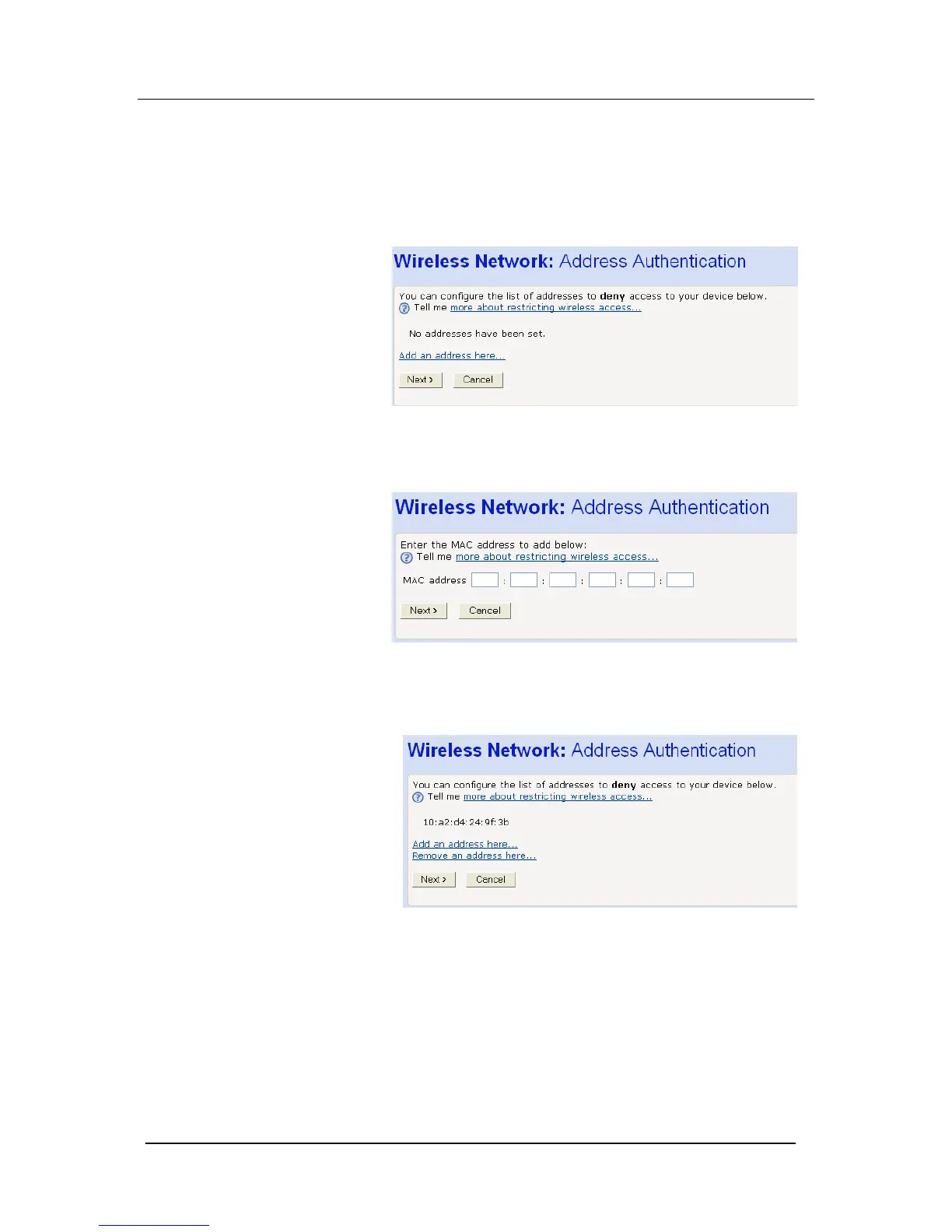
1. Once you have selected Allow all wireless PCs to connect
except those I specify radio button and then clicked Next>, the
following page is displayed:
2. To add a network PC to the blacklist, click Add an address
here… The following page is displayed:
3. Click in each box and type each character pair of the MAC
address for the PC you want to blacklist. Click Next>. The
following page is displayed, containing details of the MAC
address that you have just added:
4. This page allows you to configure the addresses on the
blacklist:
If you want to add another MAC address to the blacklist, click Add
an address here… and repeat the instructions described in step 3.
If you want to remove a MAC address from the blacklist, click
Remove an address here… At the displayed page, select the MAC
address that you want to remove from the drop-down list.
5. Click Next>.





 To Next Page