128
Configure Wireless Network Security.
If you have accessed this page from the General Settings section of
the Wireless Network page, click on the Confirm Changes button to
apply changes and return to the Wireless Network page.
Configure Wireless Address Authentication
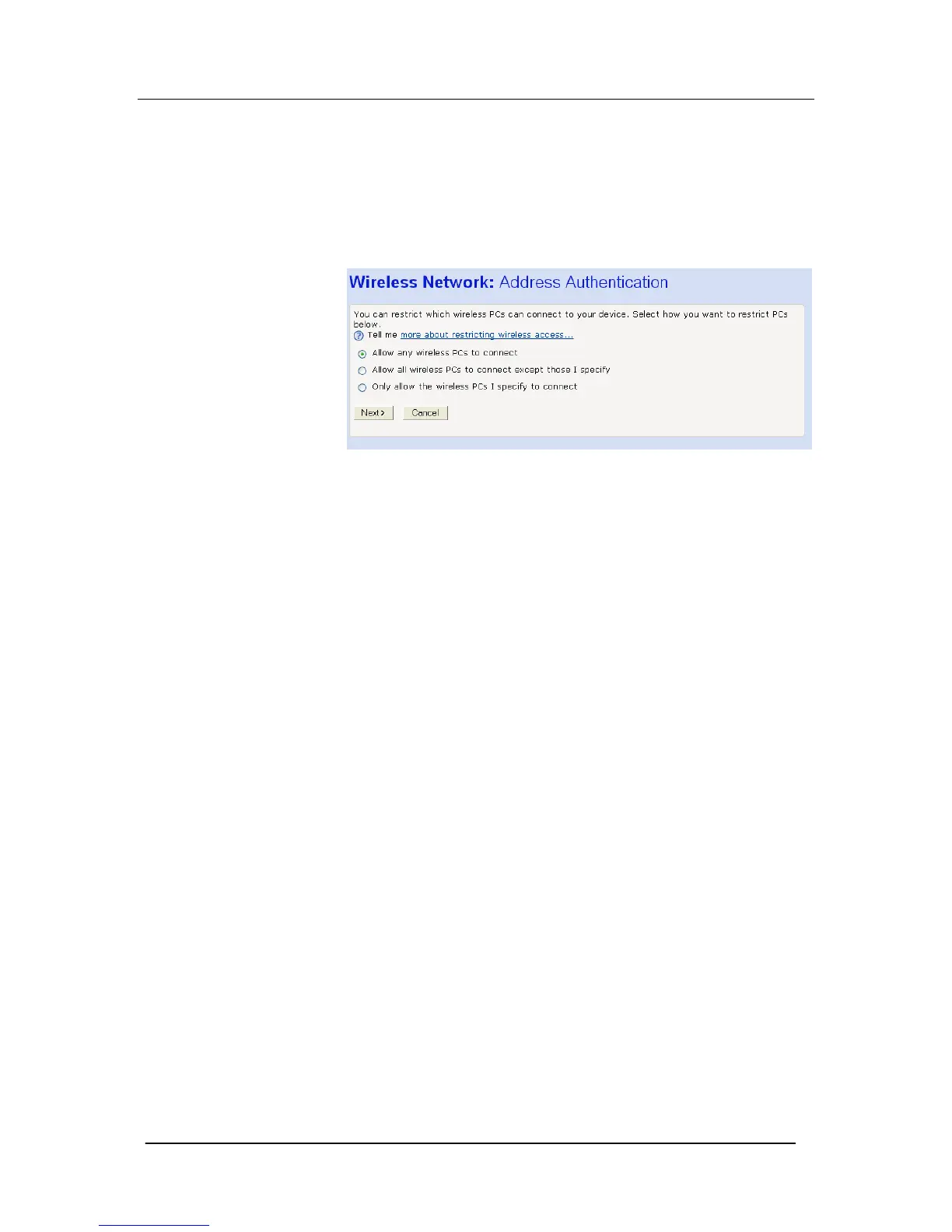
The following page allows you to configure which wireless PCs can
access the Mitel 1000:
By default, any wireless PC that is configured with your network’s
SSID and channel number can connect to your Mitel 1000. You
may want to increase the security of your wireless network by
creating one of the following lists of wireless PCs:
A wireless PC blacklist; PCs on this list cannot access the Mitel
1000, but all other wireless PCs can.
A wireless PC whitelist; PCs on this list can access the Mitel 1000,
but all other wireless PCs cannot.
The Wireless PCs added to either list are identified by their unique
MAC address. This is made up of six pairs of characters, with each
character either a number between 0 and 9, or a letter between A
and F. For example, 00:20:2b:80:2f:30.
To configure which wireless PCs can access your Mitel 1000,
choose one of the following options:
If you want any wireless PCs to have access to your Mitel 1000,
click on the Allow any wireless PCs to connect radio button. Click
Next>.
If you are following the First Time Settings wizard, the final page in
the wizard sequence is displayed, which allows you to Confirm
Wireless network changes.
If you have accessed this page from the General Settings section of
the Wireless Network page, click on the Confirm changes button to
apply changes and return to the Wireless Network page.
If you want to create a blacklist of PCs that cannot access your Mitel
1000, click on the Allow all wireless PCs to connect except those I
specify radio button and then click Next>. Now follow the
instructions in Configuring the wireless PC blacklist on page 129.
If you want to create a whitelist of PCs that can access your Mitel
1000, click on the Only allow the wireless PCs I specify to connect
radio button and then click Next>. Now follow the instructions in
Configuring the wireless PC whitelist on page 130.





 To Next Page