27
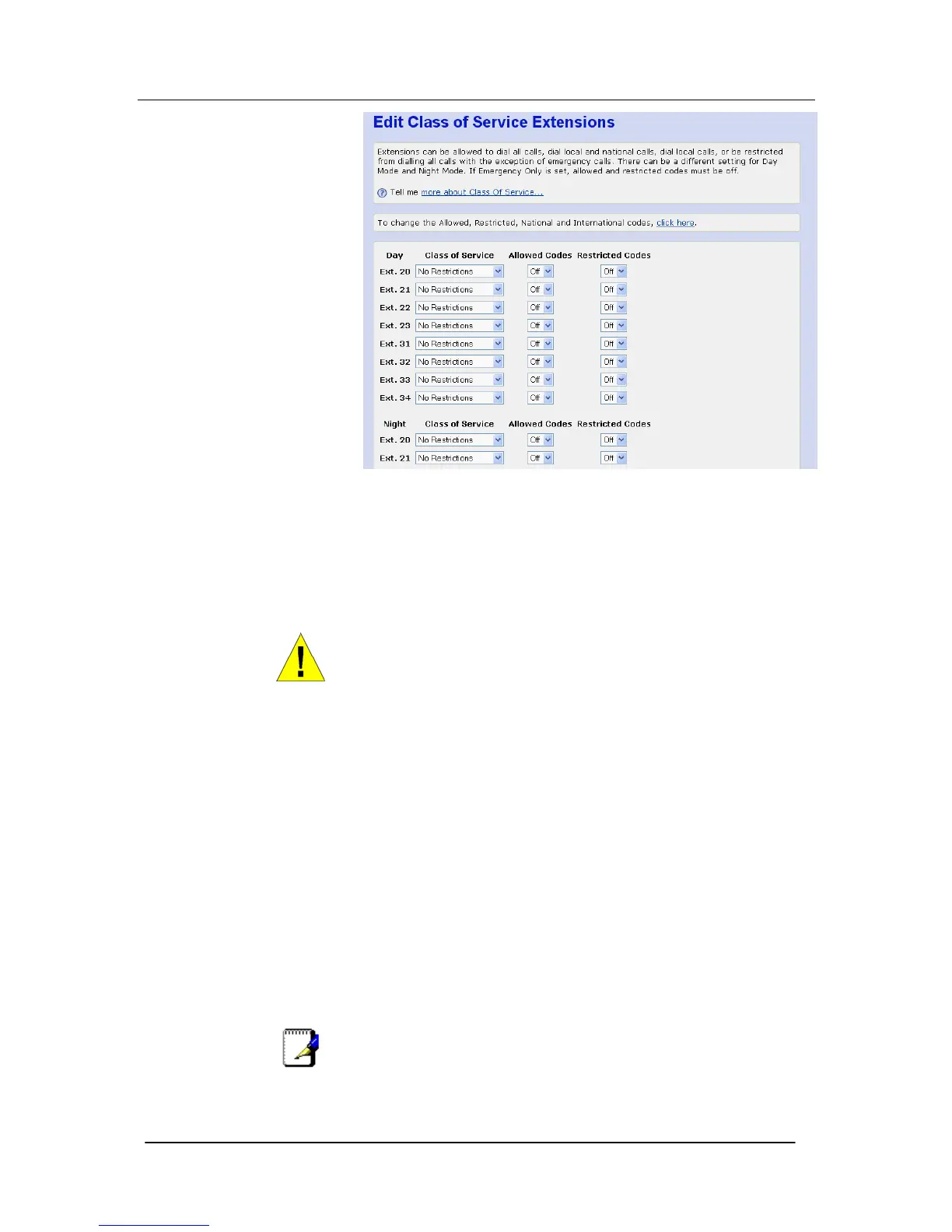
The following restrictions can be defined on a per extension basis:
• No Restrictions
• Restrict International
• Local Only
• Emergency Calls Only
• By default ALL extensions can dial ALL destinations.
WARNING
The Apply button, at the end of the page, must be clicked before
the page is exited or any other link is selected for the changes to
take effect. The settings will be lost if this is not done.
Day and Night Mode
There are different settings for Day Mode and Night Mode.
To configure Day/Night mode see page 61
The Allowed and Restricted Codes
The Allowed & Restricted codes can be used to add greater
flexibility to the allowed and restricted codes.
For example, if you wanted to restrict all International calls, except
those to the UK (international code 01144...). In this case place the
extension in Restrict International in the Class of Service settings,
and then set Allowed Codes to ON for the extension in question.
In the International table enter 011 in Index 1 and in the Allowed
Codes list enter the dialing code for the UK (01144). These settings
allow the caller to dial 01144 but restrict all other 011 codes.
Similarly if you want restrict particular numbers enter them in the
Restricted Codes list and set the Restricted Codes ON for the
extension.
Note
If ‘Emergency Only’ is set, Allowed and Restricted codes must be
OFF.





 To Next Page