71
enter a username and password so they can check that you are a legitimate
registered Internet service user. Your Mitel 1000 stores these authentication
details so you will not have to enter this username and password every time
you login.
Your ISP may also tell you to set unique path and circuit numbers (called VPI
and VCI) in order to connect your Mitel 1000 to the ISP’s Internet service. In
most cases, your Mitel 1000 will use default settings, so you may not need to
enter these values.
If your ISP wants you to connect to the Internet using PPPoA, follow the
instructions below.
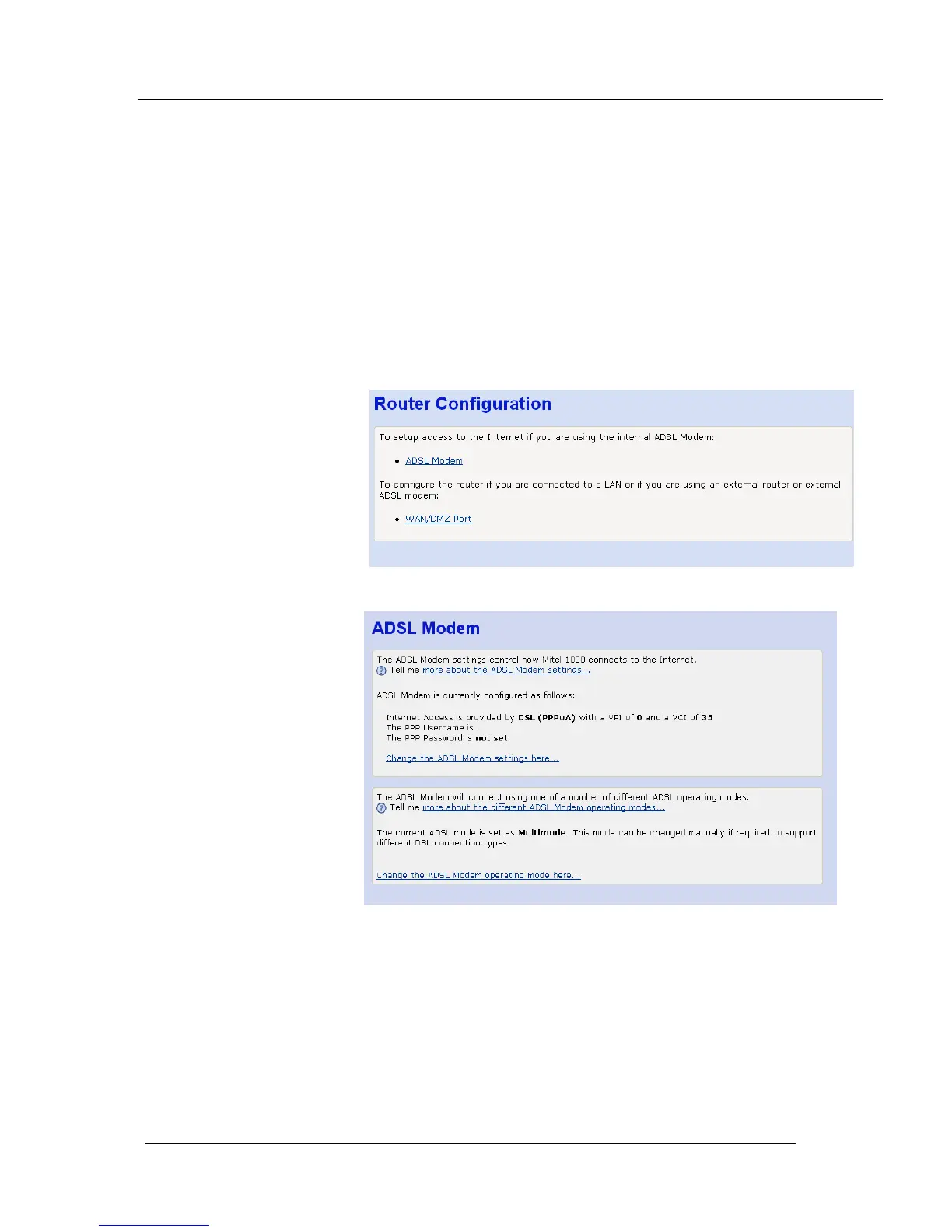
1.From the left-hand Setup menu, click on Router Configuration. The following
page is displayed:
2. Click on ADSL Modem. The following page is displayed:
This page displays information about your current Internet access
configuration.
3. Select Change the ADSL Modem settings here. The following page is
displayed





 To Next Page