74
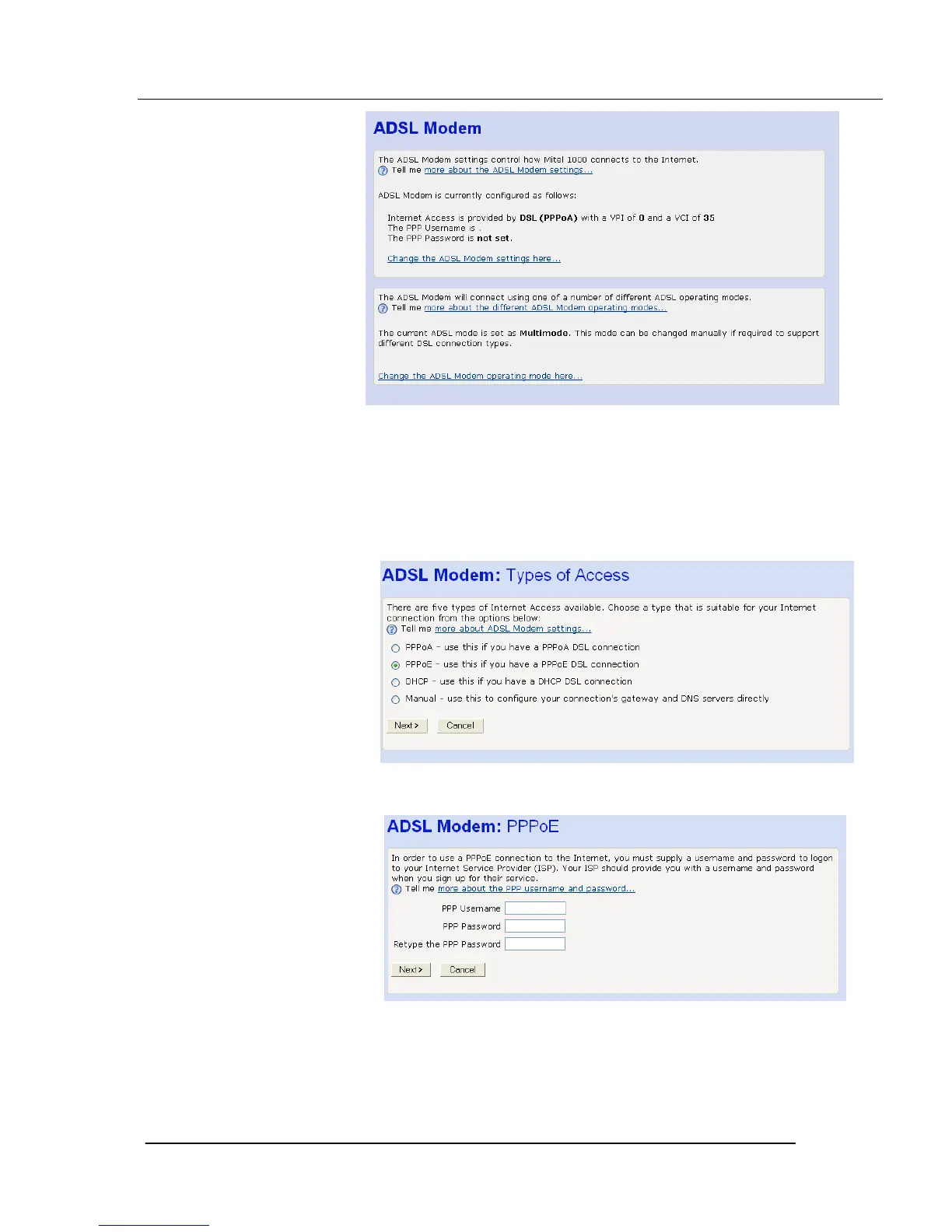
This page displays information about your current Internet access
configuration.
3. Select Change the ADSL Modem settings here. The following page is
displayed
4. Select PPPoE and Click Next>. The following page is displayed:
5. Enter the PPP username and password provided by your ISP. Type them
in the relevant boxes, and then click Next>. The following page is
displayed:





 To Next Page