Mitel 6865i SIP Phone Release 4.1.0 User Guide
In the above example, CFWD All is enabled as indicated by a check mark (), CFWD Busy
is enabled but no call forward phone number configured as indicated by a
!, and CFWD
No Answer is disabled, as indicated by an X.
3. Select a state for the account(s) in focus using the 2 and 5 navigation keys.
You can enable/disable any or all of the following states for an account:
• All: Forwards all incoming calls for the respective account to the specified number.
• Busy: Forwards incoming calls to a specified number if DND has been enabled for that
account OR if the account is currently engaged in another call.
• No Answer: Forwards incoming calls to a specified number if the call has not been
answered for the specified number of rings.
You can also use the following keys if required:
• All Off: Disables all CFWD states for the current account in focus
• All On: Enables all CFWD states for the current account in focus
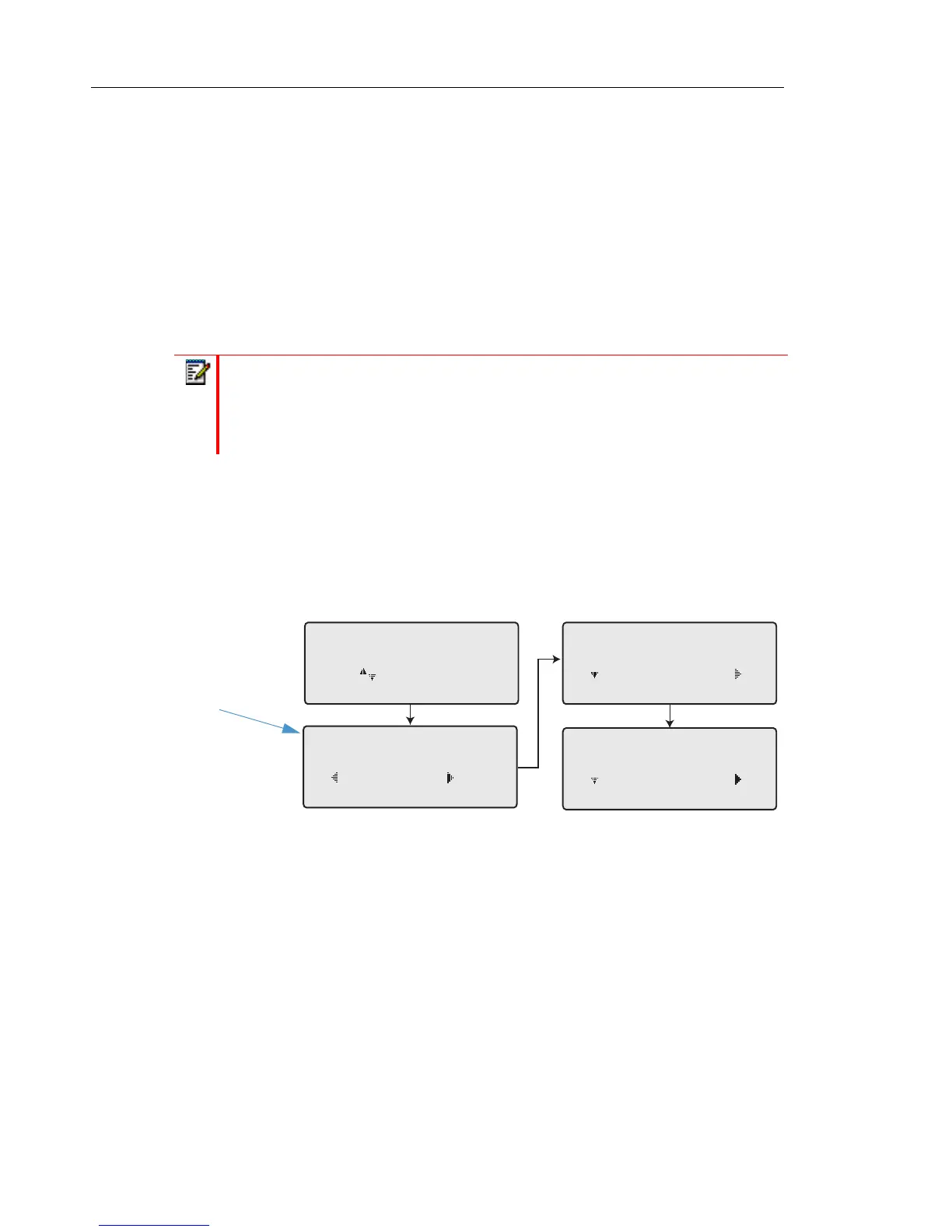
4. Press the
4 Change navigation key for the state you selected in Step 3. Scroll to the CFWD
State screen. This displays the current state of the mode you selected. In the following
example, the CFWD All state is ON.
5. Press the
4Change navigation key in the CFWD State screen. Press 2 to toggle the state
of the CFWD mode ON or OFF. In the example in Step 4, you press
2 to change the option
to OFF.
6. Press
4Set to save the change.
Note: If CFWD All, CFWD Busy, and CFWD No Answer are all enabled (and/or if
the account has DND enabled), the CFWD All settings take precedence over CFWD
Busy and CFWD No Answer.
Cfwd All
Use to view
Cfwd State
On
Done Change
1
Cfwd State
ON
Next Set
Cfwd State
OFF
Next Set
Change



 To Next Page