www.mobotix.com • sales@mobotix.com
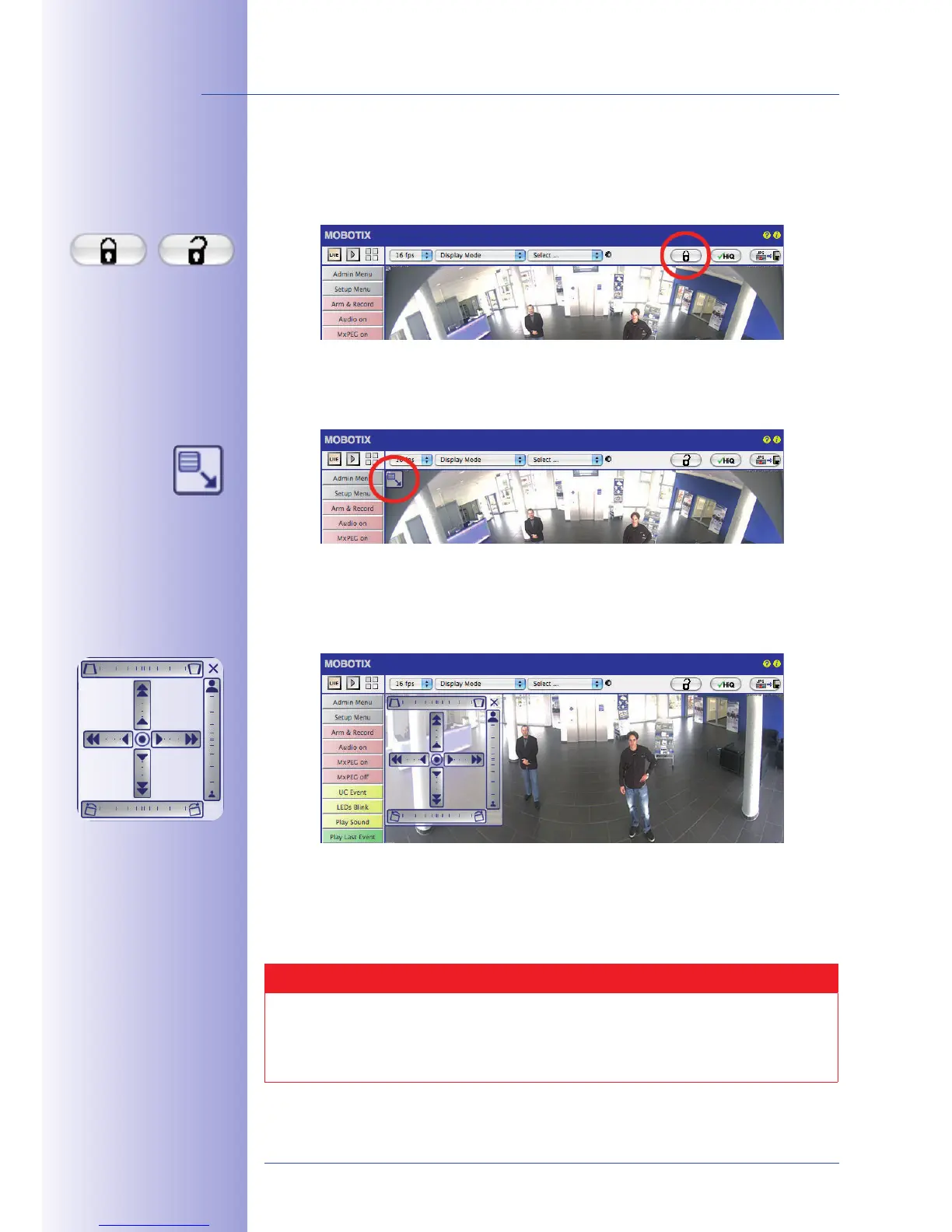
2. Click on the . Clicking the lock once opens it (lock clasp is raised). The lock
prevents execution of later vPTZ actions, and thereby also unintentionally modify-
ing the view you configure. This holds for all overview display modes, that is, also
for Panorama Focus, Double Panorama and Surround.
3. A new appears in the top left corner
of the camera image. Enlarge the image by clicking on the icon once (OnScreen
Control appears).
4. Using the OnScreen Control visible in the live camera image, you can now change
the displayed live camera image as desired (panning, tilting, zooming, horizon
and panorama correction; see page on the right). When doing so, the vPTZ function
using the mouse or joystick is deactivated.
5. When you have modified the desired setting, close the control panel (x in the top
right hand corner).
6. to close it (lock clasp is down). The panorama image
setting is then locked until the camera is next restarted.
Caution
To permanently save the standard image setting defined for the M24M, select the
Control. The settings will then remain in eect, even after rebooting.
Lock open
Click on the icon



 To Next Page