41
LED display Power LED: ON , READY : OFF, ERROR: OFF
No. Display information Display Changes
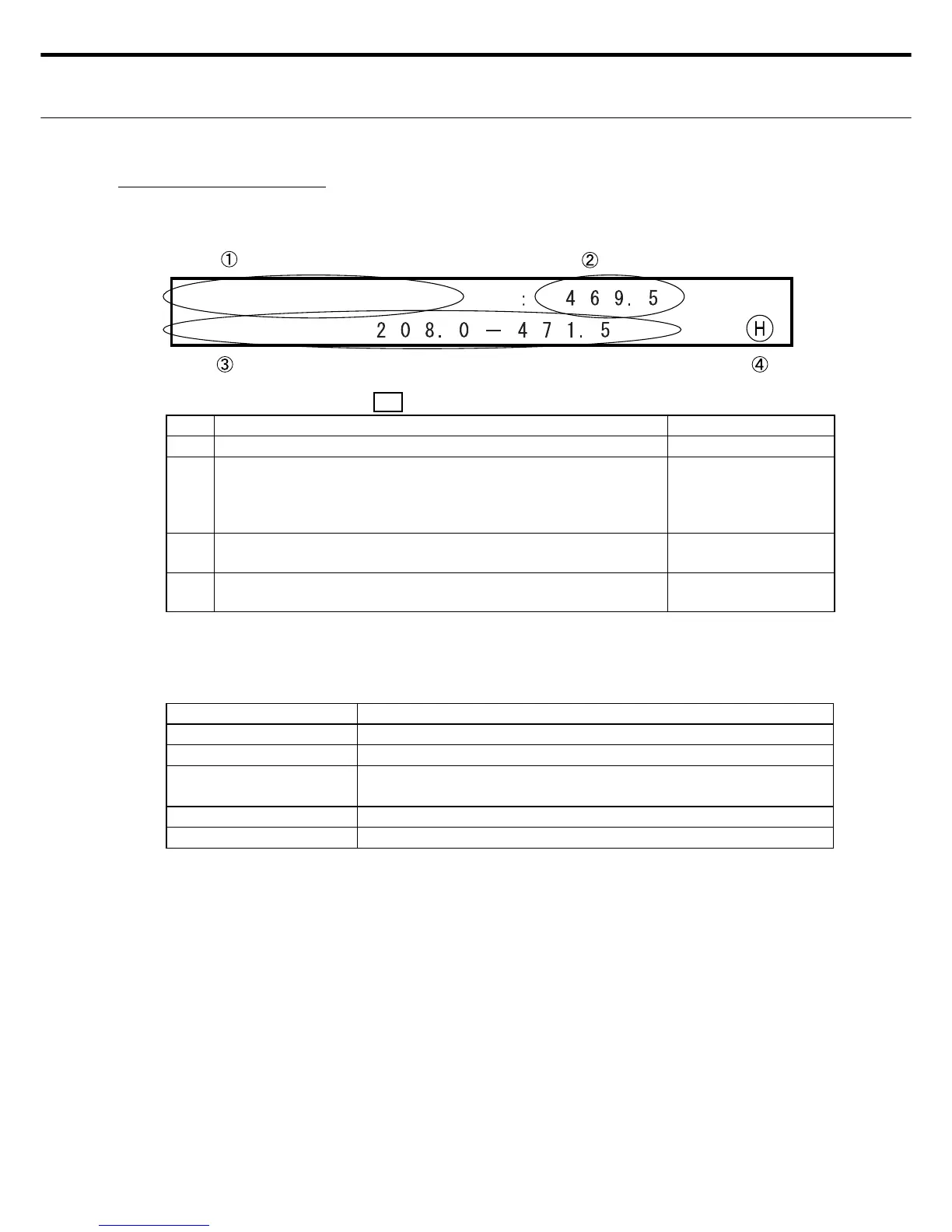
Ԙ Shows that this is for setting the cut length (single card length) INOP (Fixed screen)
ԙ Cursor is movable in the ԙ range.
Enter a value in "Cut Length" by moving the cursor with the
right or left switches to move up and down to the digits to fi nd
the number you want. (0.1 mm steps)
OK
Ԛ Shows the effective paper length range in the currently select-
ed cutting format.
INOP
ԛ An "H" is shown when the displayed setting has been saved. A
blank space is shown in the setting change state.
OK. Shows "H" or
blank display.
Note 1: The only location settable by the user is ԙ .
Note 2: Numbers can be entered only in the range shown in Ԛ . Numbers outside this range
are invalid and cannot be entered because the Enter switch is disabled.
٤ Paper length setting switches
Switches Description
RIGHT/LEFT Moves the cursor. Valid in the range in ԙ .
UP - DOWN Use for setting the paper length. Enabled by ԙ .
ENTER Use to enter the display information. (After entering, an "H" ap-
pears in ԛ ).
CLEAR Shows the default (reset value).
MENU Setting Entry mode; Shifts to Menu screen 1.
Note 1: The data changes are not entered (stored) if the Menu switch is pressed before the
Enter switch was pressed.
Note 2: If an error such as Cover-Open was detected before pressing the Enter switch then
after eliminating the error, operation shifts to Standby mode without storing any
changes.
Ԛ Setting the paper length
The paper length setting is valid when a format without the long blade cut was selected.
٤ LCD display for paper length setting
2. Length



 To Next Page