34 of 82 MANUAL-75-v2.0
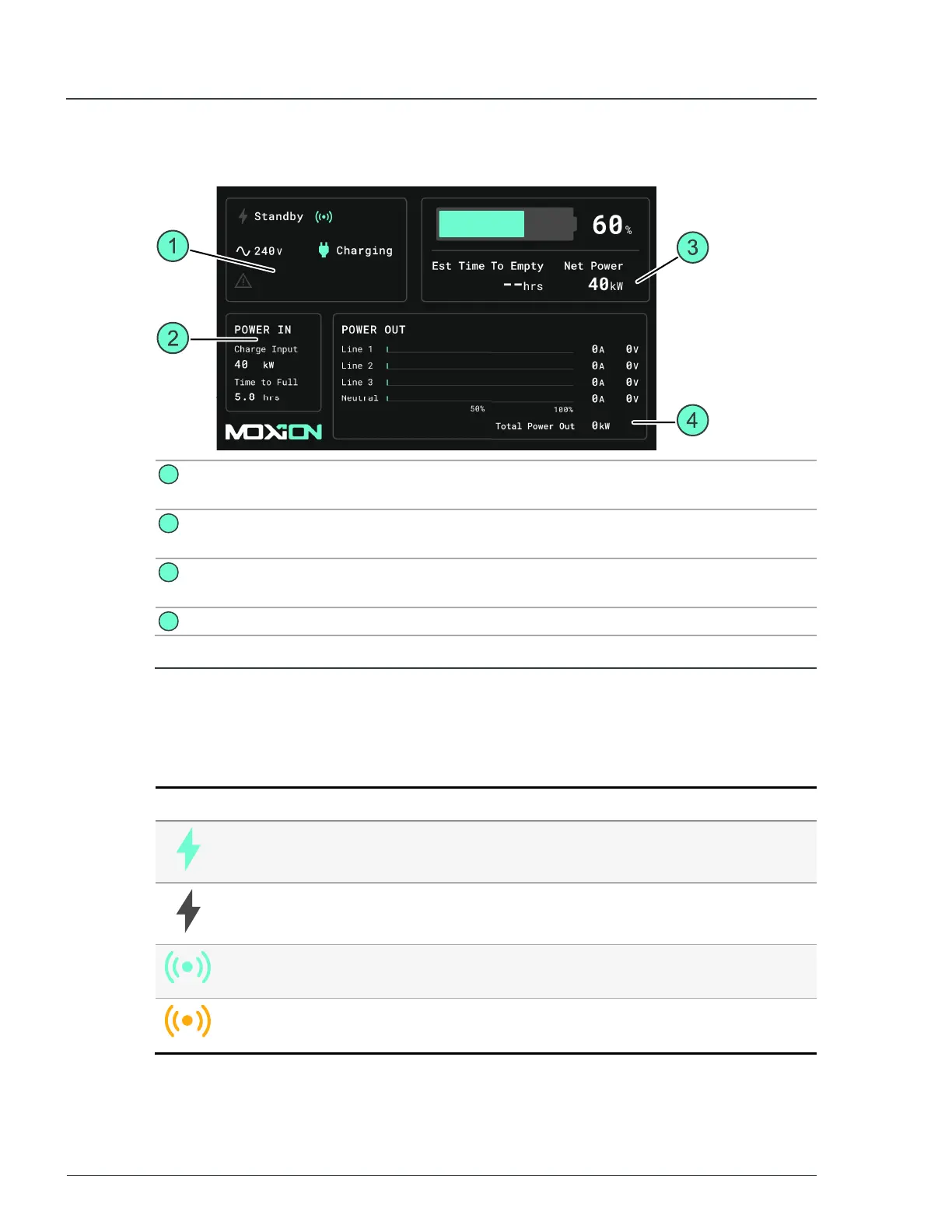
2.6 Control display
1
Unit system
status
Displays the status of the unit.
2
Charging state Shows information about the unit charging levels during a
charging process.
3
Unit power
status
Displays the current charge levels and available power.
4
Power levels Displays available output power levels.
Figure 17 - Control display
2.6.1 Control display icons
Control panel icons
Icon Description Meaning
MPUstatus
green
The MPU is in
RUN
mode and providing power.
MPU status
grey
The MPU is in
STANDBY
mode.
Signal green The remote connection to the MPU is working and has a
strong signal.
Signal yellow The remote connection to the MPU is inconsistent or not
strong.
MP75-600 - User Manual 2 Hardware description


 To Next Page