Bolt X Quick Start Guide
40
Moving the Robot in Manual Mode
1. Press the Servo On Ready button on the pendant. The Servo ON
light should start blinking.
2. Press the Dead Man’s Handle at the rear of the pendant half way to
turn the robot on..
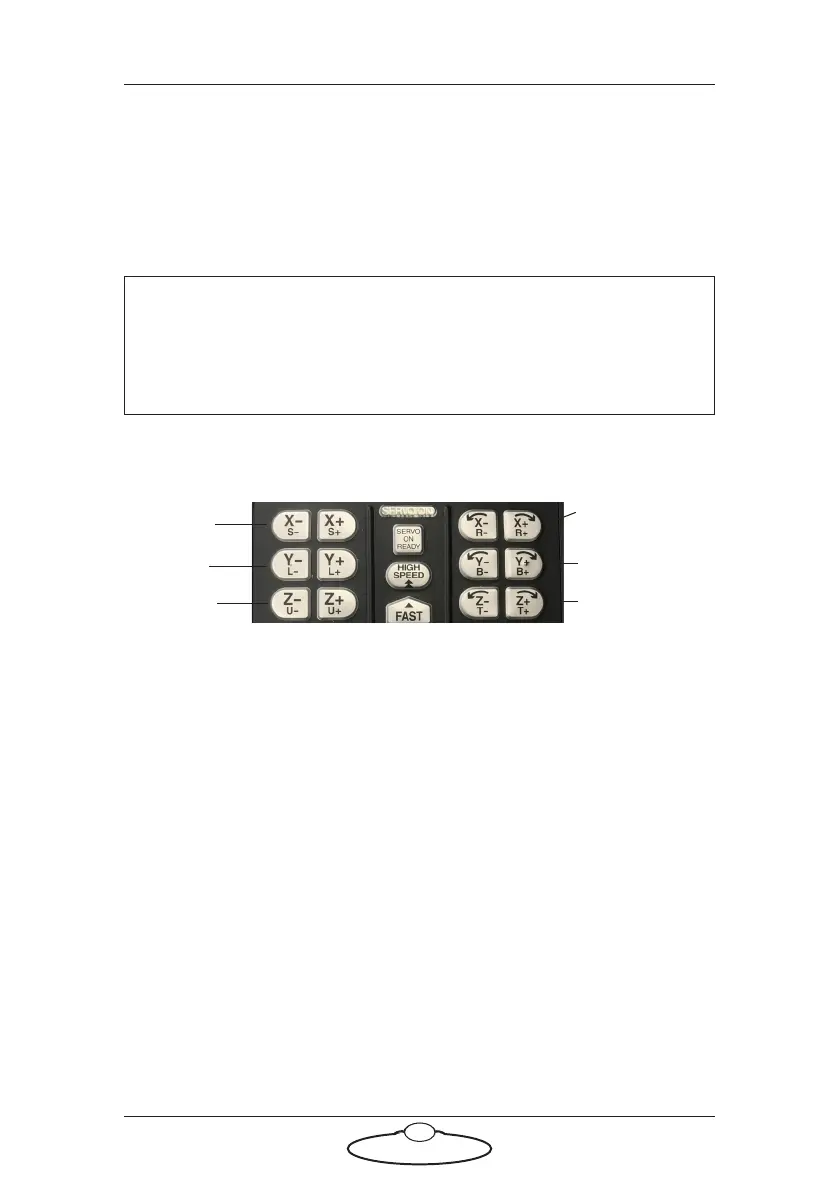
3. Use the axes buttons X to Z, shown, to move the joints on Bolt X.
To move the Bolt X base or to switch from moving Rotate to Track,
press the Ex Axis button. To switch to moving Rotate axis, press the
Robot button.
4. Use the Slow and Fast button to change the speed of the axes
movement.
Note
If you release the deadman’s handle, the robot will power off. Press
the Servo On Ready button on the pendant and the deadman's
handle half way again to power up the robot.
Rotate/
Track
Lift
Arm
Pan
Tilt
Roll
Note
When moving an axis using the pendant, be careful, as the direction
might be reversed with respect to Flair.



 To Next Page