Bolt X Quick Start Guide
24
Starting up the Bolt X system
Once you have attached all the cables, you power up the Bolt X rig by
switching on the components in the order described below.
1. Make sure you have secured the area around Bolt X.
Put up guard rails around Bolt X (and the track) as
necessary, and tell others on the set that you are now
powering up the rig.
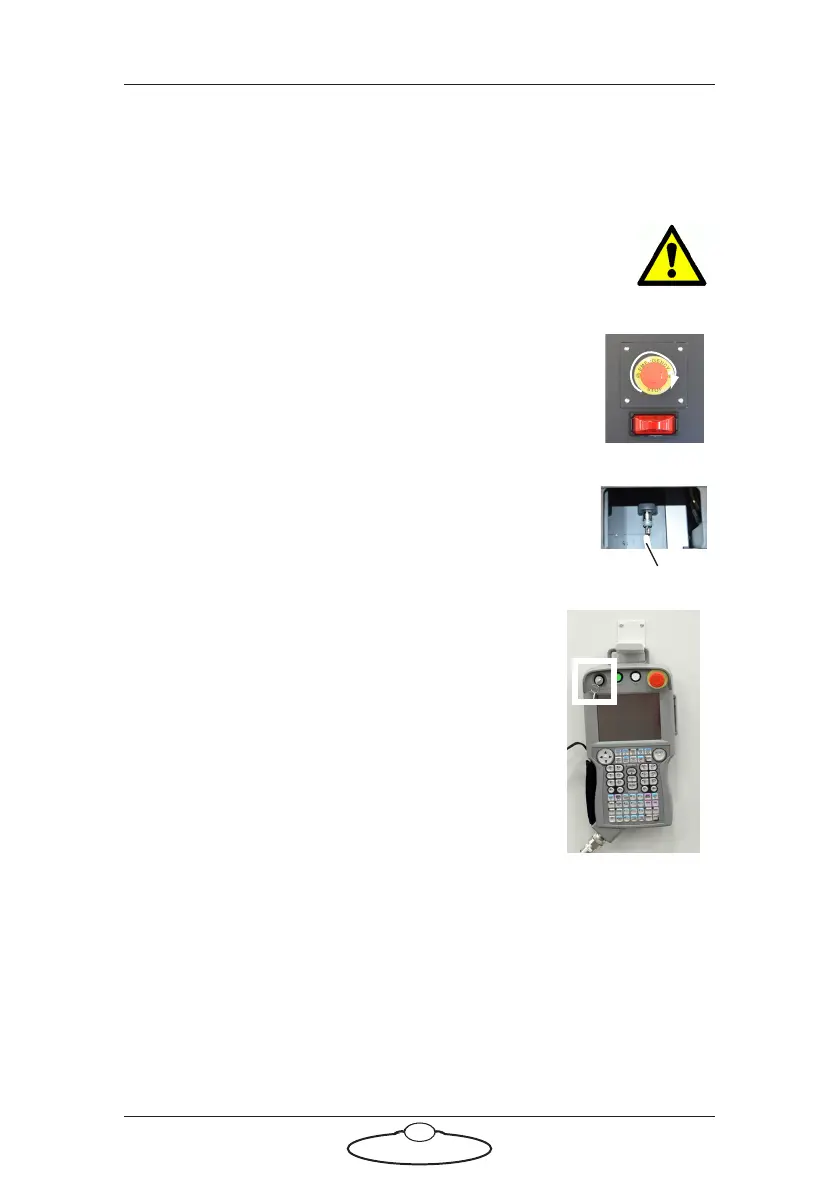
2. Release the E-stop that is plugged into the
YRC1000 teach pendant (twist and pull) and also
the E-stop that is on the Bolt X base (if using Bolt X
On Track) by turning the red button clockwise until
the button pops up. Do not release the other
E-stop by the computer stack yet.
3. Ensure that the bypass jumper is plugged in the Bolt
X base side panel. The panel can be accessed by
undoing 4 x screws and removing the cover.
4. If the teach pendant is plugged in the side
panel instead of the bypass jumper, ensure
that the key in the YRC1000 teach pendant is
pointing to REMOTE and not to TEACH
label. (It is recommended that when moving
the robot under normal circumstances, the
teach pendant is replaced with the bypass
jumper.)
5. Power up Bolt X itself as follows:
Bypass jumper



 To Next Page